How to Setup Django on HiTechCloud
HiTechCloud features a custom AutoInstaller that provides one-click installations for a variety of popular CMS and frameworks. Unlike other autoinstallers that primarily support PHP-based applications, HiTechCloud's AutoInstaller also supports Python, Ruby on Rails, and Node.js applications.
Here’s a step-by-step guide to installing a Python-based application like Django on HiTechCloud:
Step 1: Create a Domain
Navigate to HiTechCloud > Domains to add the domain name you will use for your app. Ensure the domain name is pointed to the server's IP address, which you can find on the Dashboard page. Verify that you can access the domain.
Step 2: Open AutoInstaller
In the HiTechCloud menu, click on Auto Installer and select Install under the NodeJS & Python section.

Step 3. Fill the form
In the form, choose your domain name under 'Application URL'.

In the 'Application Startup File' field, enter domainname/manage.py (replace domainname with your actual domain name).

In the 'Optional flags' section, set the Django runserver command as follows: runserver 0.0.0.0:3000 (replace 3000 with your desired port number).

For the 'Type' field, select Python:

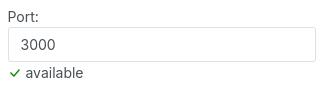
and in the 'Port' field, enter the same port number you used in the runserver flag (e.g., 3000).
Click Create and wait a few minutes for the process to complete.

Note: The initial setup might be slow as it installs PM2, Python, Django admin, and other dependencies. Subsequent application setups will be faster.
Step 4. Test in browser
Once the installation is complete, open your domain in a web browser to test the setup.
