Server Settings
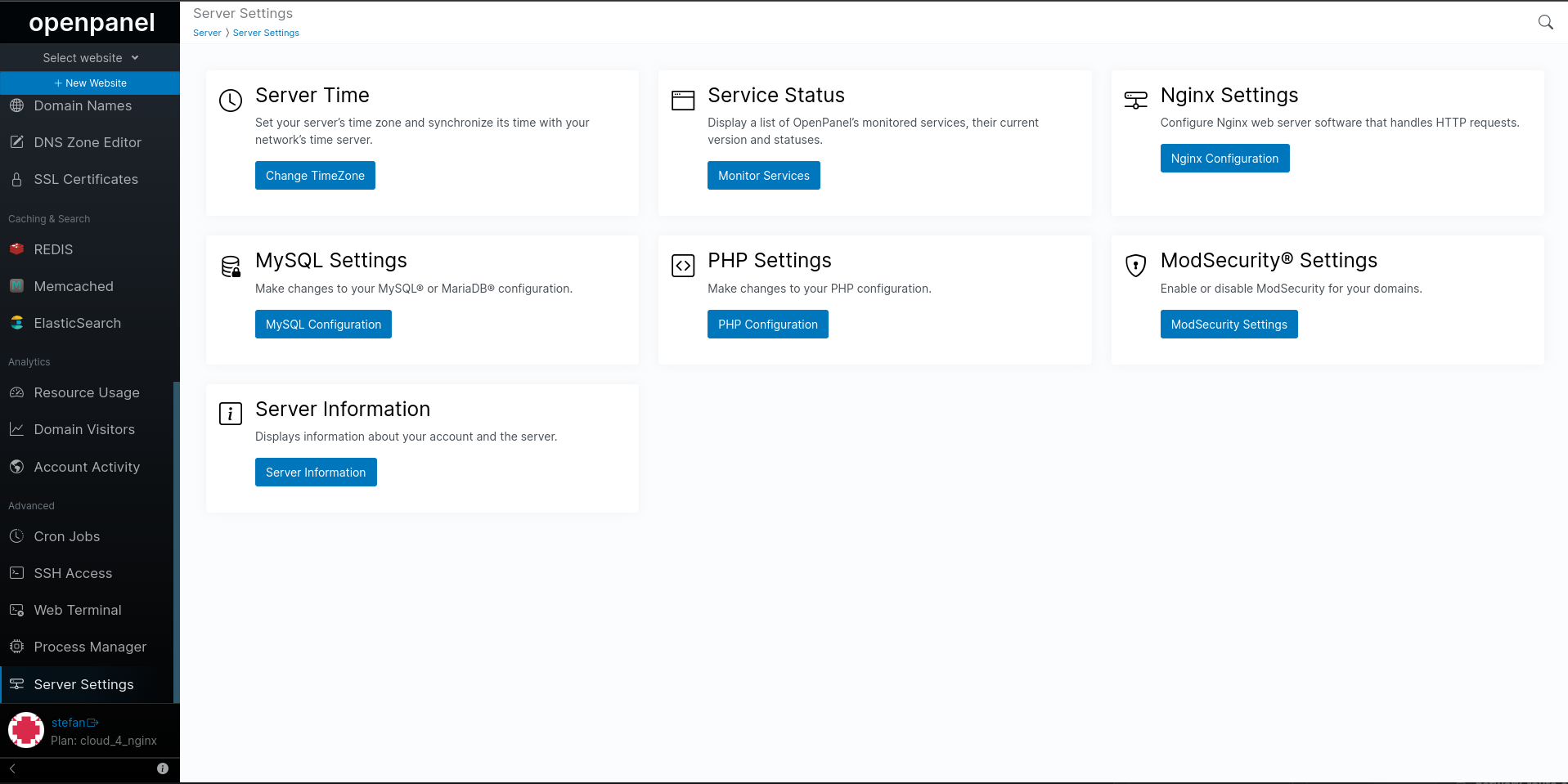
Server Time
The 'Change TimeZone' page allows you to view the current TimeZone and change it.
To change a timezone for your server simply select the new timezone in the select and click on 'Change Timezone' button to save.
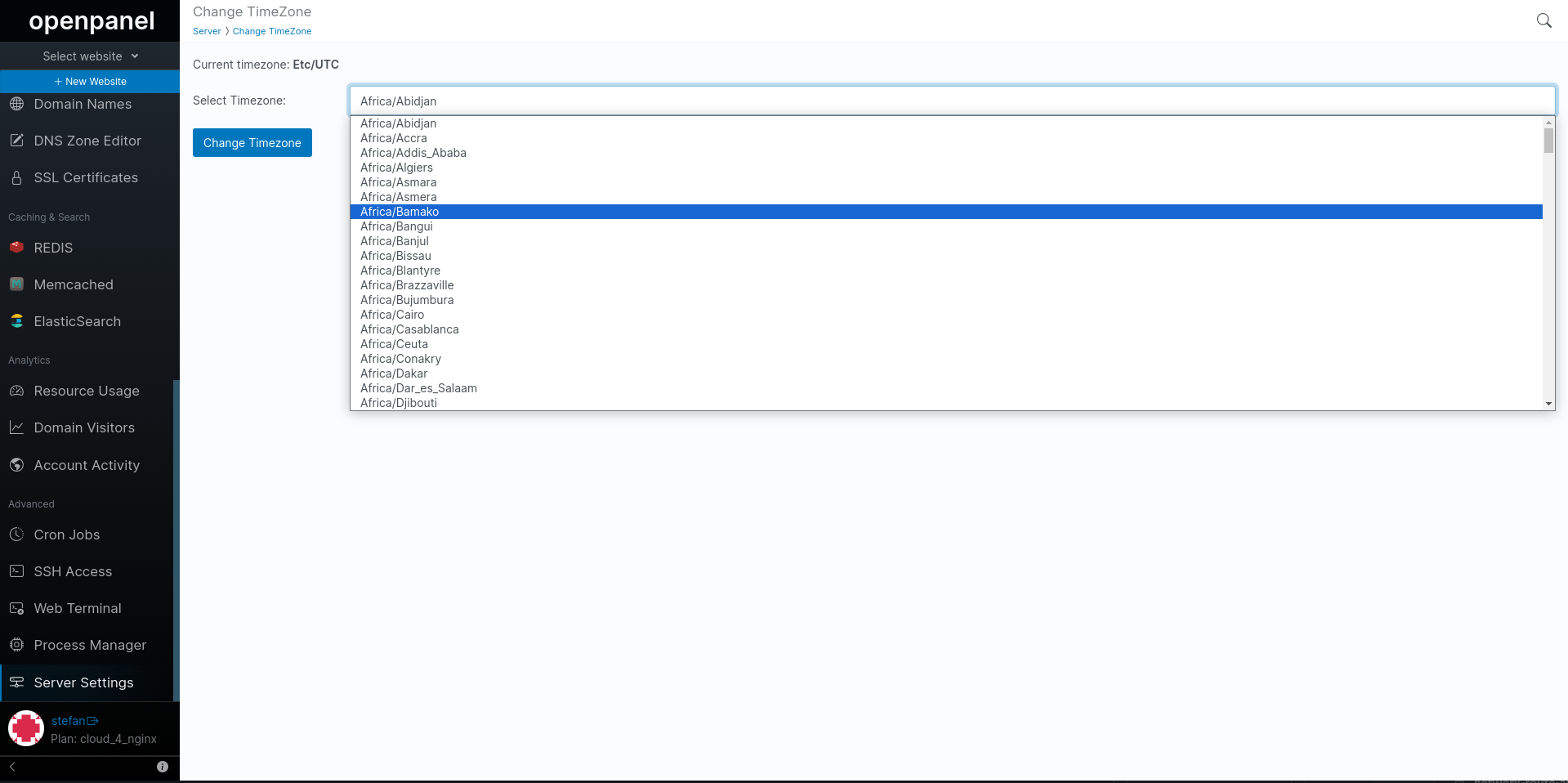
The TimeZone setting is handy for running scheduled cronjobs in your local timezone.
Service Status
The Services page provides information about the status and version of all your currently installed services.
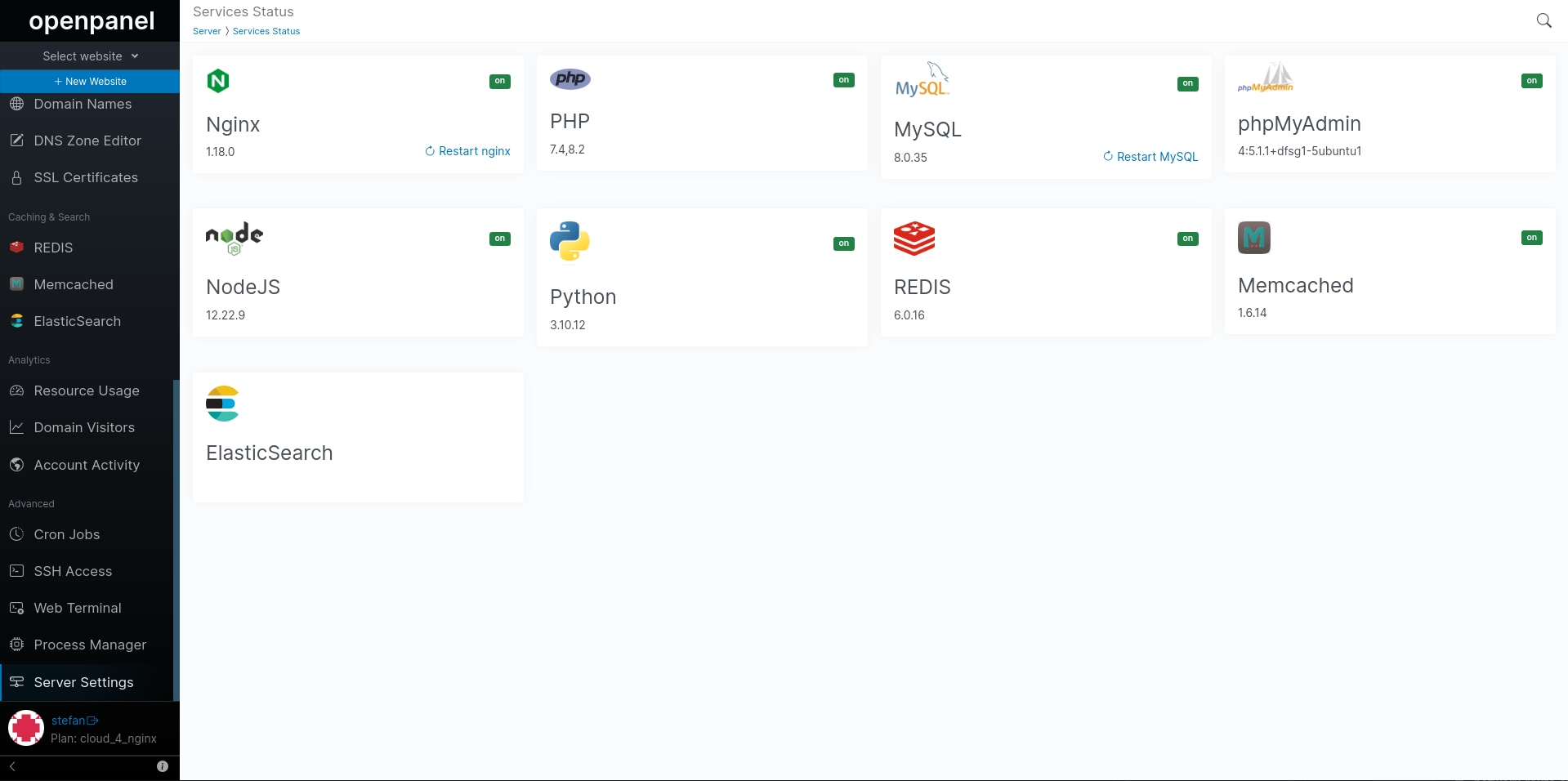
It includes details about:
- Apache or Nginx
- PHP
- MySQL
- phpMyAdmin
- NodeJS
- Python
- REDIS
- Memcached
- Elasticsearch
From this page, you have the ability to view service versions, monitor their status, and restart MySQL or Nginx/Apache services.
Each service's status is indicated by the "on" or "off" label displayed next to it.
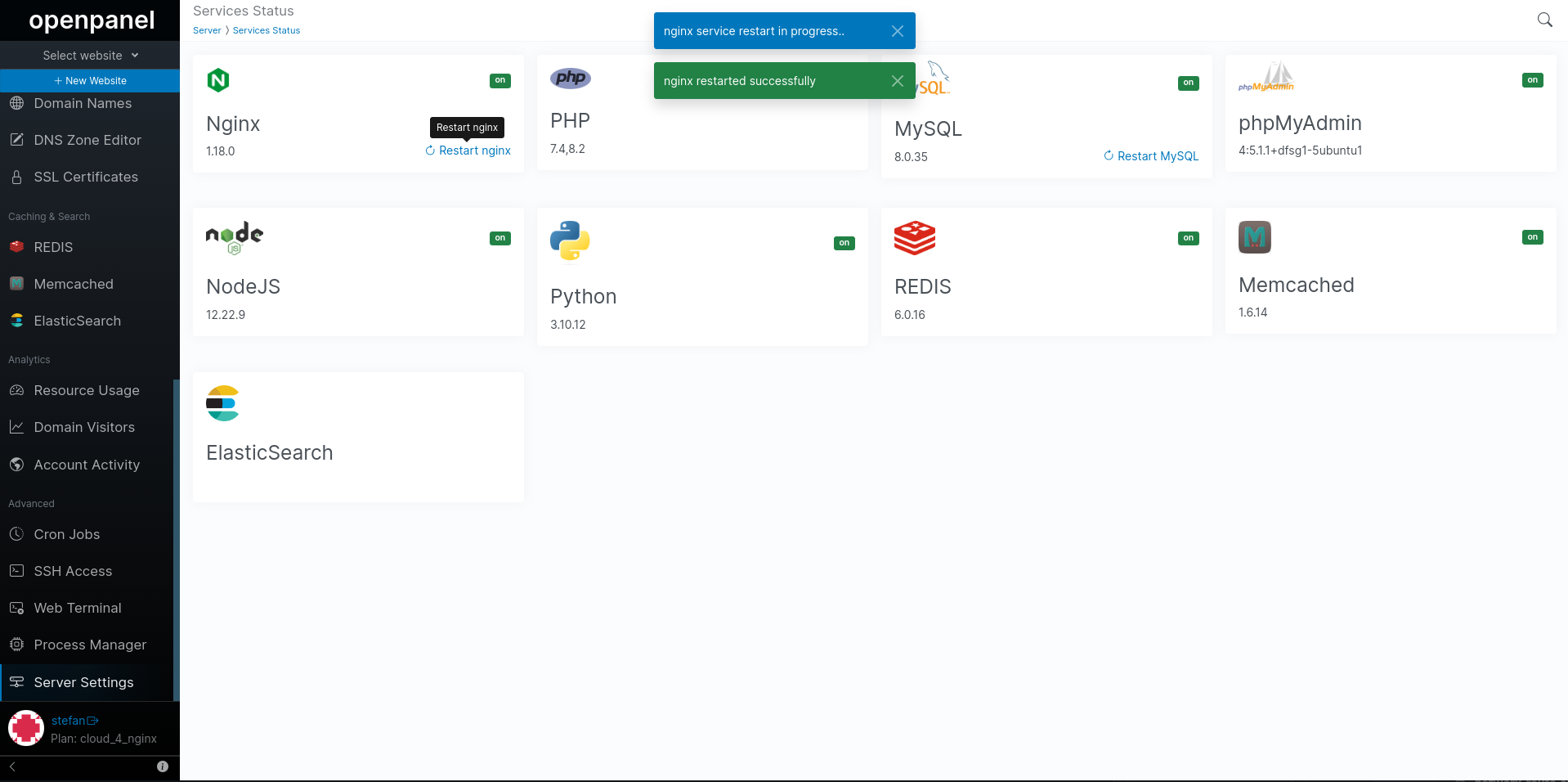
To restart MySQL or Nginx/Apache service click on the 'Restart' link next to it. This will force stop of the service process and immediatelly start it.
Nginx / Apache Settings
The Nginx / Apache Configuration Editor page allows you to view and edit the main Apache/Nginx configuration file inside your docker container.
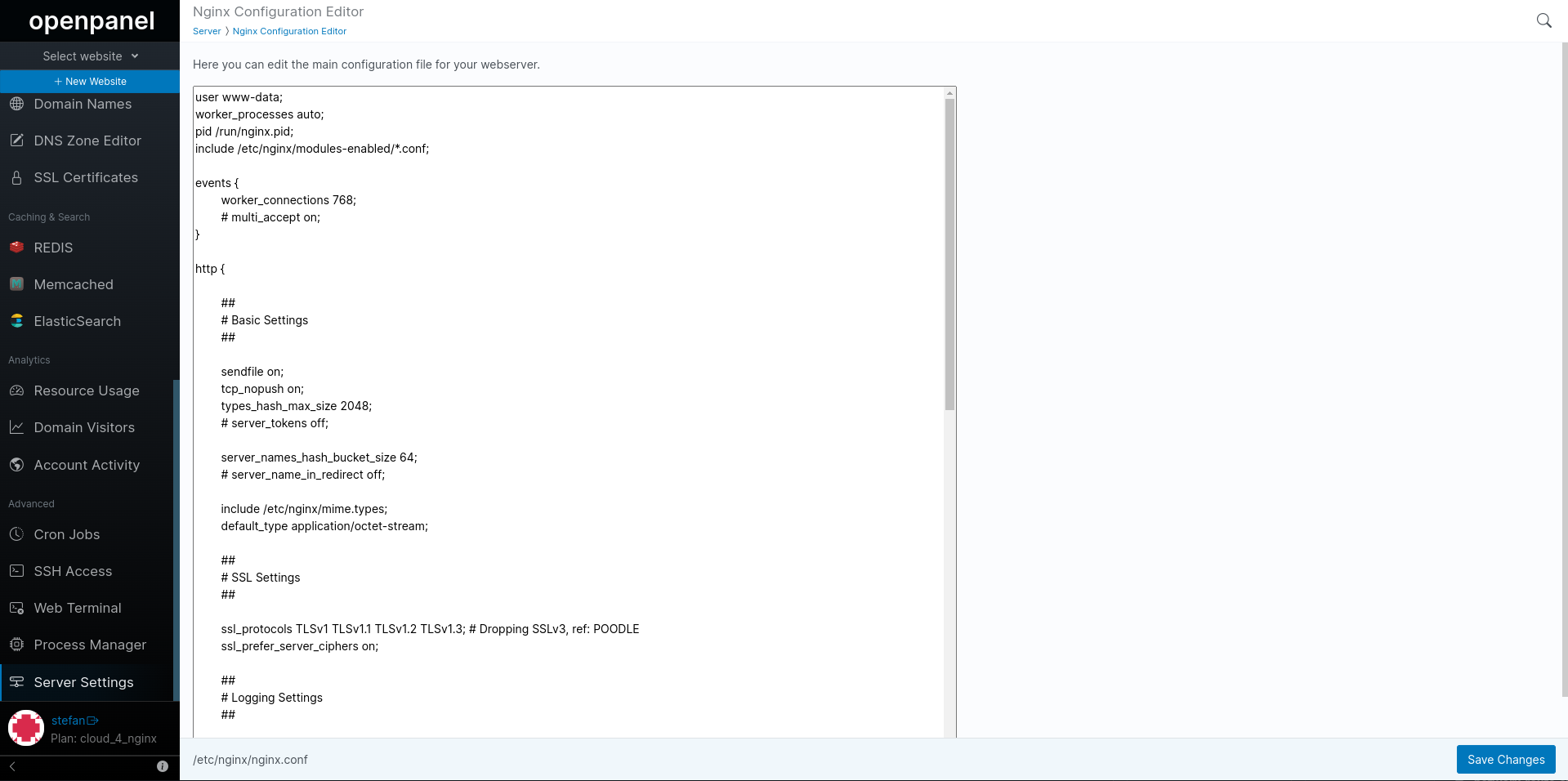
- For Apache the main configuration file is:
/etc/apache2/httpd.conf - For Nginx the main configuration file is:
/etc/nginx/nginx.conf
Editing this file is for advanced users. Make sure to create a backup before making any changes, as even a small syntax error can cause server restart failure and downtime for all your websites.
MySQL Settings
Edit MySQL configuration
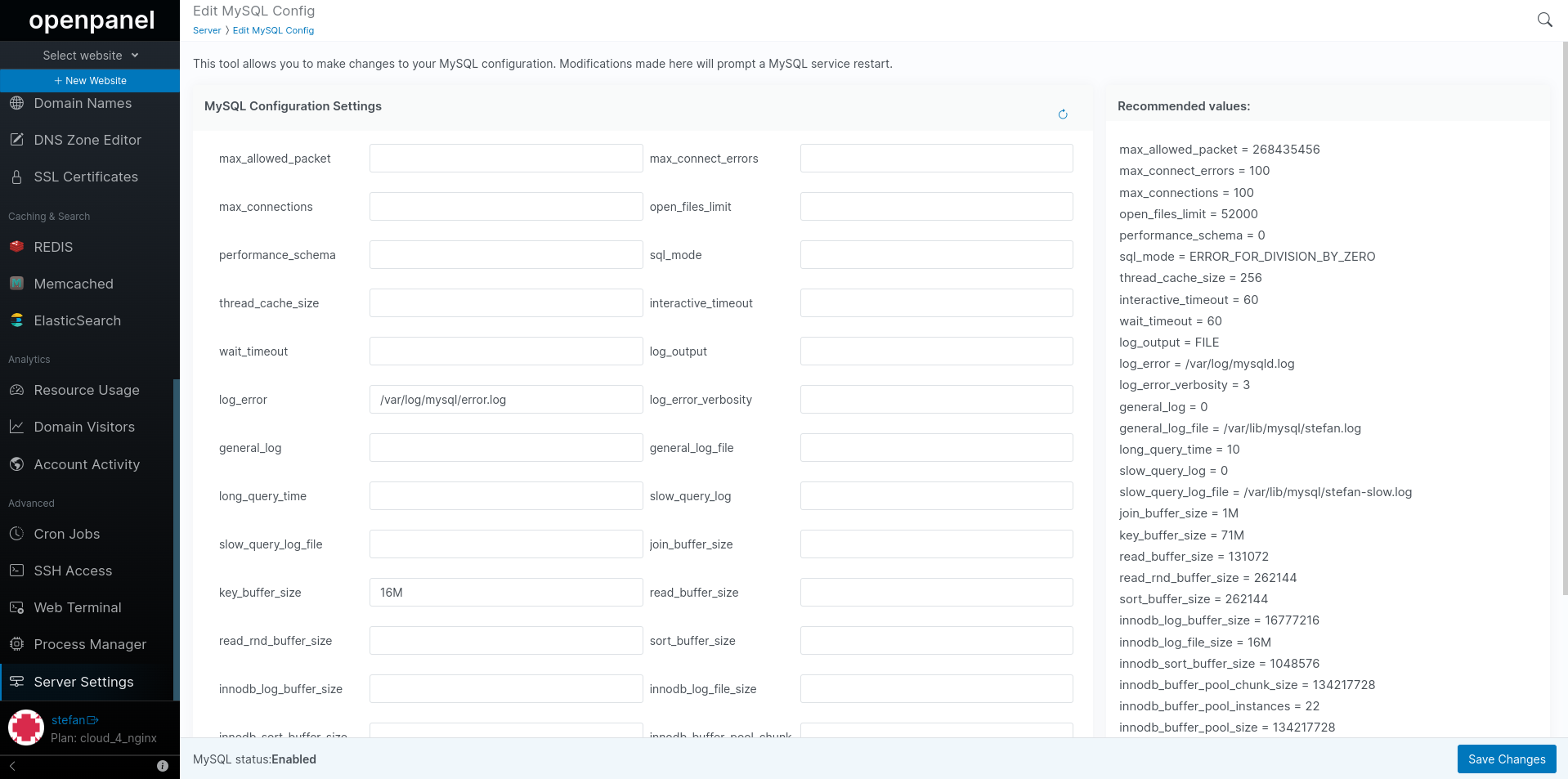
These settings are used to configure various aspects of MySQL's service:
- max_allowed_packet: Maximum size of the communication buffer between the client and server.
- max_connect_errors: Maximum number of interrupted connections before the server blocks the host.
- max_connections: Maximum number of simultaneous client connections.
- open_files_limit: Limit on the number of file descriptors that mysqld should be allowed to use.
- performance_schema: Whether to enable the Performance Schema.
- sql_mode: SQL mode to set. Here it's set to ERROR_FOR_DIVISION_BY_ZERO.
- thread_cache_size: Number of threads the server should cache for reuse.
- interactive_timeout: The number of seconds the server waits for activity on an interactive connection before closing it.
- wait_timeout: The number of seconds the server waits for activity on a connection before closing it.
- log_output: Where to write the general query log. It's set to FILE.
- log_error: Location of the error log.
- log_error_verbosity: Verbosity level of the error log.
- general_log: Whether to enable the general query log.
- general_log_file: Location of the general query log file.
- long_query_time: Time in seconds that a query must take to be considered slow.
- slow_query_log: Whether to enable the slow query log.
- slow_query_log_file: Location of the slow query log file.
- join_buffer_size: Size of the buffer used for index scans.
- key_buffer_size: Size of the buffer used for index blocks.
- read_buffer_size: Size of the buffer used for sequential scans.
- read_rnd_buffer_size: Size of the buffer used for random reads.
- sort_buffer_size: Size of the buffer used for sorting.
- innodb_log_buffer_size: Size of the buffer for InnoDB log writes.
- innodb_log_file_size: Size of each InnoDB log file.
- innodb_sort_buffer_size: Size of the buffer used for sorting in InnoDB.
- innodb_buffer_pool_chunk_size: Size of each chunk in the InnoDB buffer pool.
- innodb_buffer_pool_instances: Number of instances that the InnoDB buffer pool is divided into.
- innodb_buffer_pool_size: Total size of the InnoDB buffer pool.
- max_heap_table_size: Maximum size of in-memory temporary tables.
- tmp_table_size: Size of in-memory temporary tables used for ALTER TABLE.
Make sure to adjust these values based on your specific server requirements and workload. Additionally, regularly review the MySQL error log for any issues or warnings.
Modifying these values without proper understanding may impact MySQL performance and stability. Make backups and consult the official MySQL documentation before making changes.
PHP Settings
Change PHP version for domain
PHP versions tab allows you to view current PHP version for each domain and change the version per domain.
To change a PHP version for a domain simply select new version and click on the 'Change PHP Version' button to save.
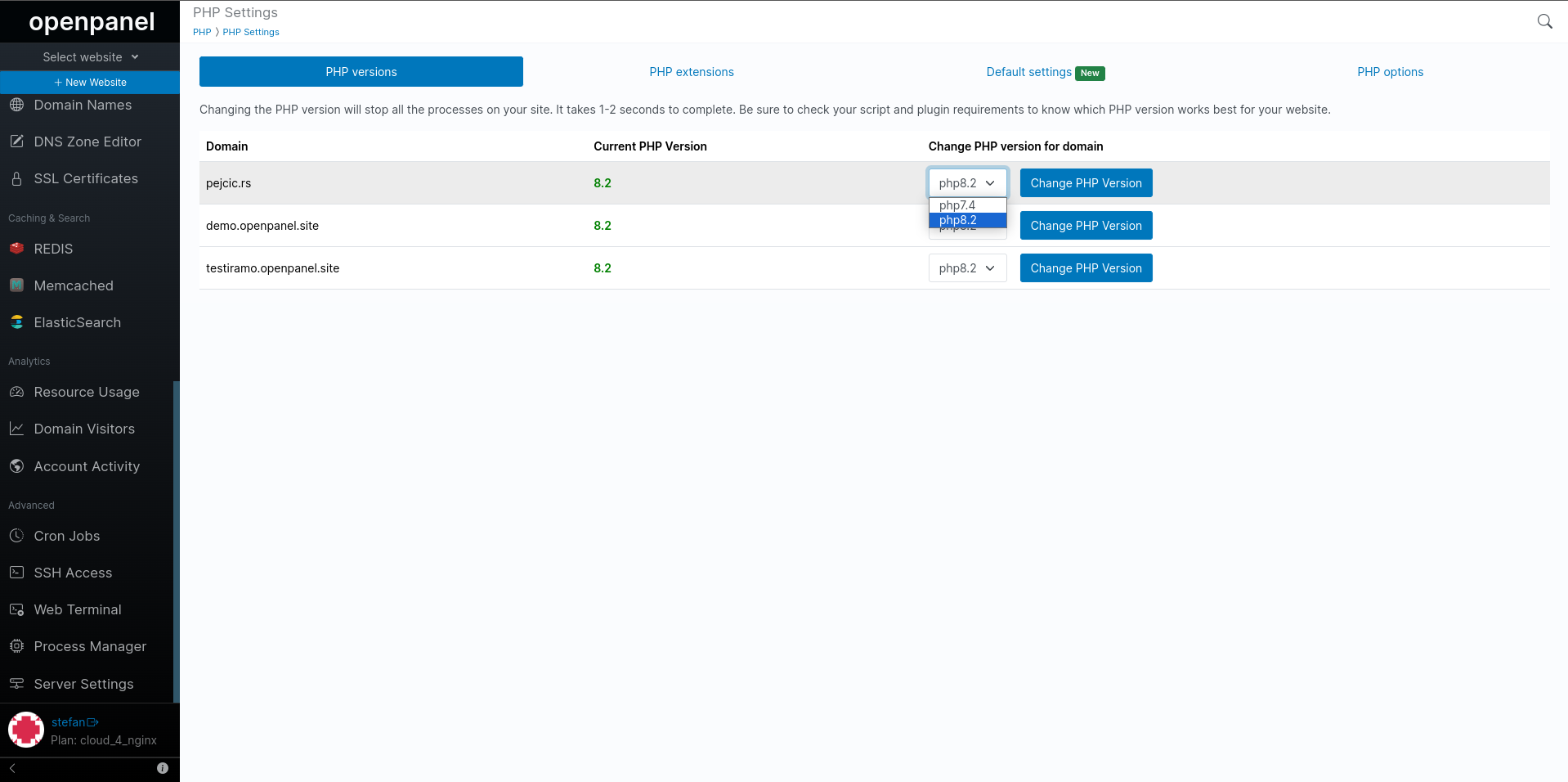
Changing the PHP version will stop all the processes on your site. It takes 1-2 seconds to complete. Be sure to check your script and plugin requirements to know which PHP version works best for your website.
Set default PHP version
This option allows you to set the default PHP version that will be used for newly added domains and on the terminal.
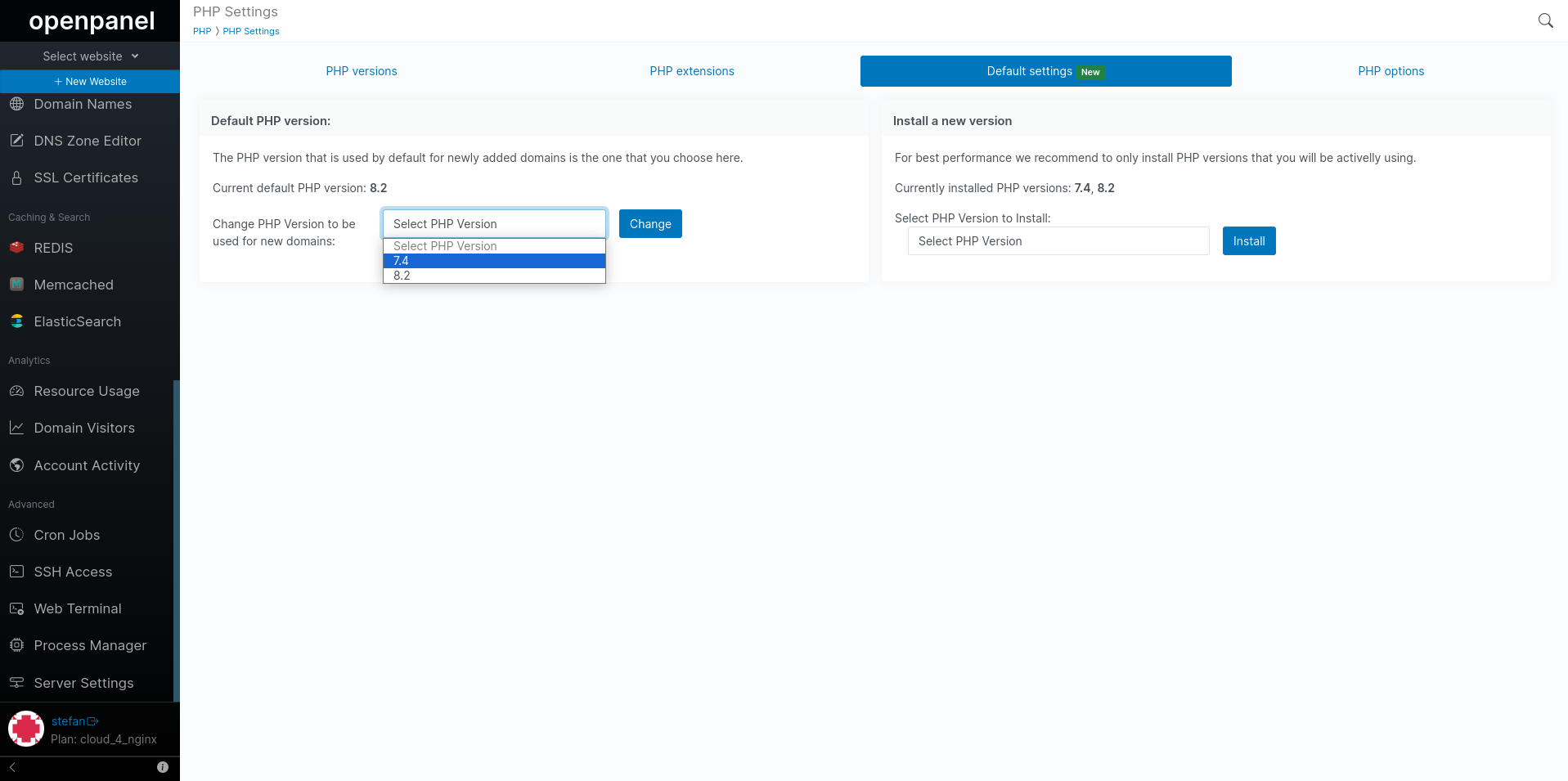
You can also view current default version setting.
phpMyAdmin runs by default on the version that you set here, but due to phpMyAdmin's minimum requirements, if the PHP version is older than 8.0, then the default PHP version defined by the administrator will be used for phpMyAdmin.
Install PHP version
To install a new PHP version simply select the version from the 'Select PHP Version to Install:' select and click on the 'Install' button to start the process.
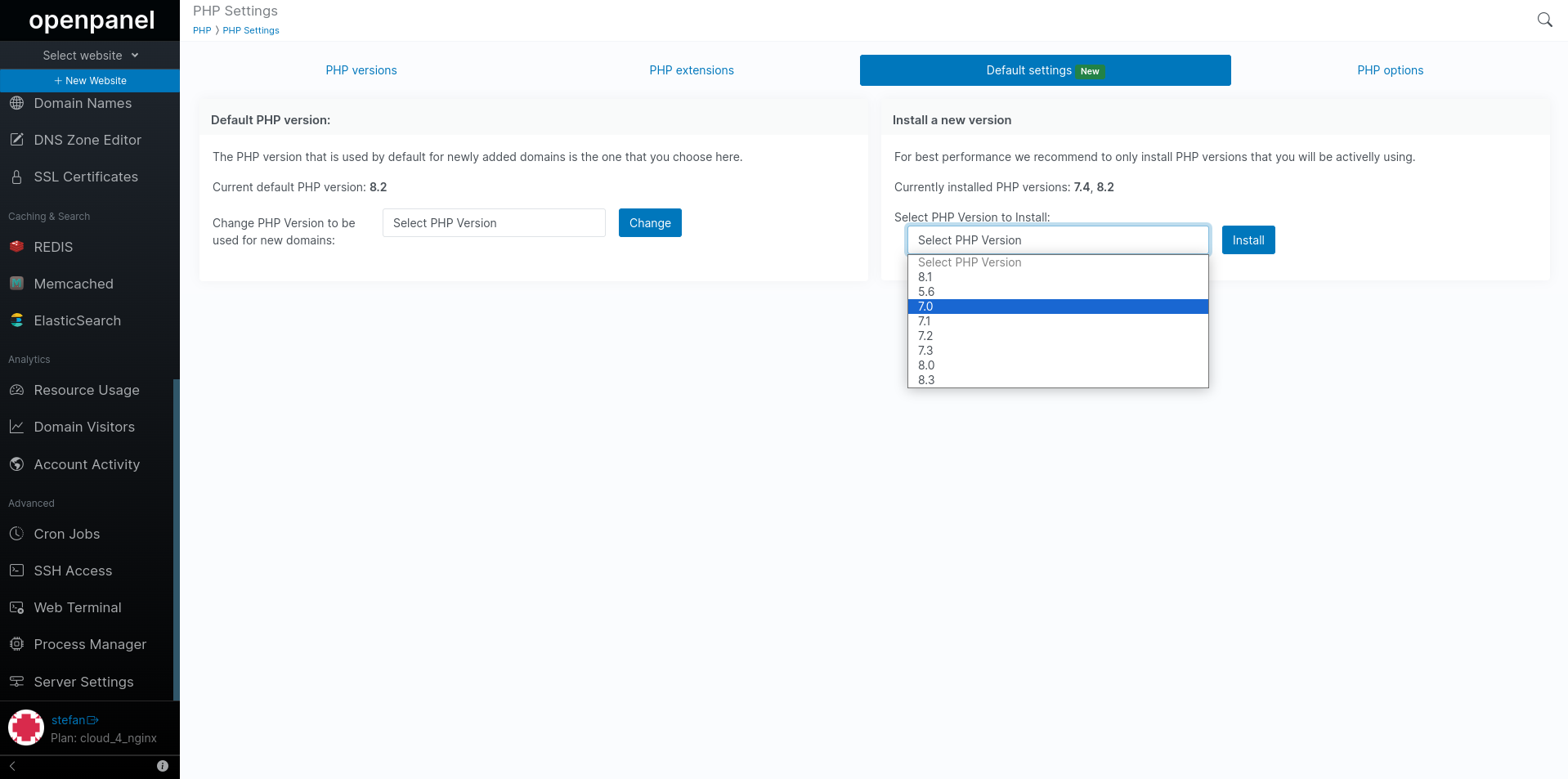
The process takes from 2-10 minutes to finish and you can view a real-time output of the installation process:
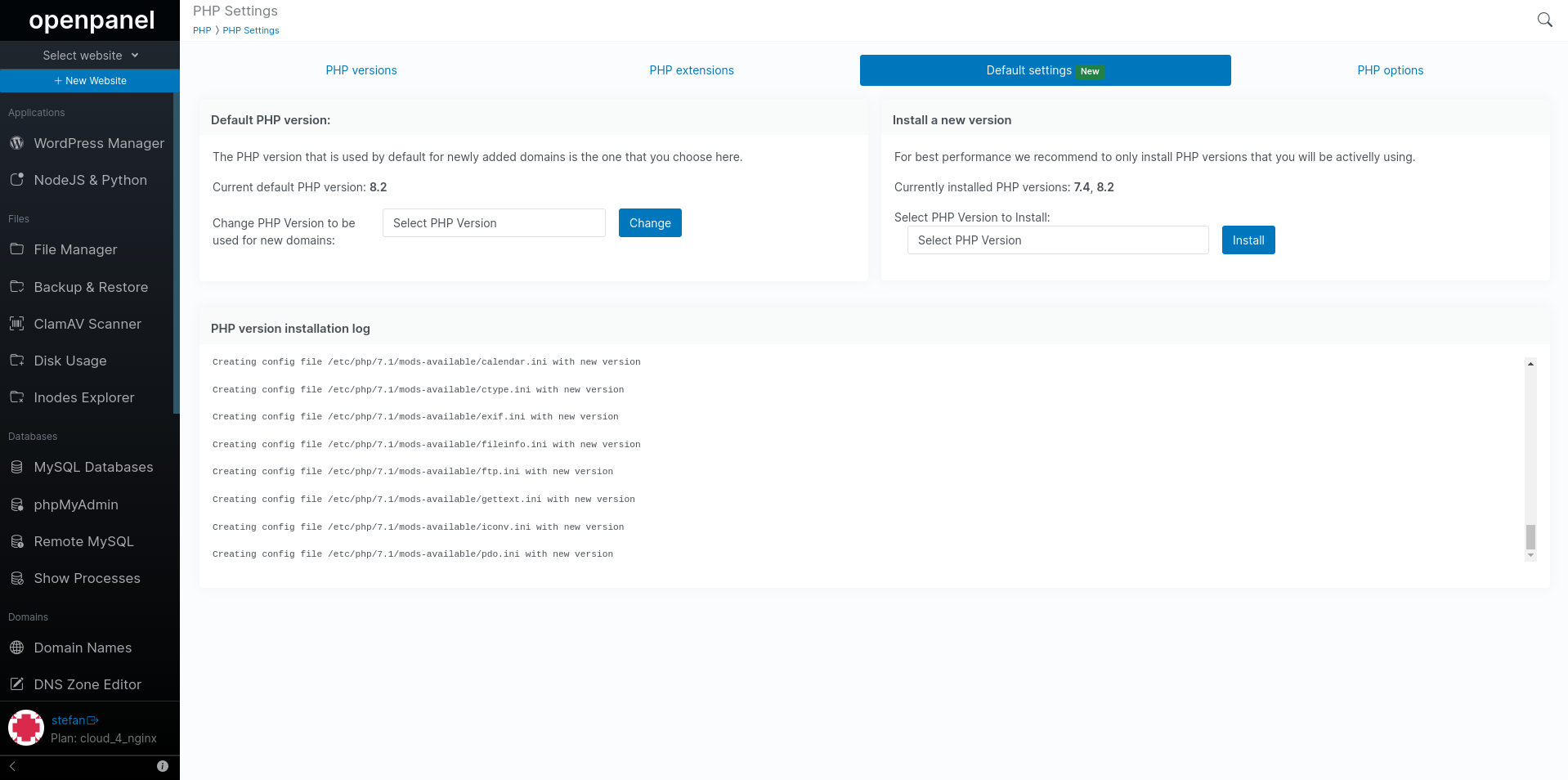
Once the process is complete the new PHP version will be available for use.
For best performance we recommend to only install PHP versions that you will be activelly using.
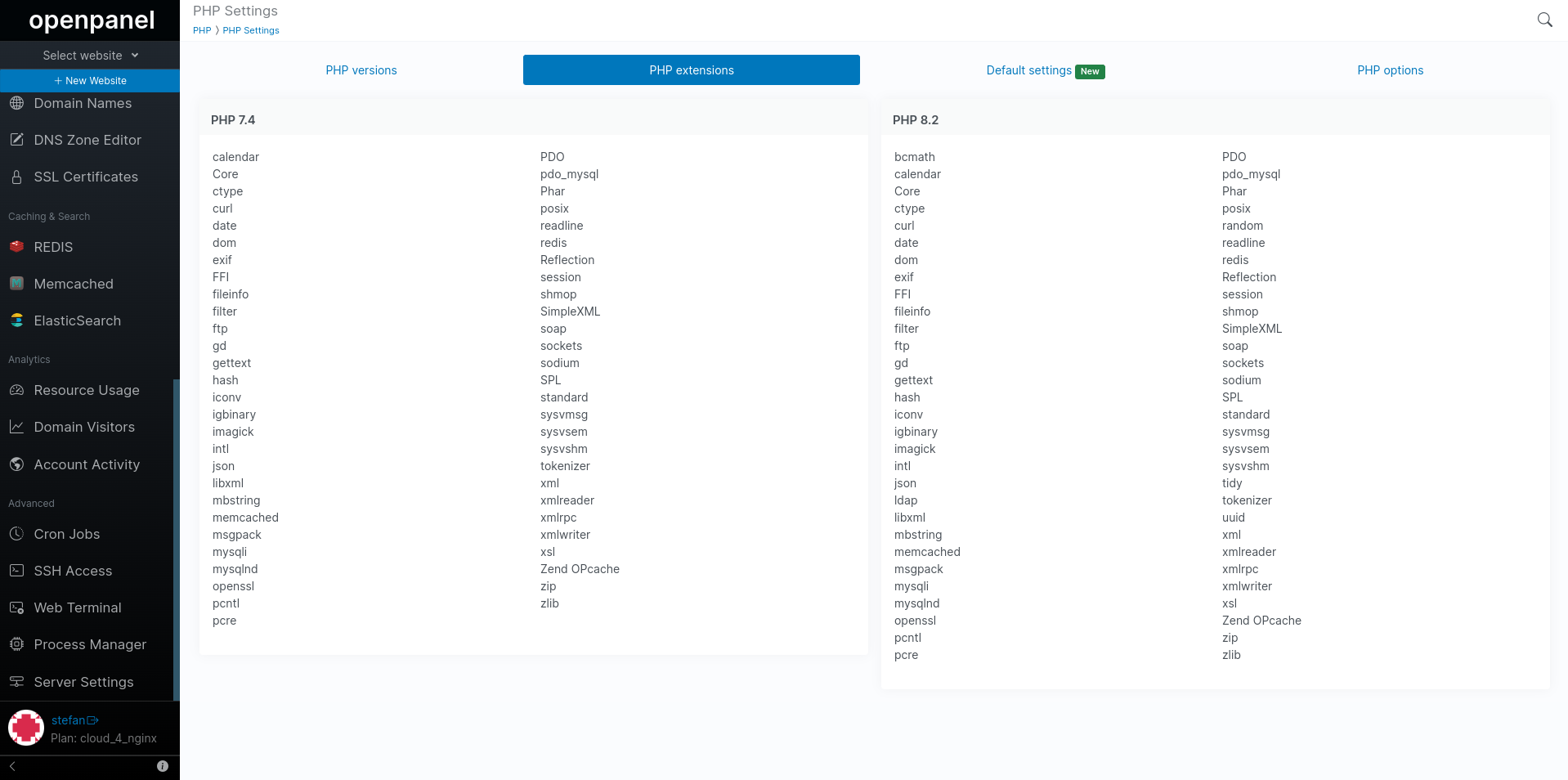
View PHP extensions
The PHP extensions tab lists all installed extensions for PHP versions in a same manner as a phpinfo function.
View PHP options
The PHP options tab lists general information for each PHP verison from the php.ini file.
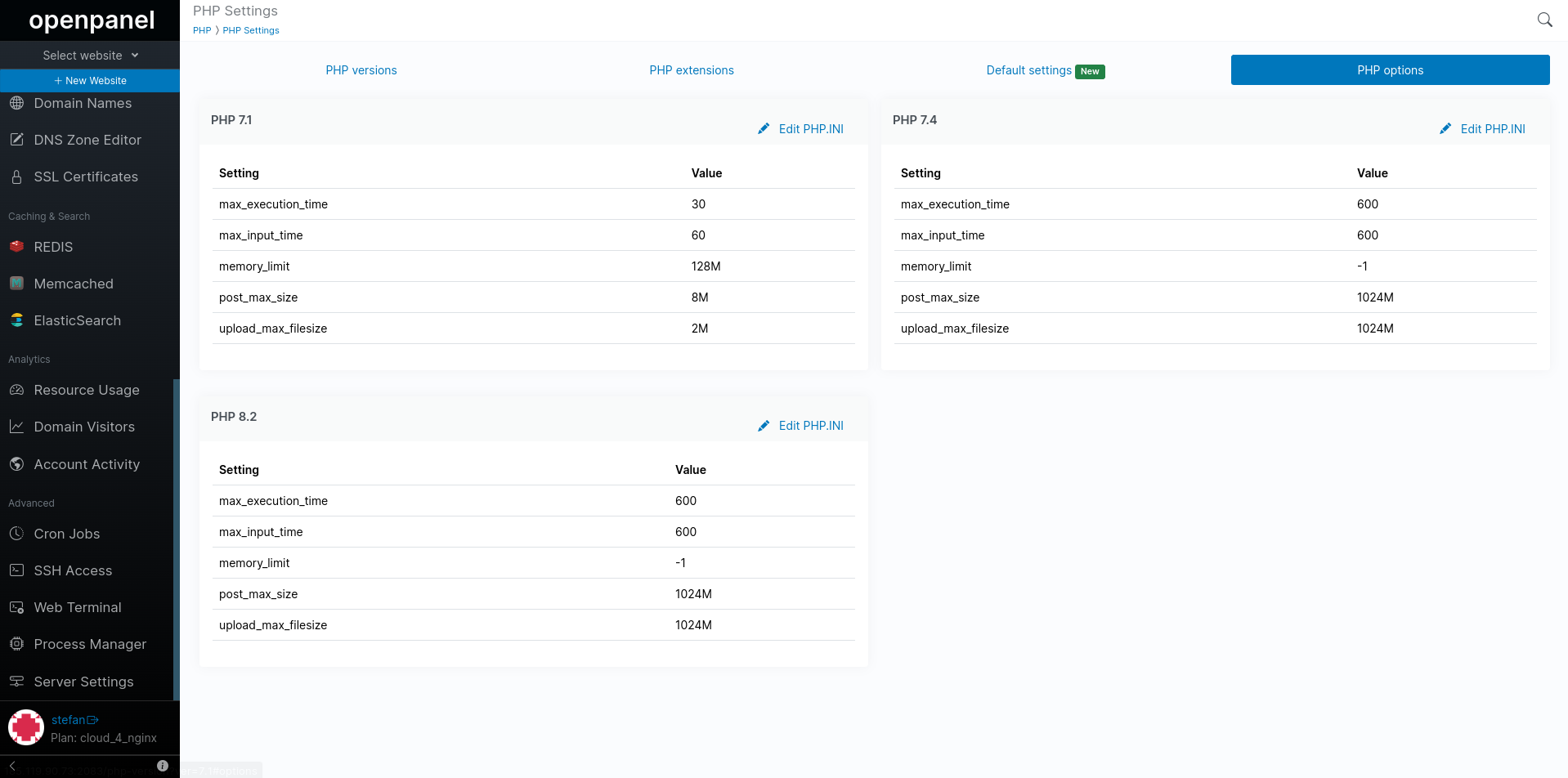
Listed values:
- max_execution_time
- max_input_time
- memory_limit
- post_max_size
- upload_max_filesize
To modify any of these values simply click on the 'Edit PHP.INI' link for that version.
Default values for these settings on all PHP versions installed via HiTechCloud interface are:
- max_execution_time = 600
- max_input_time = 600
- memory_limit = -1 (unlimited)
- post_max_size = 1024M
- upload_max_filesize = 1024M
PHP.INI Editor
The primary configuration file for PHP is php.ini. A distinct php.ini file exists for each PHP version installed on the server.
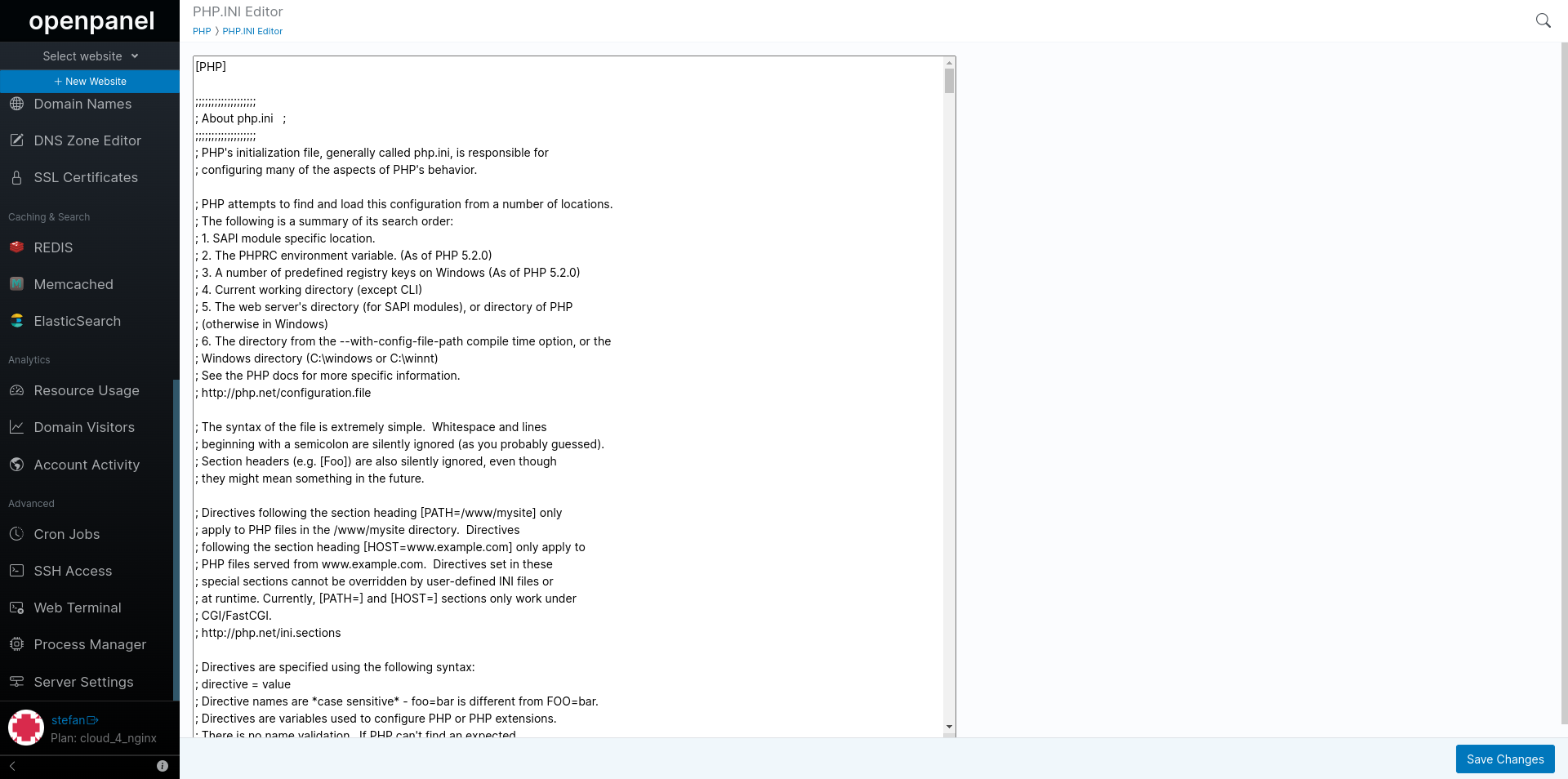
With the php.ini editor, you can modify the PHP configuration for each version and configure settings such as:
- Error Reporting: Control error reporting and handling, including displaying errors, error logging, and verbosity.
- File Uploads: Configure settings related to file uploads, such as maximum file size, file type restrictions, and temporary directory.
- Memory Management: Adjust memory limits for PHP scripts using settings like
memory_limit. - Execution Time: Set the maximum script execution time with
max_execution_time. - Display Errors: Choose whether to display errors in the browser using the
display_errorssetting. - Date and Time: Set the default time zone with
date.timezone. - Session Handling: Configure session-related settings, including session save path and session cookie parameters.
- Error Handling: Define custom error handling functions using
set_error_handlerandset_exception_handler. - Database Connections: Adjust settings related to database connections, like PDO or MySQL.
- OPcache: Fine-tune PHP's opcode cache with settings like
opcache.enableandopcache.memory_consumption. - Security: Enhance security with settings like
disable_functions, which disables specific PHP functions, andopen_basedirto restrict file system access. - Resource Limits: Control resource usage with settings like
max_input_vars, which limits the number of input variables. - PHP Modules: Enable or disable PHP extensions and modules using settings like
extension. and many more.
Disabling dangerous functions
To enhance the security of your PHP scripts and server, it's important to be cautious about allowing certain PHP functions that can be potentially dangerous.
You can disable these functions for the PHP versions you're using by editing the php.ini files and setting:
disable_functions = system, system_exec, shell, shell_exec, exec, passthru, proc_close, proc_open, ini_alter, dl, popen, show_source, inject_code, mysql_pconnect, openlog, php_uname, phpAds_remoteInfo, phpAds_XmlRpc, phpAds_xmlrpcDecode, phpAds_xmlrpcEncode, popen, posix_getpwuid, posix_kill, posix_mkfifo, posix_setpgid, posix_setsid, posix_setuid, posix_setuid, posix_uname, proc_get_status, proc_nice, proc_terminate, syslog, xmlrpc_entity_decode, apache_setenv, eval, pfsockopen, leak, apache_child_terminate
same can be achieved from the terminal by running the following command:
echo "disable_functions = system, system_exec, shell, shell_exec, exec, passthru, proc_close, proc_open, ini_alter, dl, popen, show_source, inject_code, mysql_pconnect, openlog, php_uname, phpAds_remoteInfo, phpAds_XmlRpc, phpAds_xmlrpcDecode, phpAds_xmlrpcEncode, popen, posix_getpwuid, posix_kill, posix_mkfifo, posix_setpgid, posix_setsid, posix_setuid, posix_setuid, posix_uname, proc_get_status, proc_nice, proc_terminate, syslog, xmlrpc_entity_decode, apache_setenv, eval, pfsockopen, leak, apache_child_terminate" > /opt/alt/php-fpm73/usr/php/php.d/disabled_function.ini && service php-fpm73 restart
ModSecurity Settings
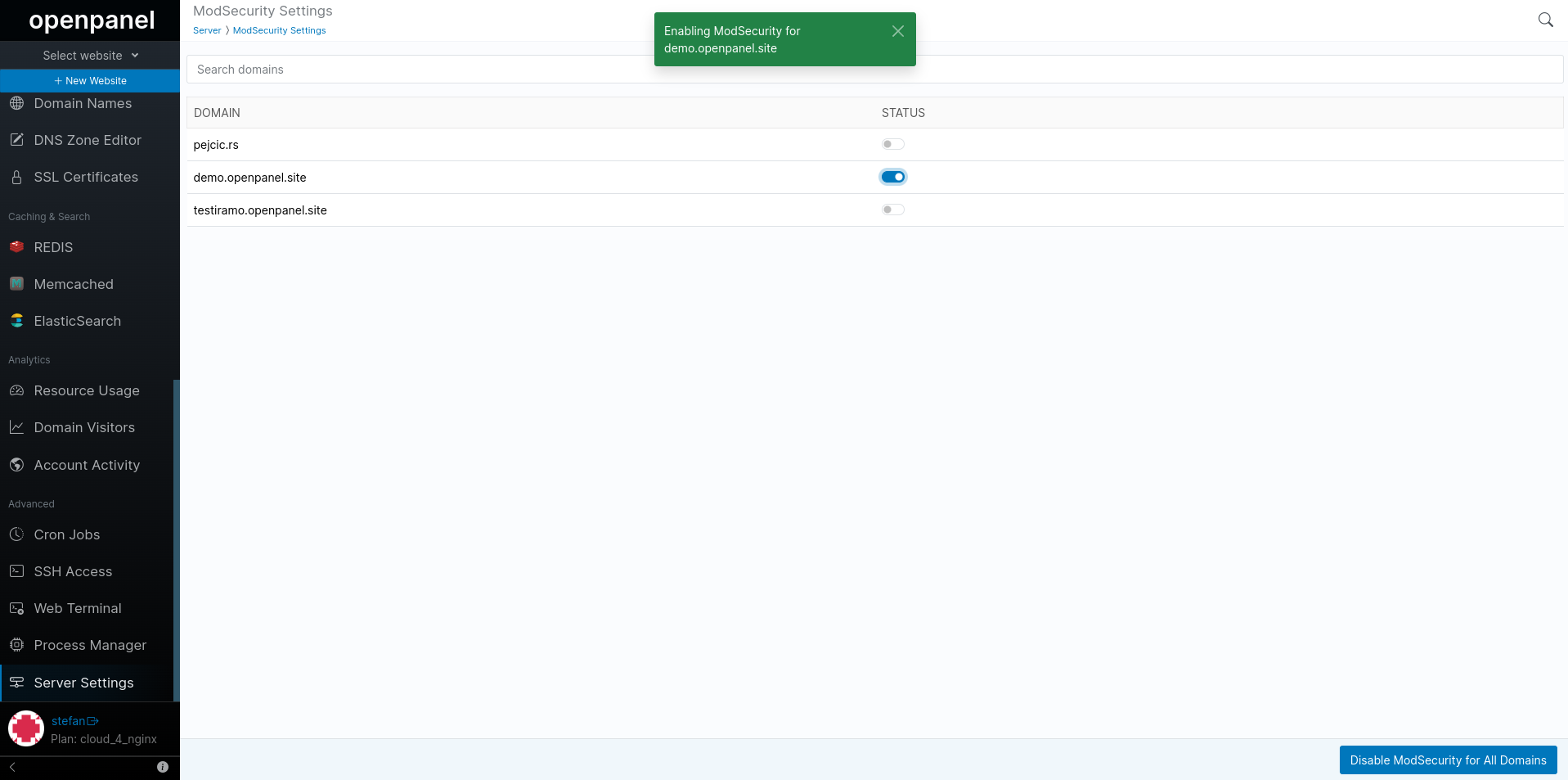
The ModSecurity settings page allows you to view current status for each domain and enable/disable ModSecurity WAF per domain.
Server Information
The page offers a section where you can access Server Information.
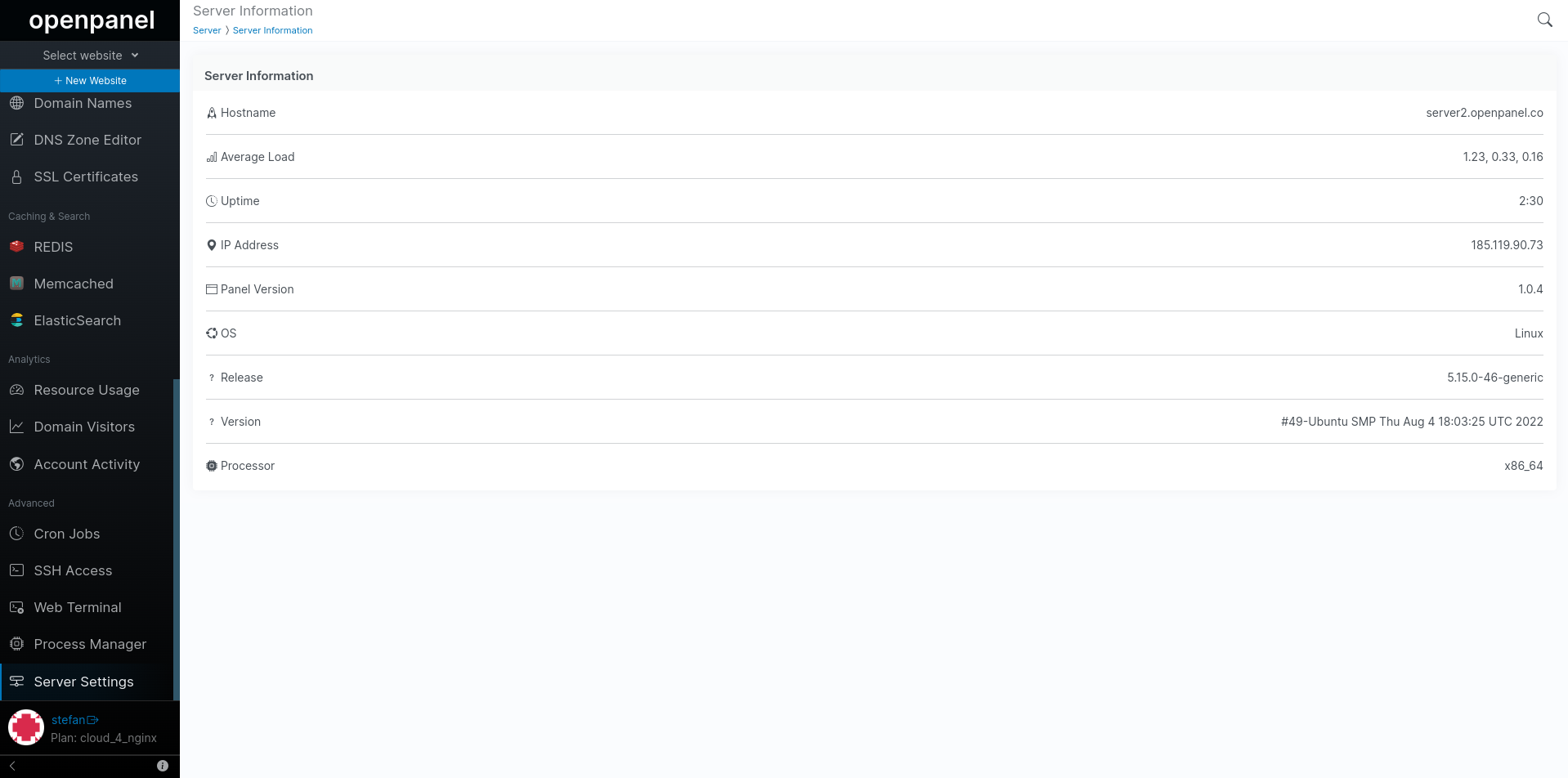
This includes:
- Hostname
- Average load
- Uptime
- IP Address
- HiTechCloud version
- Operating System
- Release and Version numbers
- Processor architecture