How to troubleshoot: Error establishing a database connection
If your website/application is alerting you that there was an error establishing database connection you should take the following steps in order to troubleshoot the issue:
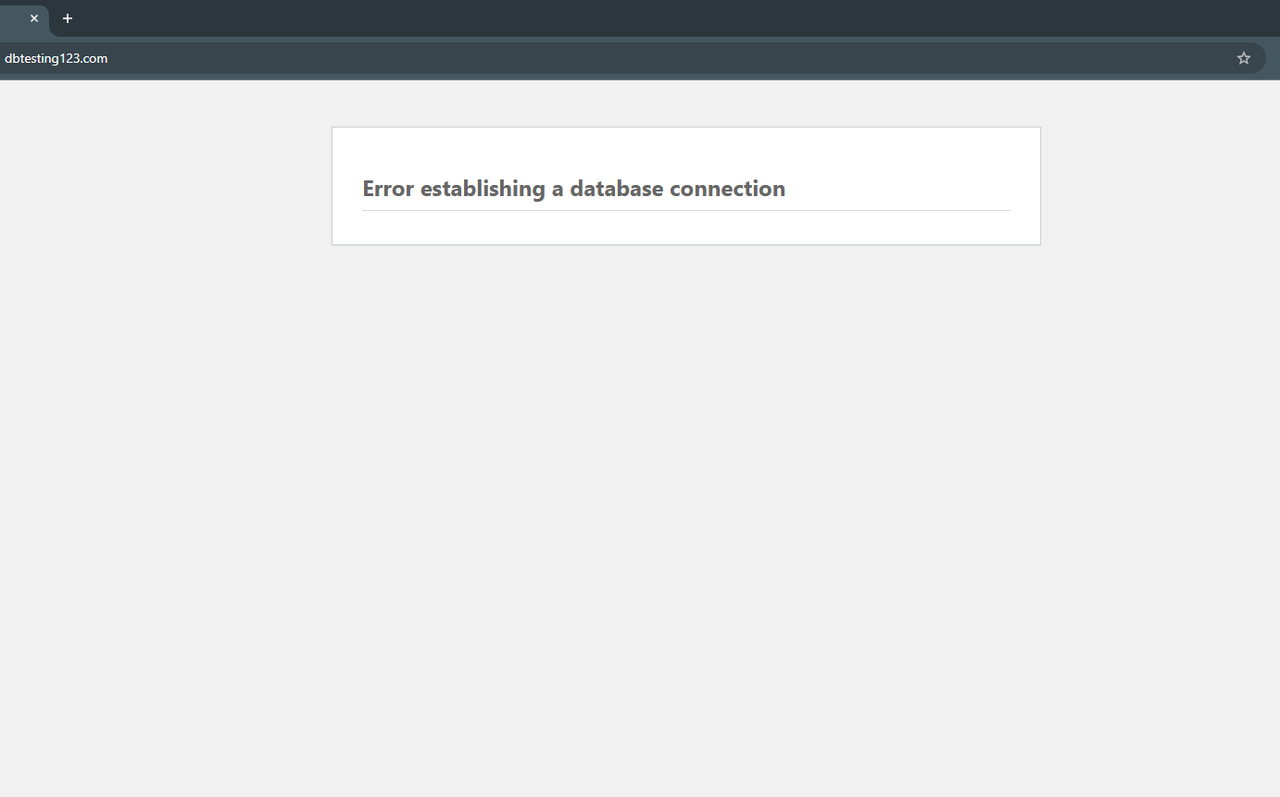
Check the configuration file for errors
HiTechCloud runs each user service inside its own container and uses local networks to isolate them. This means that applications do not connect to the database via localhost or 127.0.0.1, but instead through container hostnames.
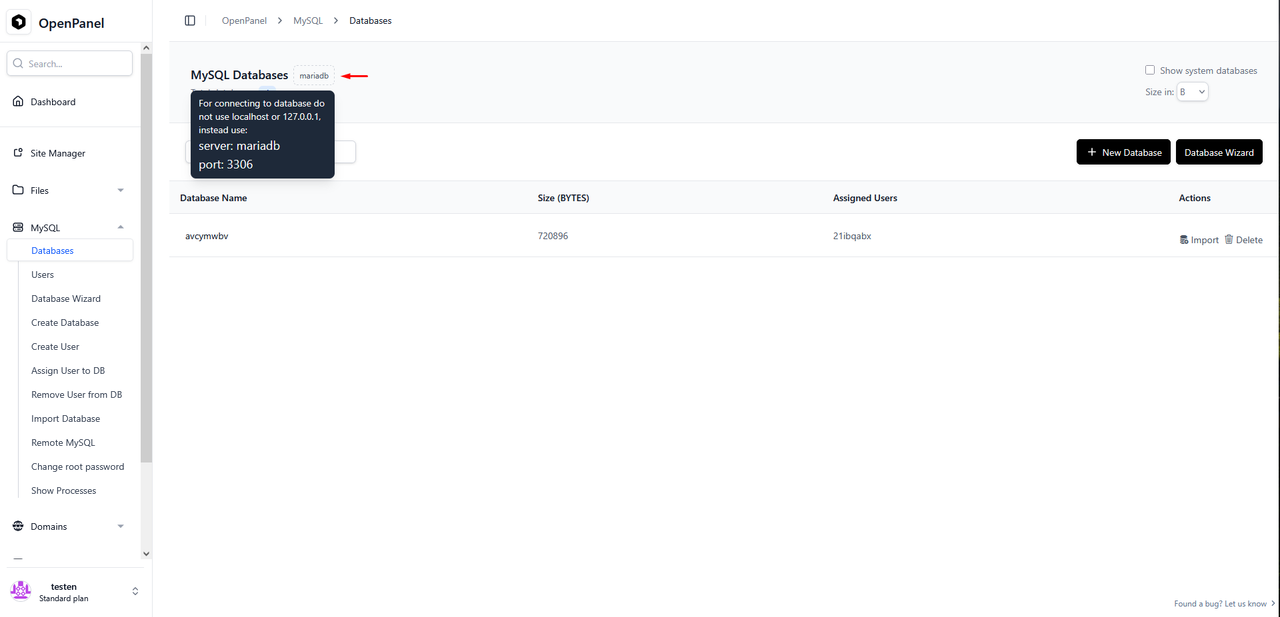
You can check the database connection parameters such as hostname and port on HiTechCloud > MySQL/Databases by hovering the container name at the top of the page:
Now compare these parameters with those inside the websites configuration file, in this example we are editing the wp-config.php file of a WordPress installation using File Manager:
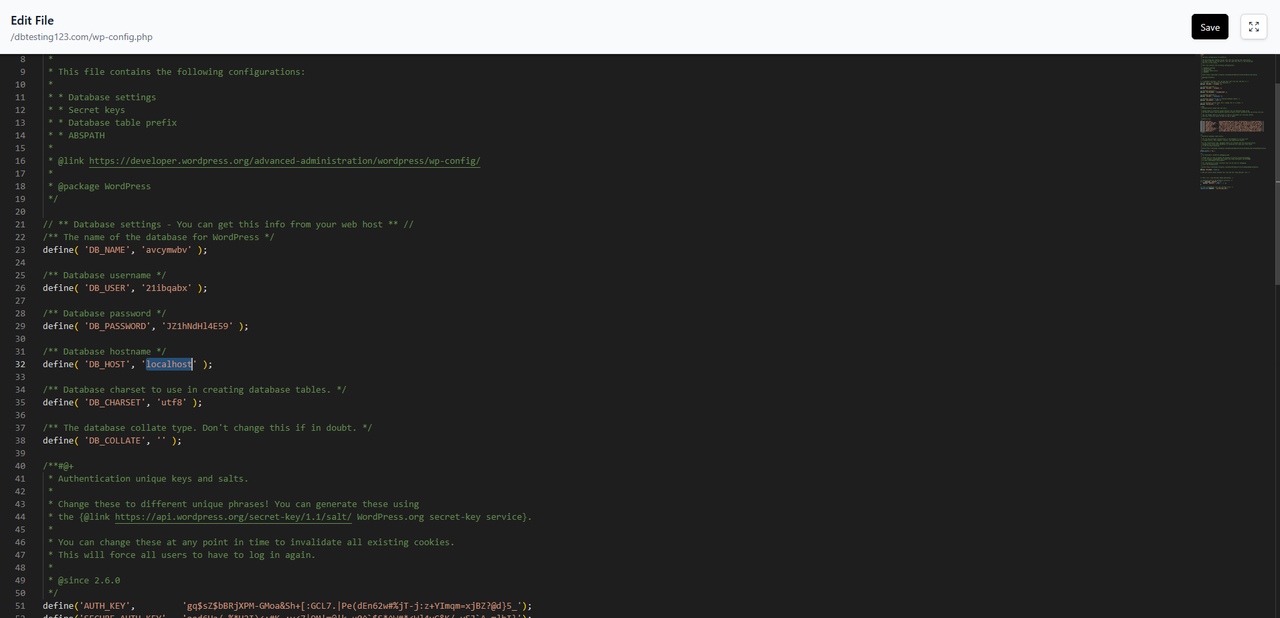
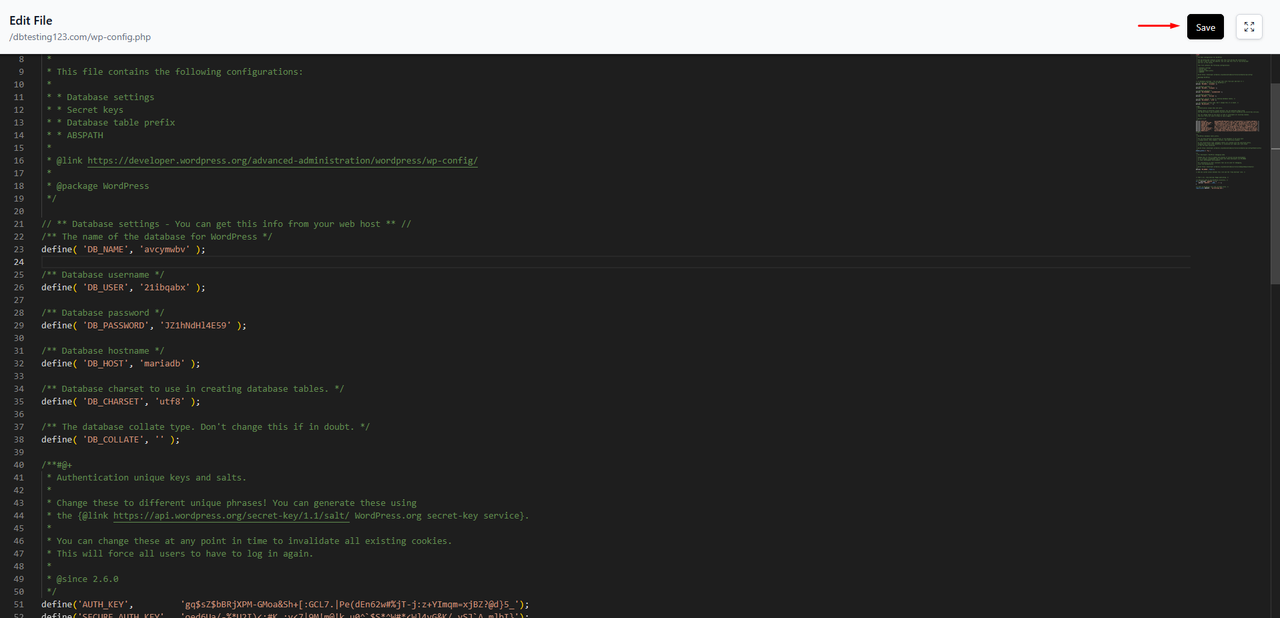
Since localhost was set inside the file the connection is failing, to fix the issue we replace localhost with the correct hostname (mariadb in our case) and click save at the top right corner of the editor:
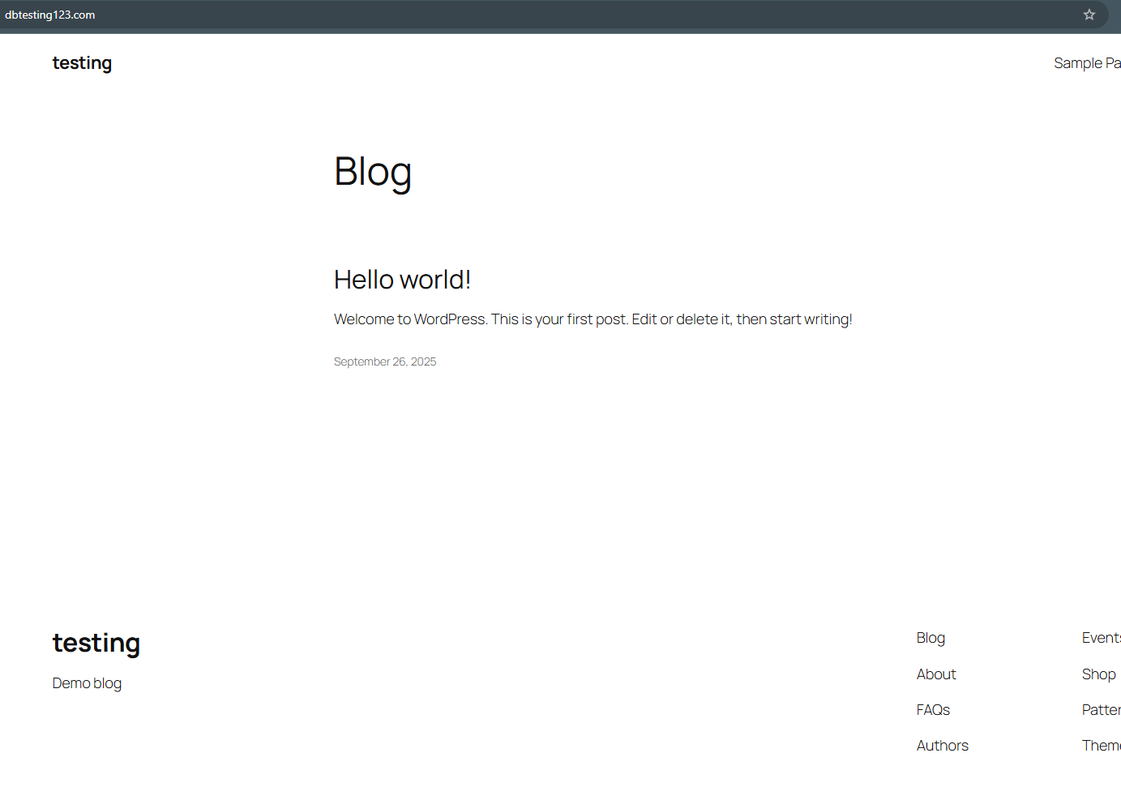
After saving this change the new configuration is applied and our WordPress instalation connects to the database successfully:
Make sure the database service (container) is running
The easiest way to make sure the database service is running is by accessing the HiTechCloud Panel > MySQL/Databases page, if your databases are listed on that page that means the container is healthy and running.
If you get a blank page or an empty table instead it means that the database container is inactive, simply accessing this page will send a trigger to start the container automatically.
However if data doesn't appear on the page in a couple of minutes there's an issue with the database container.
If the Docker feature is enabled for your plan you can check the database container's logs on HiTechCloud > Docker/Logs , you can also stop and start the container on HiTechCloud > Docker/Containers .
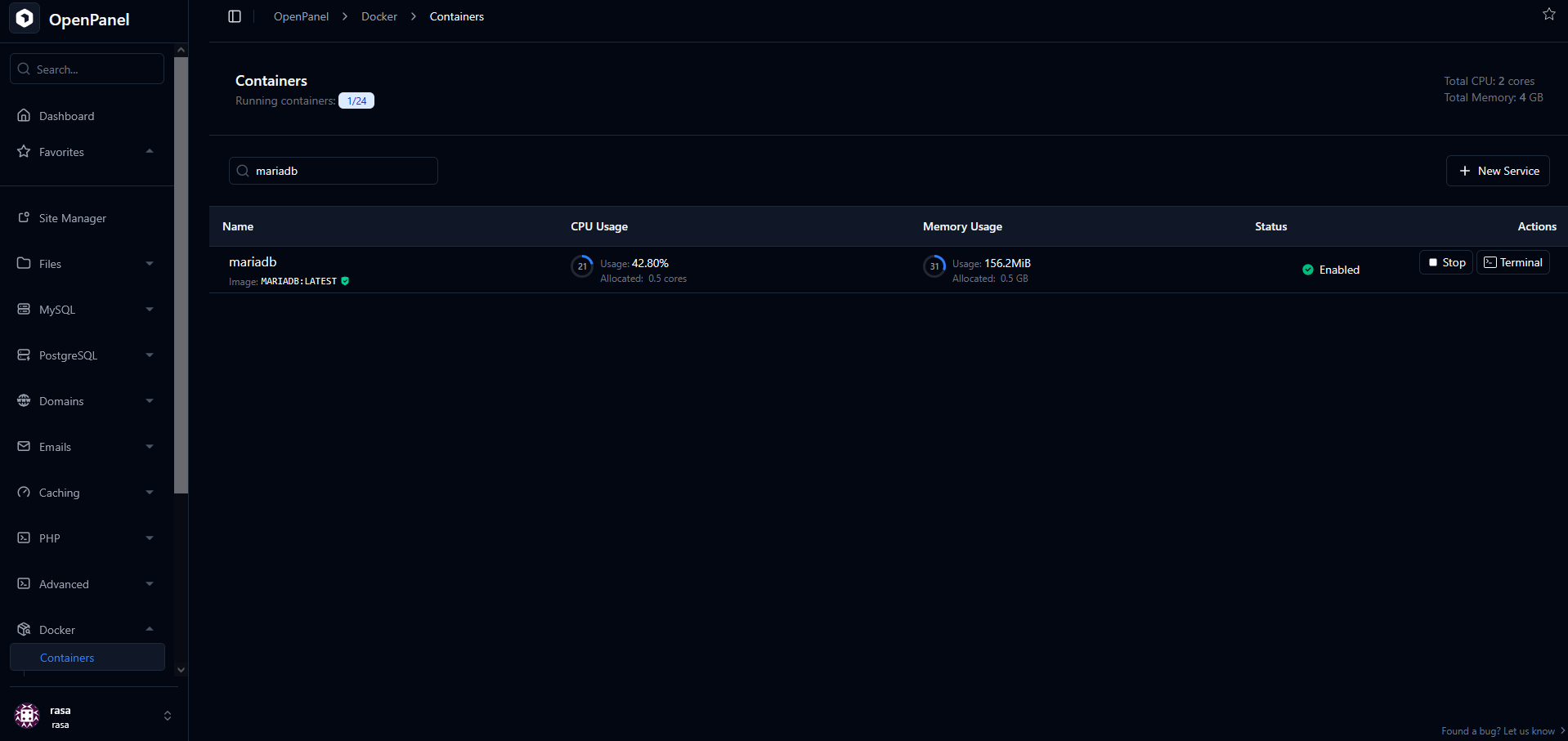
If the Docker feature is not enabled for your plan and data doesn't appear on the HiTechCloud Panel > MySQL/Databases page contact your server administrator so that they can check further.
Make sure that the website's database user is properly assigned to the database
You can reassign a user to a database at any time on HiTechCloud > MySQL/Assign User to DB:
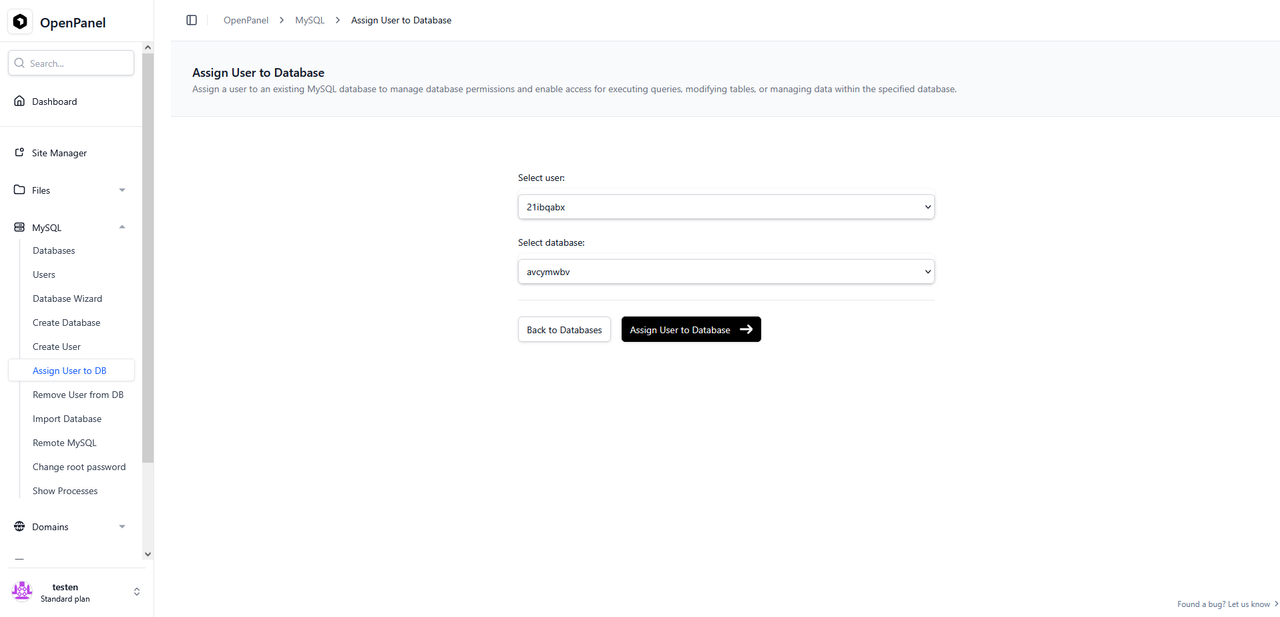
Simply select your user and database from the dropdown menus and click the "Assign User to Database" button.
Try Resetting the password of your database user
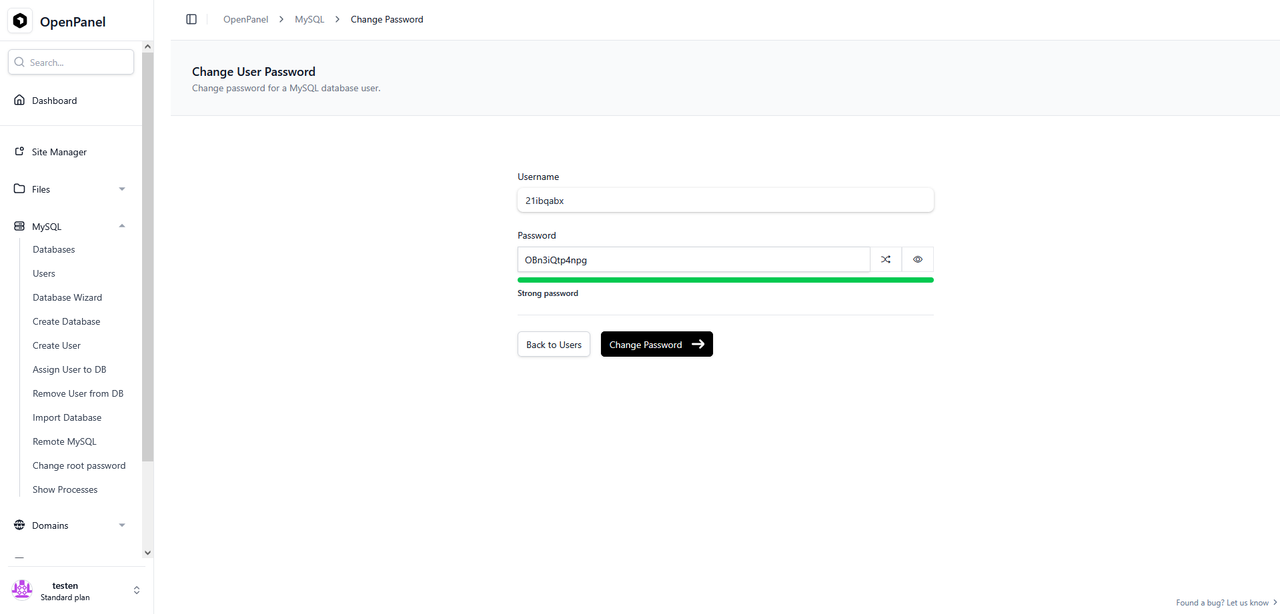
You can change your database user's password on HiTechCloud > MySQL/Users:
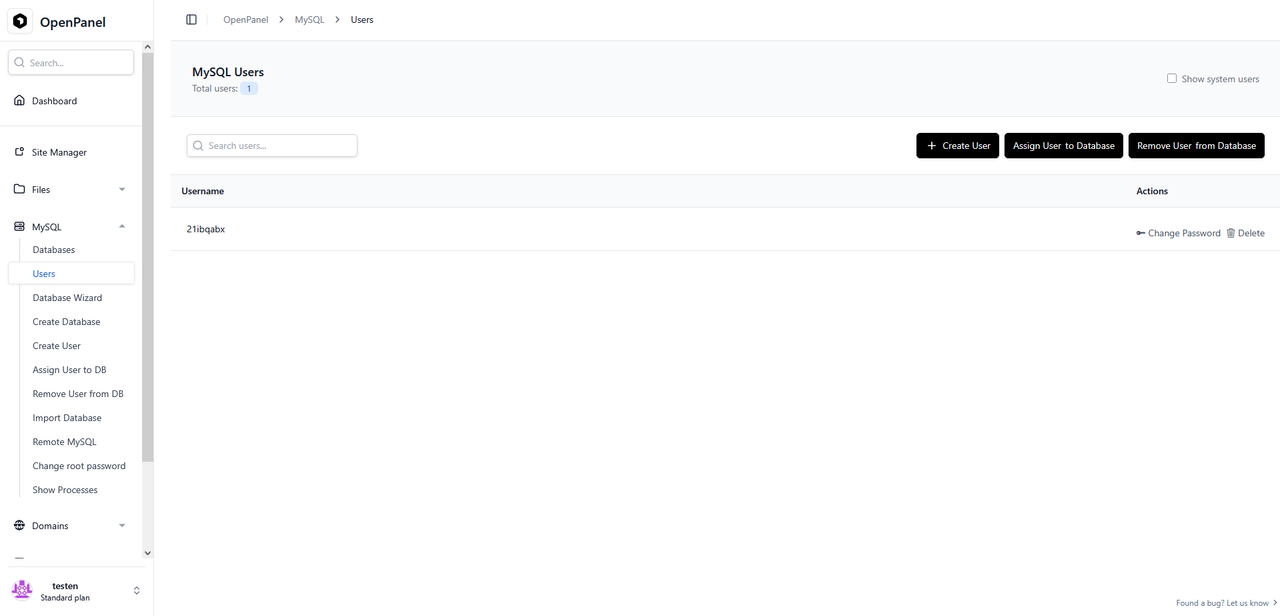
Click on the "Change Password" button next to your database user, you will be taken to the password reset page.
On this page make sure to copy the new password before clicking the "Change Password" button to confirm the change.
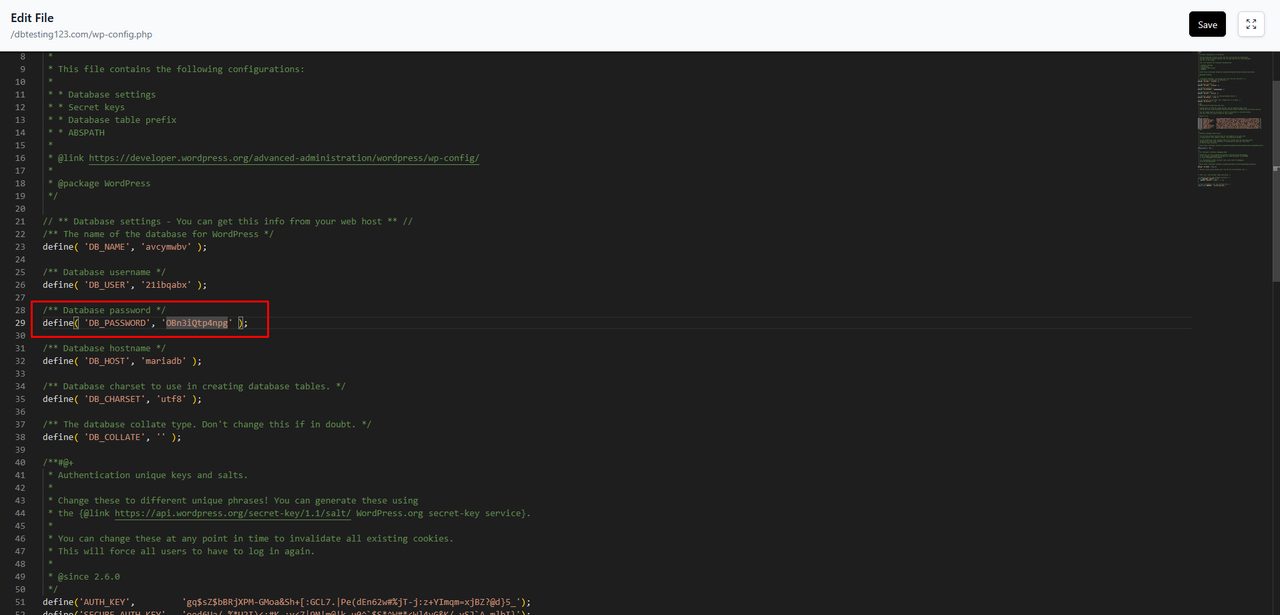
Edit your website's configuration file using File Manager and switch the existing password with the new one that you've just set, click save at the top right corner of the editor when you're done.
Test the connection manually
In order to connect to your database from a remote location you'll first need to open the following page: HiTechCloud > MySQL/Remote MySQL .
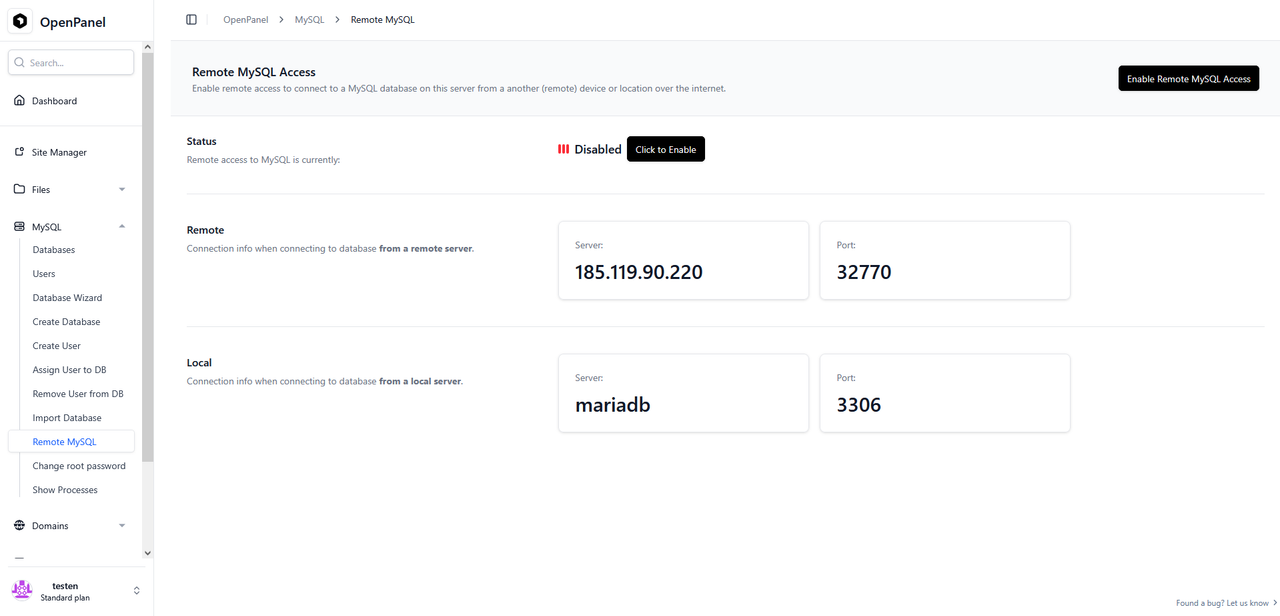
To enable remote database access click on the "Click to Enable" button and wait for confirmation that the remote access feature has been enabled.
Next open your database client, in our example we'll be using DBeaver for Windows.
Create a new remote connection within your client, copy the server and port parameters from the "Remote" section of the Remote MySQL page on HiTechCloud and paste them inside your client.
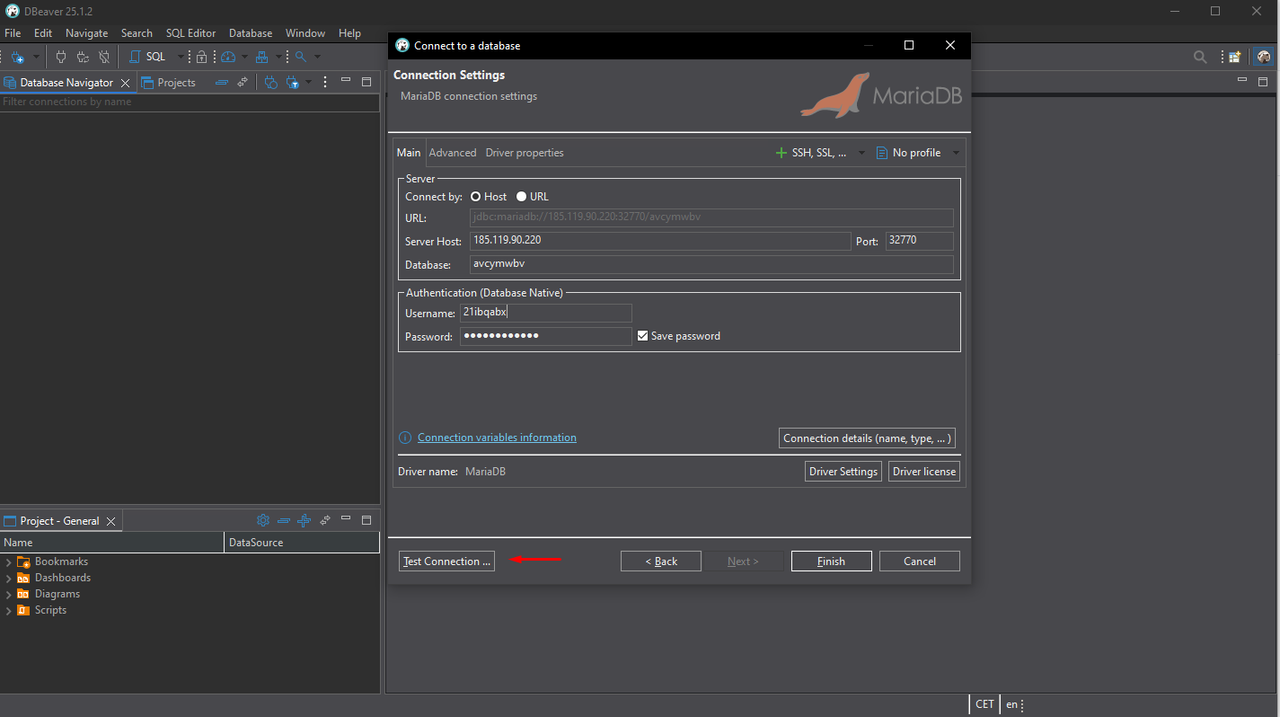
Fill the database, user and password with your db parameters and attempt the connection via the client for this test.