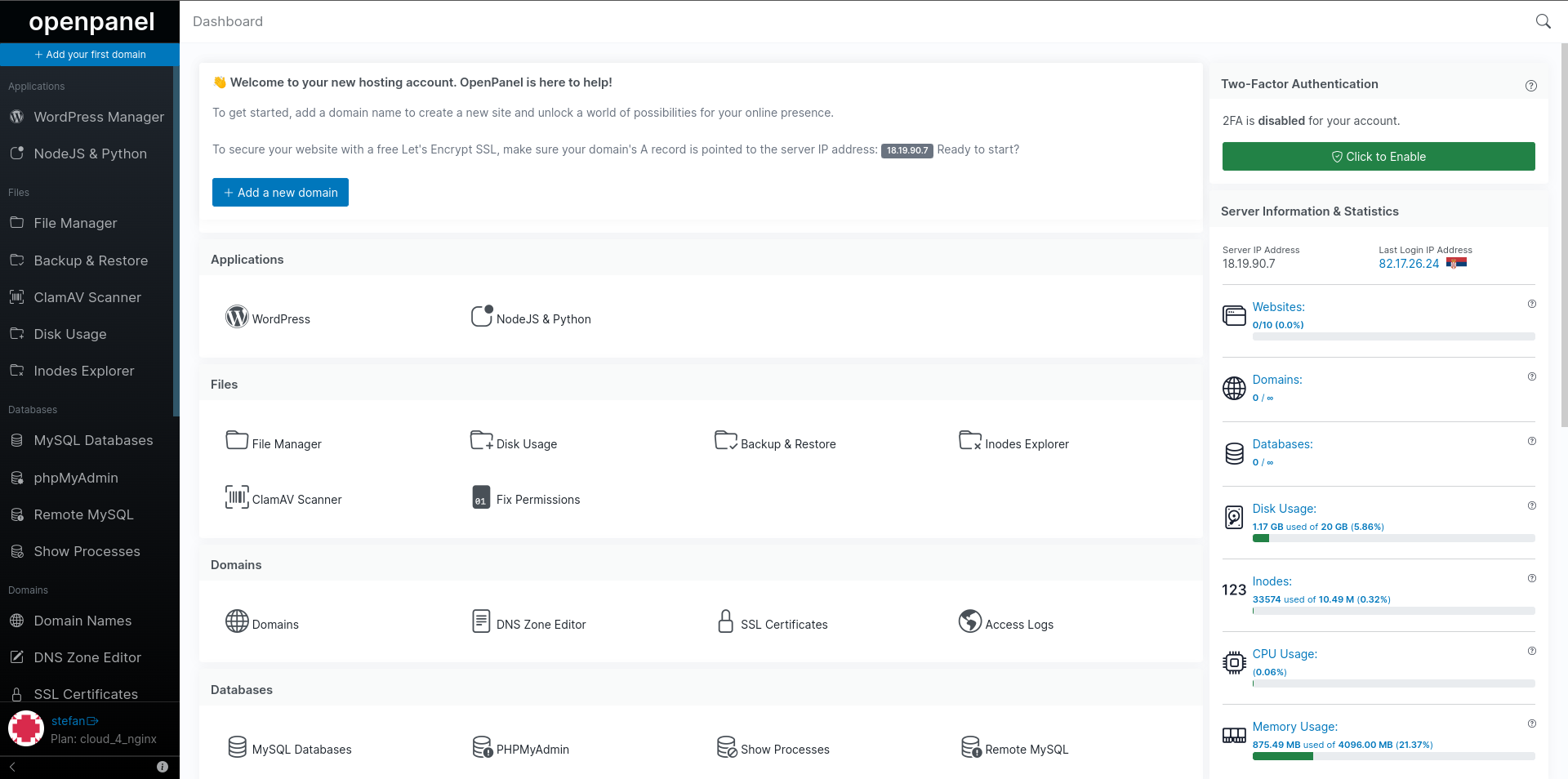
Ezeelogin 7.37.11 supports auto-login to HiTechCloud servers!
We've been relying on Ezeelogin since 2014 as our SSH Jump Server solution for managing access to Linux hosts, including control panels like cPanel and CyberPanel. However, we encountered issues with auto-login for HiTechCloud due to overlapping port usage (2083 and 2087) with cPanel, causing session cookie conflicts.
After contacting Ezeelogin support, they promptly addressed the issue and introduced support for HiTechCloud in Ezeelogin version 7.37.11 🎉
A big thank you to the Ezeelogin team for enabling support for HiTechCloud!
How to add HiTechCloud server to Ezeelogin:
In Ezeelogin admin interface navigate to Settings > Control Panels and click on the + link to add a new control panel.
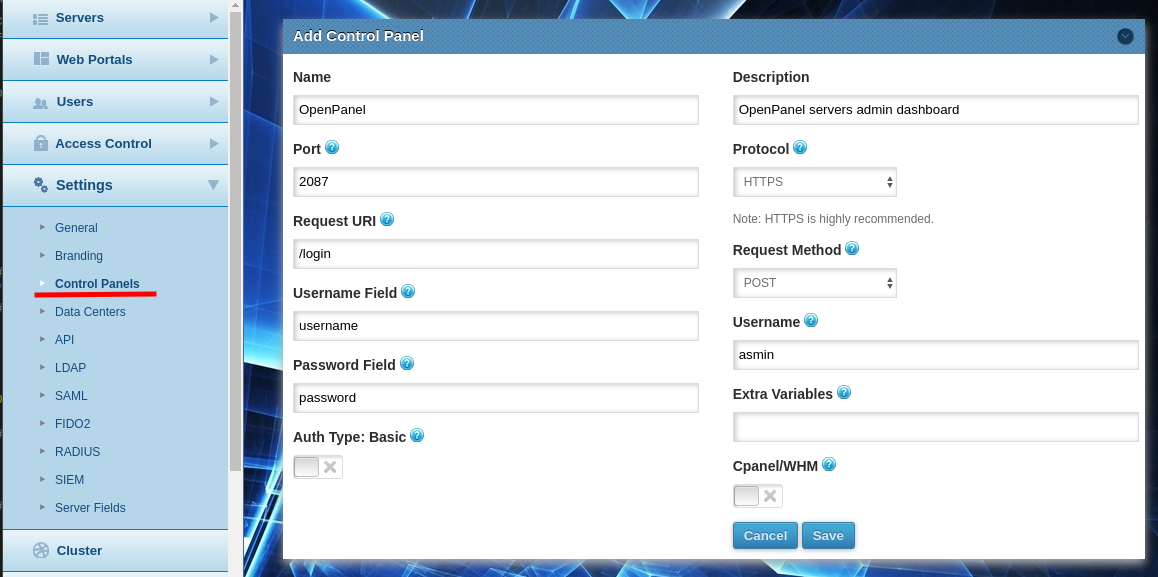
In the form make sure to set:
| Setting | Value |
|---|---|
| Port | 2087 |
| Protocol | HTTPS if you have domain set for HiTechAdmin, otherwise HTTP |
| Request URI | /login |
| Request Method | POST |
| Username Field | username |
| Password Field | password |
| Username | admin or other username |
| Cpanel/WHM | NO |
Then click on Save button.
When adding new HiTechCloud server, make sure to select HiTechCloud as Control Panel:
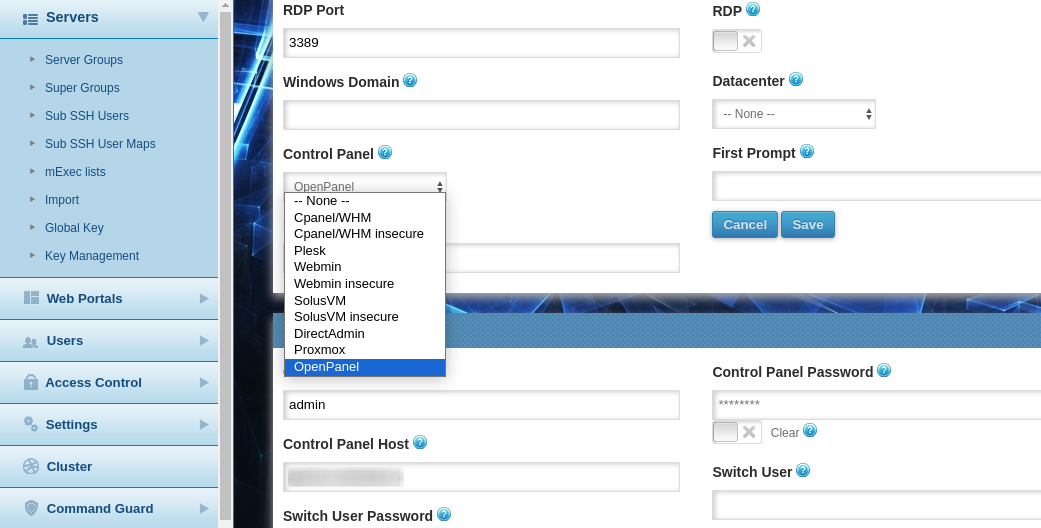
And set:
| Setting | Value |
|---|---|
| Control Panel User | admin username |
| Control Panel Password | password for your admin user |
| Control Panel Host | domain or IP on which HiTechAdmin is accessible |
How to upgrade Ezeelogin to the 7.37.11 version that supports HiTechCloud:
- Run the below command to fully backup the current installation.
root@gateway ~]# /usr/local/sbin/backup_ezlogin.php
- Download the latest package according to the PHP version you are running on the gateway server.
root@gateway ~]# wget https://downloads.ezeelogin.com/ezlogin_7.37.11_php81.bin

root@gateway ~]# wget https://downloads.ezeelogin.com/ezlogin_7.37.11_php82.bin
- Run the below command to upgrade Ezeelogin using a single command. Replace the Ezeelogin package name, database root username, and password.
root@gateway ~]# sh ezlogin_7.37.11_php81.bin -- -dbsuser -dbspass <enter_(root)db_password> -skipgeolite -auto -force -ACCEPT_SETTINGS -I_ACCEPT_EULA -skipbackup -update
Refer detailed article to upgrade Ezeelogin to the latest version: https://www.ezeelogin.com/kb/article/upgrade-ezeelogin-jump-server-to-the-latest-version-136.html