Administrators
The admin panel has three user roles:
| Role | Description |
|---|---|
| Super Admin | Has unrestricted privileges, created on HiTechCloud installation. |
| Admin | Has restricted privileges, can not access all HiTechAdmin UI pages and can not edit the SuperAdmin user. |
| Reseller | Has restricted privileges. |
Manage Admin users
- With HiTechAdmin
- With HiTechCloudCLI
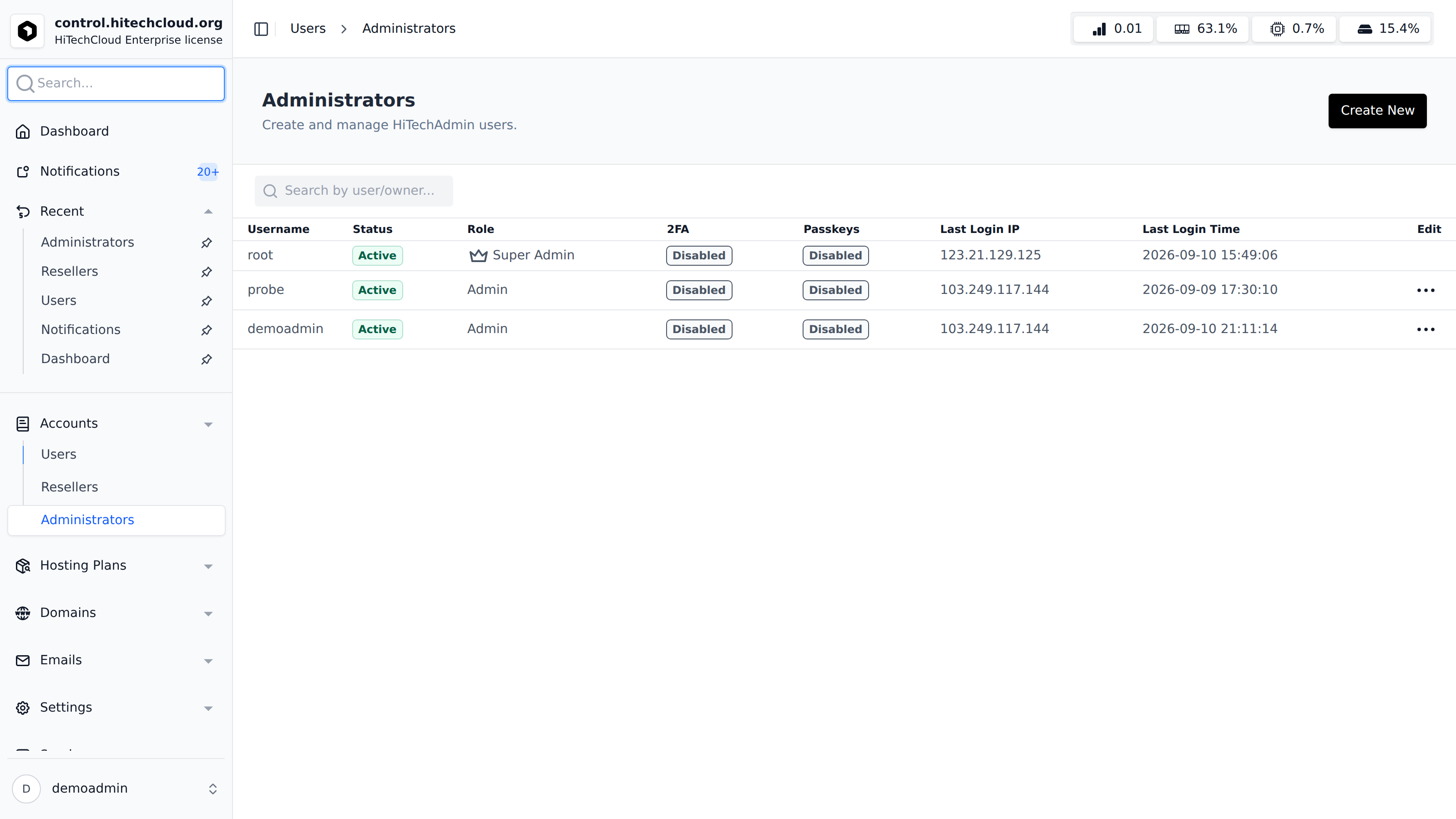
Manage administrative users with access to the HiTechAdmin interface via the Administrators page.
For each admin user, you can view and manage the following details: Username, Status Role, Last Login IP, Last Login Time, Actions.
To list admin users use command:
hitechcloudcli admin list
Reset Admin Password
- With HiTechAdmin
- With HiTechCloudCLI
To reset admin password click on the Edit for that user from Settings > Accounts > Administrators page, then set the new password.
To reset the password for an admin user:
hitechcloudcli admin password <username> <new_password>
Example, reset password for and Admin user:
hitechcloudcli admin password admin Pyl7_L2M1
Create new Admin
- With HiTechAdmin
- With HiTechCloudCLI
To create new admin user click on the 'Create New' button in Settings > Accounts > Administrators page, set the username and password and click on Save.
To create new admin accounts:
hitechcloudcli admin new <username> <password>
Example:
hitechcloudcli admin new filip Pyl7_L2M1
Rename Admin user
- With HiTechAdmin
- With HiTechCloudCLI
To rename an Admin user, select it on Settings > Accounts > Administrators page and click on the Edit button and set new username.
To rename admin user:
hitechcloudcli admin rename <username> <new_username>
Example:
hitechcloudcli admin rename filip filip2
Suspend Admin user
- With HiTechAdmin
- With HiTechCloudCLI
To unsuspend an Admin user, select the user on Settings > Accounts > Administrators page and click on the Edit button, then Unsuspend.
hitechcloudcli admin suspend <username>
Example:
hitechcloudcli admin suspend filip
To unsuspend admin user:
hitechcloudcli admin unsuspend <username>
Example:
hitechcloudcli admin unsuspend filip
Delete Admin user
- With HiTechAdmin
- With HiTechCloudCLI
Select the user on Settings > Accounts > Administrators page and click on the delete button then confirm.
From the terminal:
To delete admin user:
hitechcloudcli admin delete <username>
Example:
hitechcloudcli admin delete filip
The Super Admin user can not be deleted.