Users
HiTechCloud has a single user role named User that can only manage their docker container and inherits settings specified by the Admin user.
List Users
- HiTechAdmin
- HiTechCloudCLI
- API
To access all HiTechCloud users, navigate to Users.
The Users page displays a table with user information and buttons to manage it.
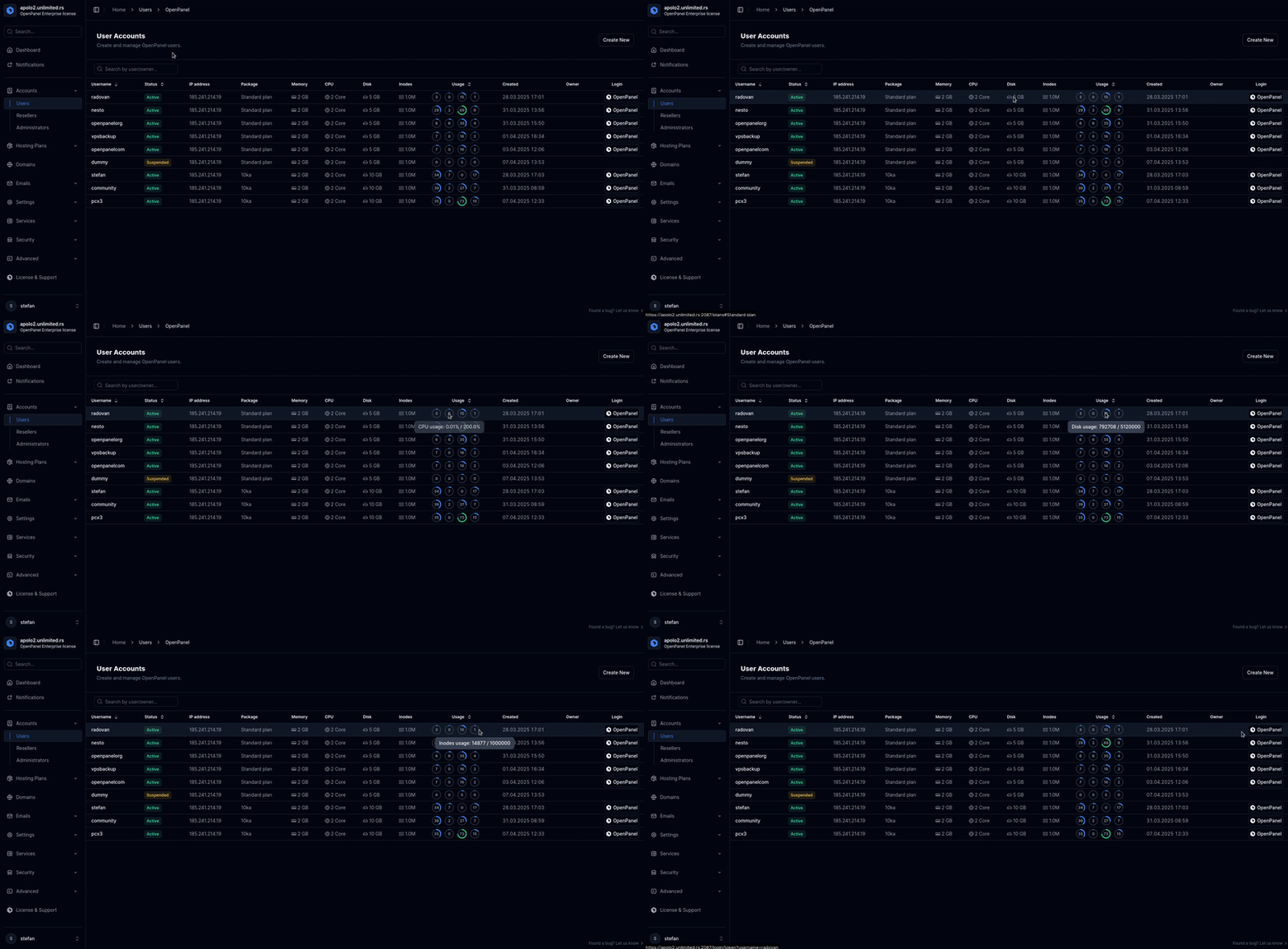
Additional Columns can be displayed using the 'Show Columns' button.
Suspended users are highlighted in red, and no actions can be performed on a suspended user.
To list all users, use the following command:
hitechcloudcli user-list
Example output:
hitechcloudcli user-list
+----+----------------------------------+----------------------+----------------+------------------+-------+---------------------+
| id | username                         | email                | plan_name      | server           | owner | registered_date     |
+----+----------------------------------+----------------------+----------------+------------------+-------+---------------------+
|  3 | forums                           | stefan@hitechcloud.org | Standard plan  | forums           | NULL  | 2025-05-08 19:25:47 |
|  7 | pcx3                             | stefan@example.com     | Developer Plus | pcx3             | NULL  | 2025-05-09 12:26:20 |
|  9 | hitechcloudwebsite                 | info@hitechcloud.org   | Standard plan  | hitechcloudwebsite | NULL  | 2025-05-09 14:47:27 |
| 19 | SUSPENDED_20250529173435_radovan | radovan@jecmenica.rs | Standard plan  | radovan          | NULL  | 2025-05-29 07:47:15 |
+----+----------------------------------+----------------------+----------------+------------------+-------+---------------------+
You can also format the data as JSON:
hitechcloudcli user-list --json
To list all users, use the following api endpoint:
curl -X GET http://PANEL:2087/api/users -H "Authorization: Bearer JWT_TOKEN_HERE"
Create Users
- HiTechAdmin
- HiTechCloudCLI
- API
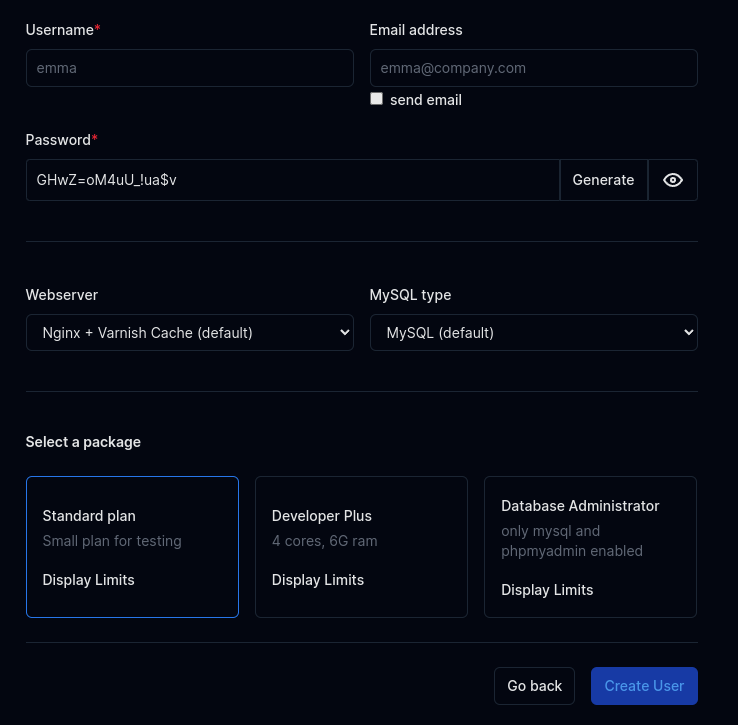
To create a new user, click on the 'New User' button on the Users page. A new section will be displayed with a form where you can set the email address, username, generate a strong password, and assign a hosting plan for the user.
To create a new user run the following command:
hitechcloudcli user-add <USERNAME> <PASSWORD> <EMAIL> <PLAN_NAME>
Example:
hitechcloudcli user-add filip password1234 filip@hitechadmin.com default_plan_apache
Provide generate as password to generate a strong random password.
To create a new user use the following api call:
curl -X POST -H "Content-Type: application/json" -H "Authorization: Bearer JWT_TOKEN_HERE" -d '{"email": "EMAIL_HERE", "username": "USERNAME_HERE", "password": "PASSWORD_HERE", "plan_name": "PLAN_NAME_HERE"}' http://PANEL:2087/api/users
Example:
curl -X POST "http://PANEL:2087/api/users" -H "Authorization: Bearer eyJ0eXAiOiJKV1QiLCJhbGcBns" -H "Content-Type: application/json" -d '{"username":"stefan","password":"strongishpassword1234","email":"stefan@example.com","plan_name":"default_plan_nginx"}'
Example response:
{
  "response": {
    "message": "Successfully added user stefan password: strongishpassword1234"
  },
  "success": true
}
- The HiTechCloud username must be 3 to 16 characters long and can only contain letters and numbers.
- The HiTechCloud password must be 6 to 30 characters long and can include any characters except for single quotes (
') and double quotes (").
Single User
To view detailed information about a user, and edit their settings, click on their username in the users table.
Statistics
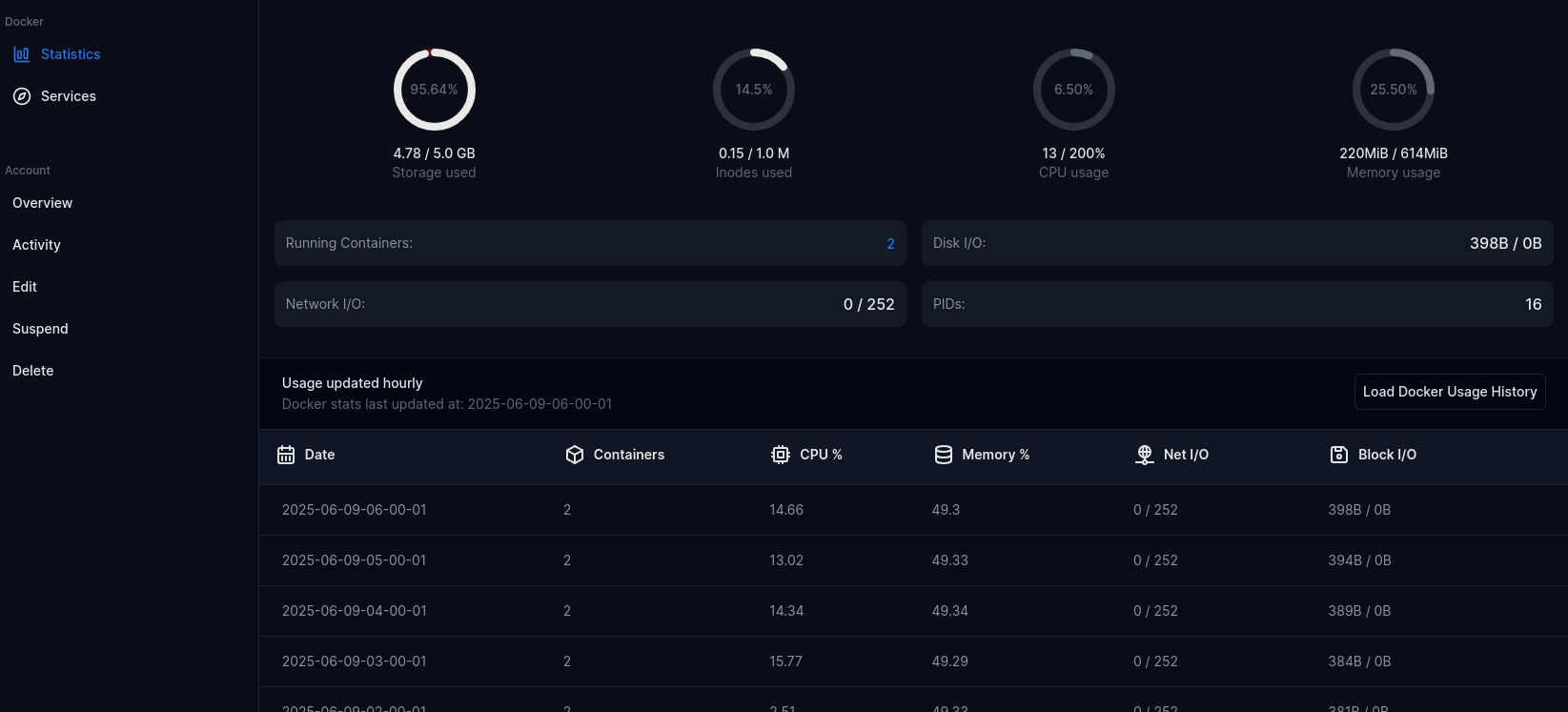
Statistics is the default tab, displays current usage statistics:
- Storage used
- Inodes used
- CPU usage
- Memory usage
- Number of running containers
- Disk I/O
- Network I/O
- Number of PIDs
- Time statistics usage was last update
- Historical usage
Clicking on 'Load Docker Usage History' will display a table with past resource usage for the user: Date, number of running containers, CPU% and Memory%, Net I/O and Block I/O.
Services
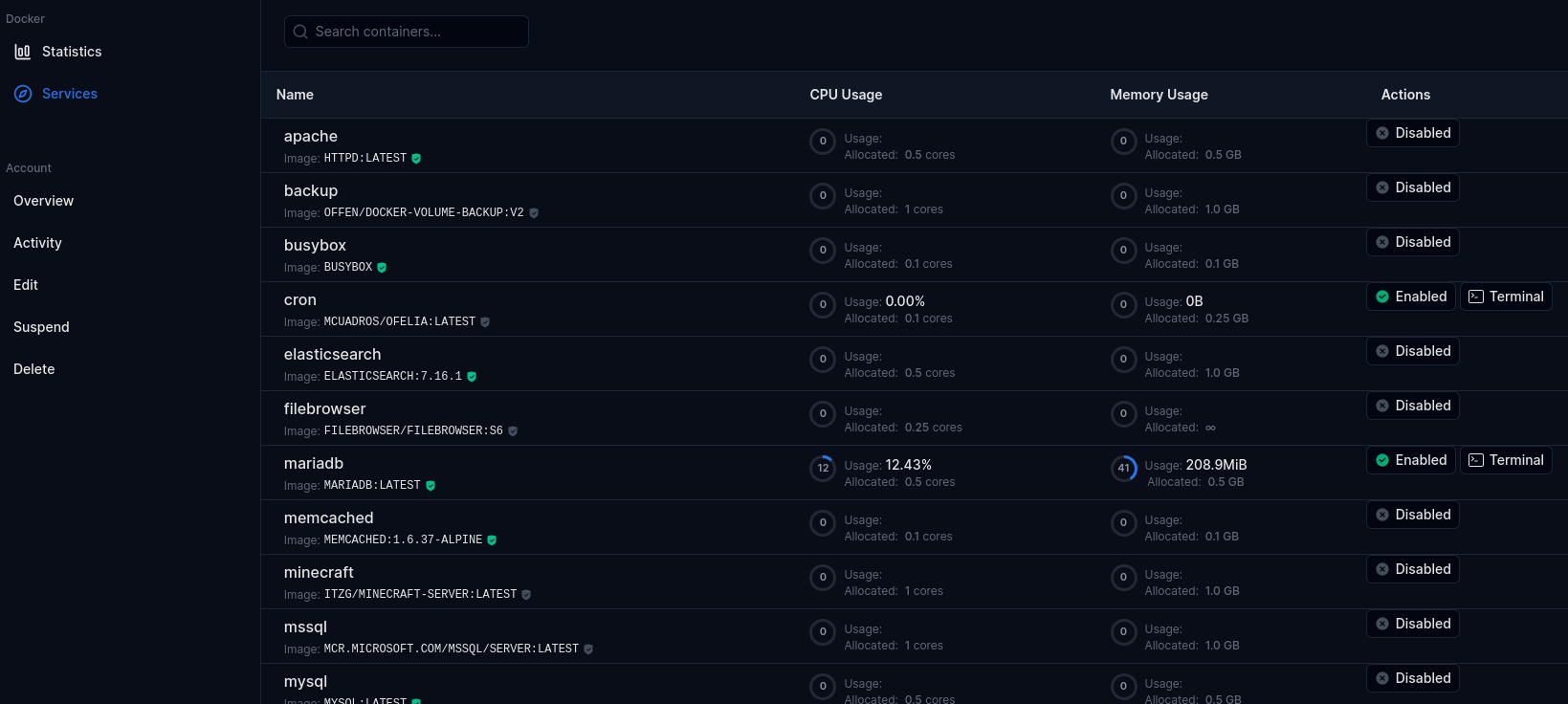
Services tab displays all user services (docker containers):
- Service name
- Docker Image name and tag
- Current CPU usage
- Allocated CPU for the service
- Current Memory usage
- Allocated Memory for the service
- Current status: Enabled or Disabled
- Terminal link to run docker exec commands in that service.
Storage
Storage tab displays data from the docker system df command.
- Volumes
- Containers
- Images
Overview
Overview page displays detailed user information and allows Administrator to set a custom message specifically for this user.
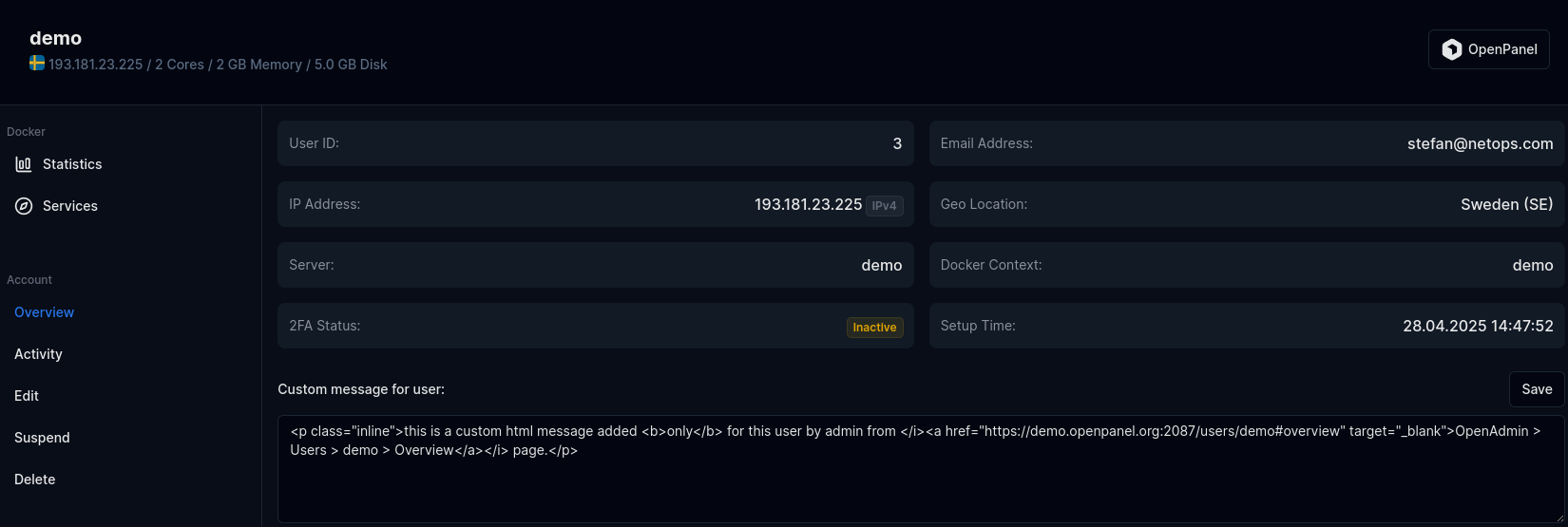
Displayed information:
- User ID
- Email Address
- IP Address
- Geo Location for the IP
- Server Name
- Docker Context
- 2FA status
- Setup Time
- Custom Message for user
Activity
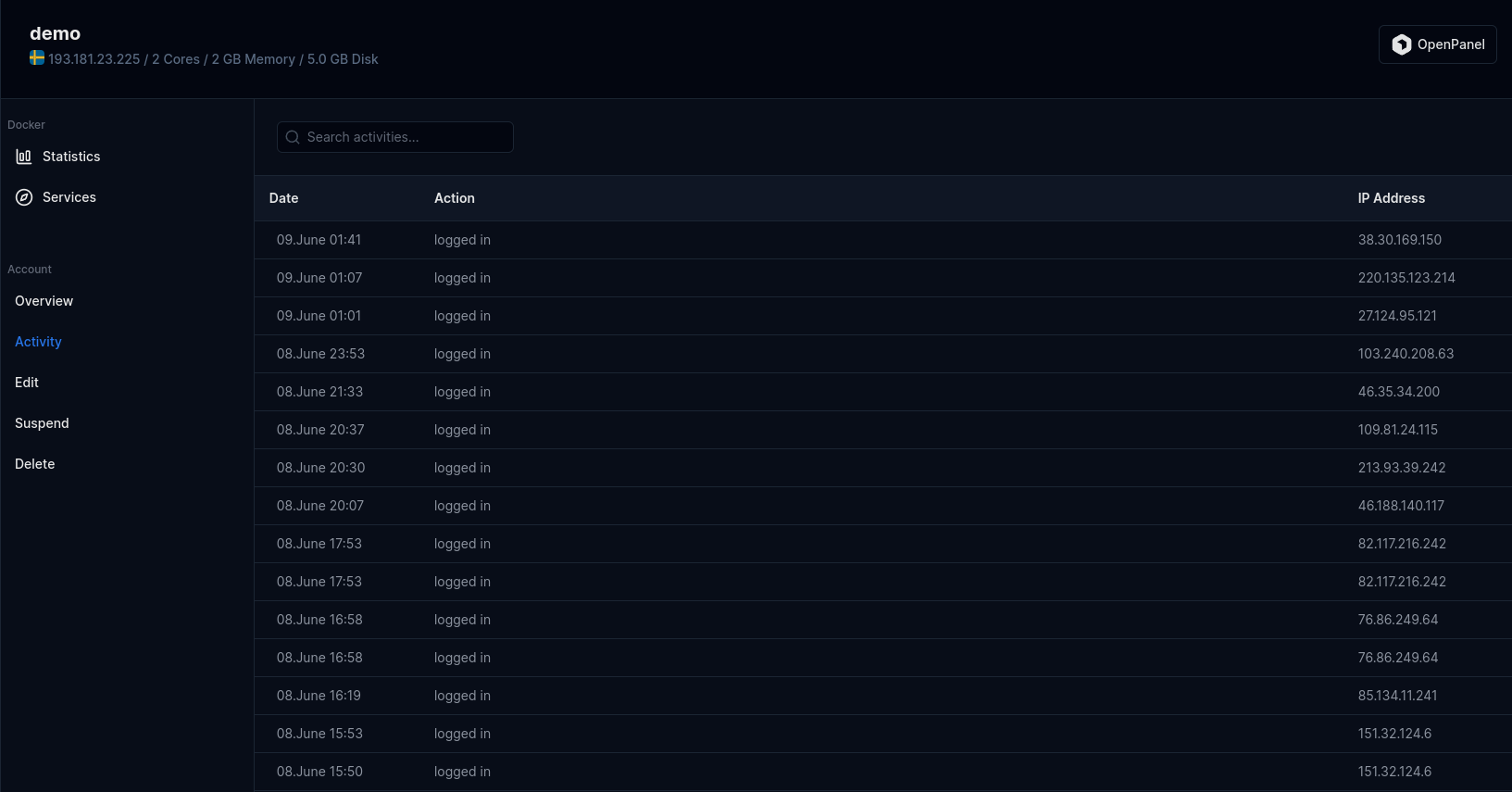
Displays users activity log.
- Date
- Action performed
- IP Address
Edit
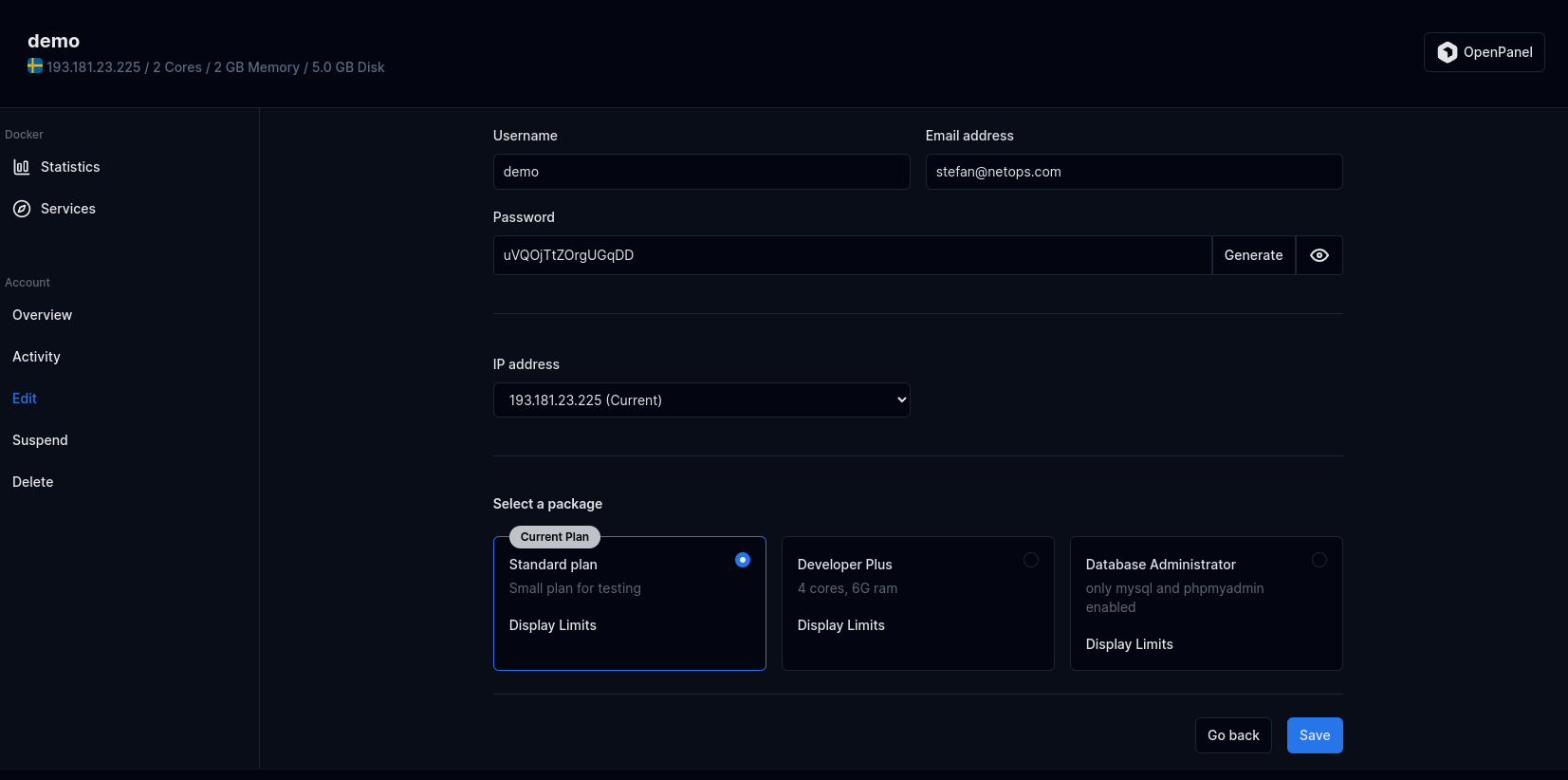
From the Edit tab, Administrators can edit user information:
- Username
- Email address
- Password
- IP address
- Hosting Package
Suspend
- With HiTechAdmin
- With HiTechCloudCLI
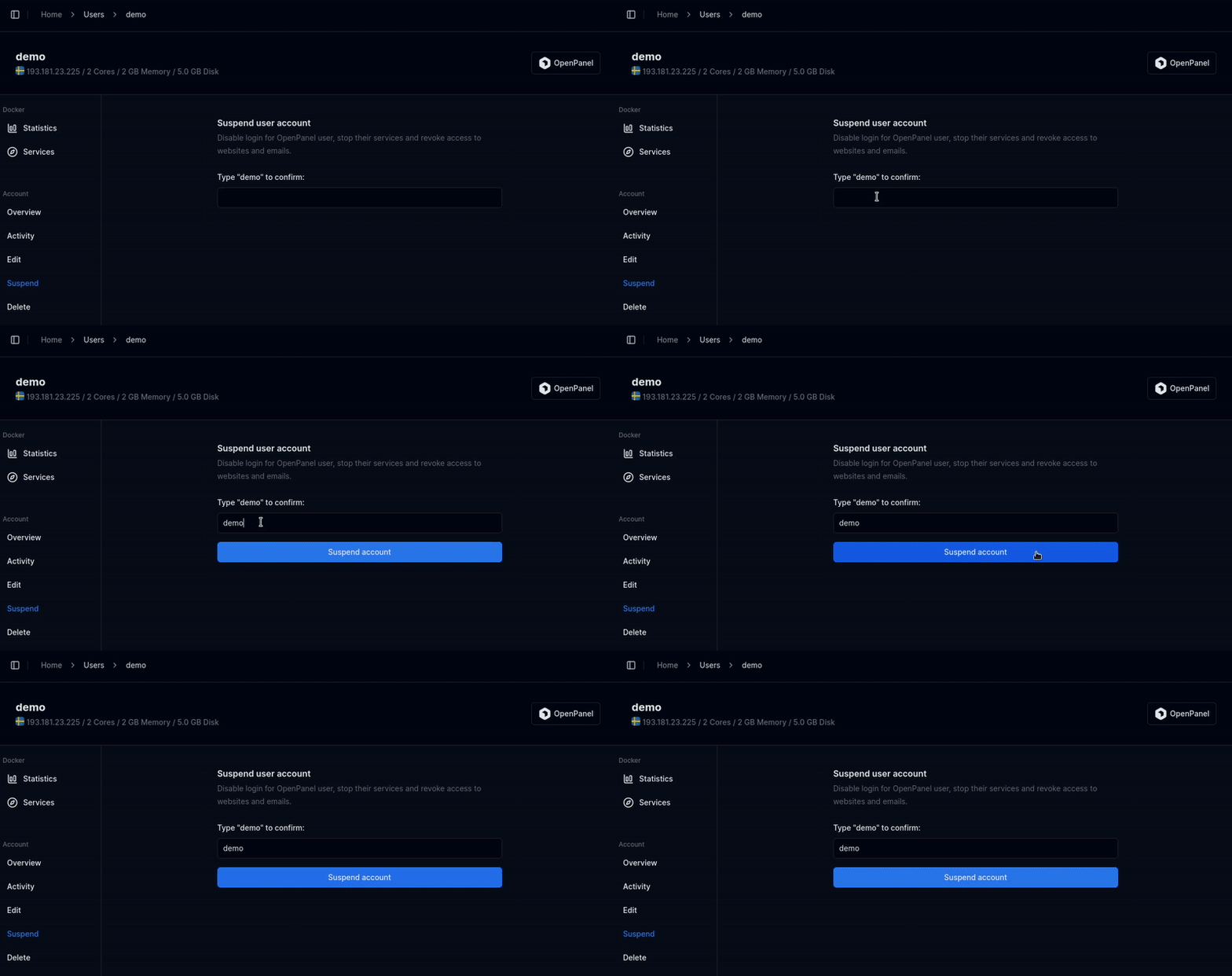
Suspending an account will immediately disable the user's access to the HiTechCloud. This action involves pausing the user's Docker container and revoking access to their email, website, and other associated services. Please be aware of the immediate impact before proceeding.
To suspend a user click on the Suspend link on that user page and type the username to confirm, then click on 'Suspend account' button.
To suspend (temporary disable access) to user, run the following command:
hitechcloudcli user-suspend <USERNAME>
Example:
hitechcloudcli user-suspend filip
Unsuspend
- With HiTechAdmin
- With HiTechCloudCLI
To unsuspend a user click on the Unsuspend button for that user.
To unsuspend (enable access) to user, run the following command:
hitechcloudcli user-unsuspend <USERNAME>
Example:
hitechcloudcli user-unsuspend filip
Reset Password
- HiTechAdmin
- HiTechCloudCLI
- API
To reset password for a user, click on "Edit" tab and set the new password in the Password field then click Save.
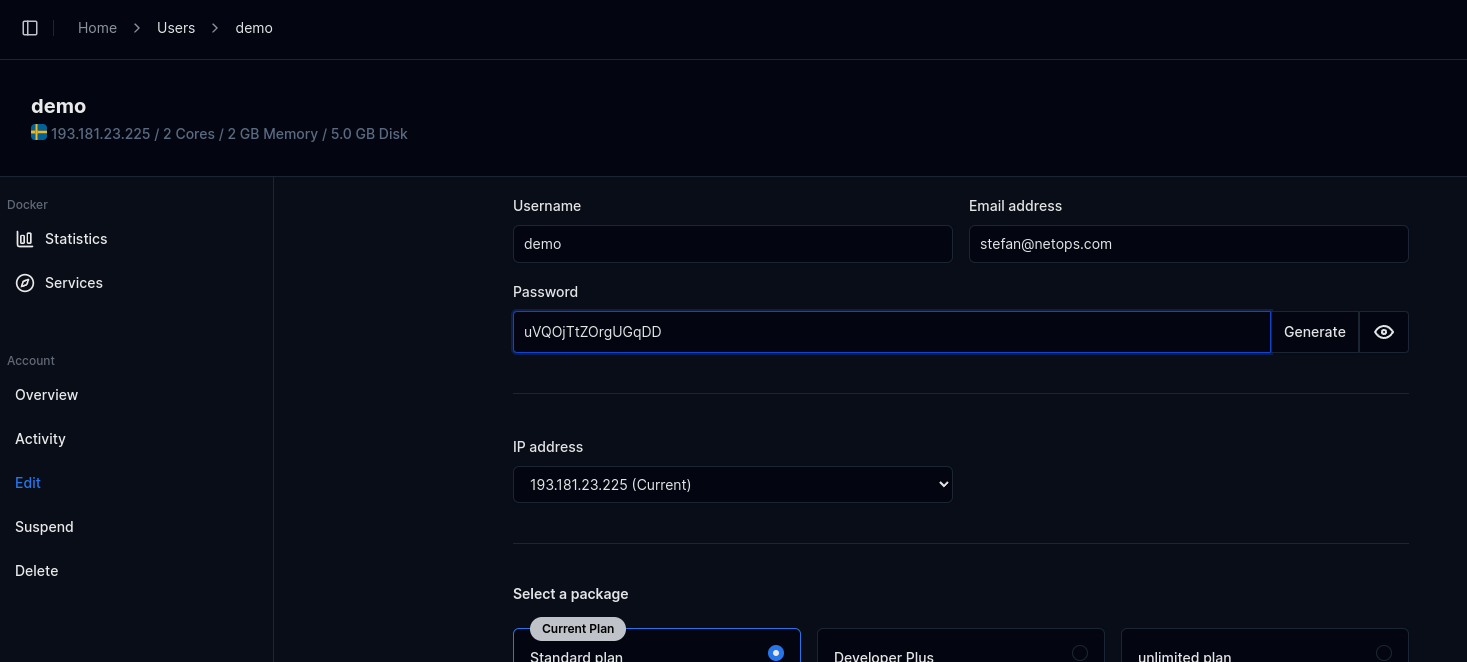
To reset the password for a HiTechCloud user, you can use the user-password command:
hitechcloudcli user-password <USERNAME> <NEW_PASSWORD>
Use the --ssh flag to also change the password for the SSH user in the container.
Example:
hitechcloudcli user-password filip Ty7_K8_M2 --ssh
To reset password for an HiTechCloud user, use the following api call:
curl -X PATCH http://PANEL:2087/api/users/USERNAME_HERE -H "Content-Type: application/json" -H "Authorization: Bearer JWT_TOKEN_HERE" -d '{"password": "NEW_PASSWORD_HERE"}'
Rename
- With HiTechAdmin
- With HiTechCloudCLI
To Rename a user, click on the 'Edit Information' link for the user, then change the address in 'Username' field and click on 'Save changes'.
To change username for a user run the following command:
hitechcloudcli user-rename <old_username> <new_username>
Example:
#hitechcloudcli user-rename stefan jane
User 'stefan' successfully renamed to 'jane'.
Change Package
- With HiTechAdmin
- With HiTechCloudCLI
To change a package for a user, click on the 'Edit' link for the user, then select the new package and click on 'Save changes'.
To change a package for a user run the following command:
hitechcloudcli user-change_plan <USERNAME> '<NEW_PLAN_NAME>'
Change Email
- With HiTechAdmin
- With HiTechCloudCLI
To change email address for a user, click on the 'Edit Information' link for the user, then change the address in 'Email address' field and click on 'Save changes'.
To change email address for a user run the following command:
hitechcloudcli user-email <USERNAME> <NEW_EMAIL>
Example:
#hitechcloudcli user-email stefan stefan@example.com
Email for user stefan updated to stefan@example.com.
Login to HiTechCloud
To auto-login to a HiTechCloud account, click on the HiTechCloud button in top-right corner of the page.
Delete User
- With HiTechAdmin
- With HiTechCloudCLI
To delete a user click on the delete button for that user, then type 'delete' in the confirmation modal and finally click on the 'Terminate' button.
To delete a user and all his data run the following command:
hitechcloudcli user-delete <USERNAME>
add -y flag to disable prompt.
Example:
hitechcloudcli user-delete filip -y
This action is irreversible and will permanently delete all user data.