HiTechCloud and WHMCS
HiTechCloud Enterprise edition has billing integrations with WHMCS and FOSSBilling.
HiTechCloud WHMCS module allows users to integrate billing automations with their HiTechCloud server.
HiTechCloud
To setup WHMCS to use your HiTechCloud server follow these steps:
Enable API
First make sure that API access is enabled by going to HiTechAdmin > API or by running hitechcloudcli config get api from the terminal:
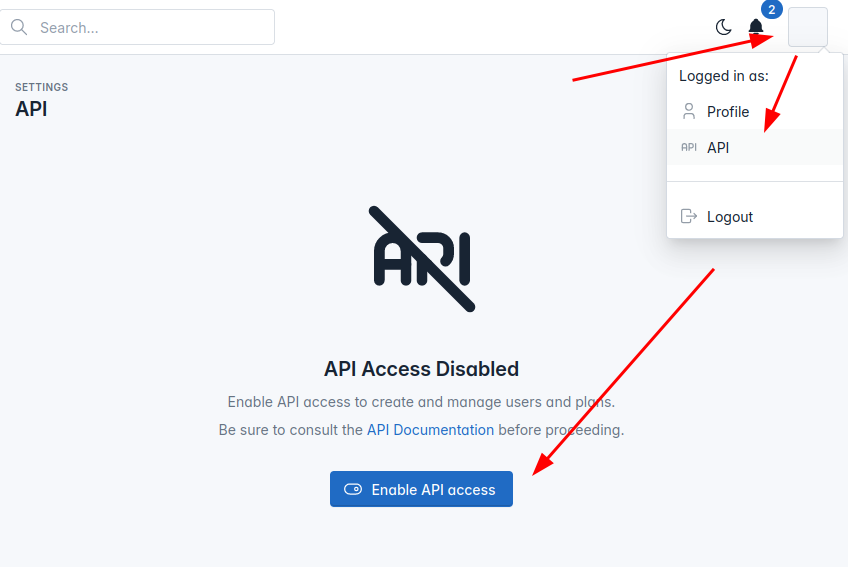 If API is not enabled, click on the "Enable API access" button or from terminal run
hitechcloudcli config update api on
We recommend creating new Administrator user for API, to create a new user navigate to HiTechAdmin > HiTechAdmin Settings and create new admin user, or from terminal run:
hitechcloudcli admin new USERNAME_HERE PASSWORD_HERE
Whitelist on HiTechCloud
On HiTechCloud server make sure that the HiTechAdmin port 2087 is open on HiTechAdmin > Firewall or whitelist the IP adress of your WHMCS server.
to whitelist ip address from terminal run:
csf -a WHMCS_IP_HERE
or if using UFS:
ufw allow from WHMCS_IP_HERE
Create hosting package
Hosting packages need to be created on both HiTechCloud and WHMCS servers.
On HiTechCloud server login to admin panel and on HiTechAdmin > Plans create hosting packages that you will be assinging to users on WHMCS.
WHMCS
Install HiTechCloud WHMC Module
Login to SSH for WHMCS server
Navigate to path_to_whmcs/modules/servers
Run this command to create a new folder and in it download the module:
git clone https://hitechcloud.org hitechcloud
Whitelist on WHMCS
On WHMCS server also make sure that the 2087 port is opened or whitelist the IP address of your HiTechCloud server.
WHMCS Module Setup
From WHMS navigate to: System Settings > Products & Services > Servers
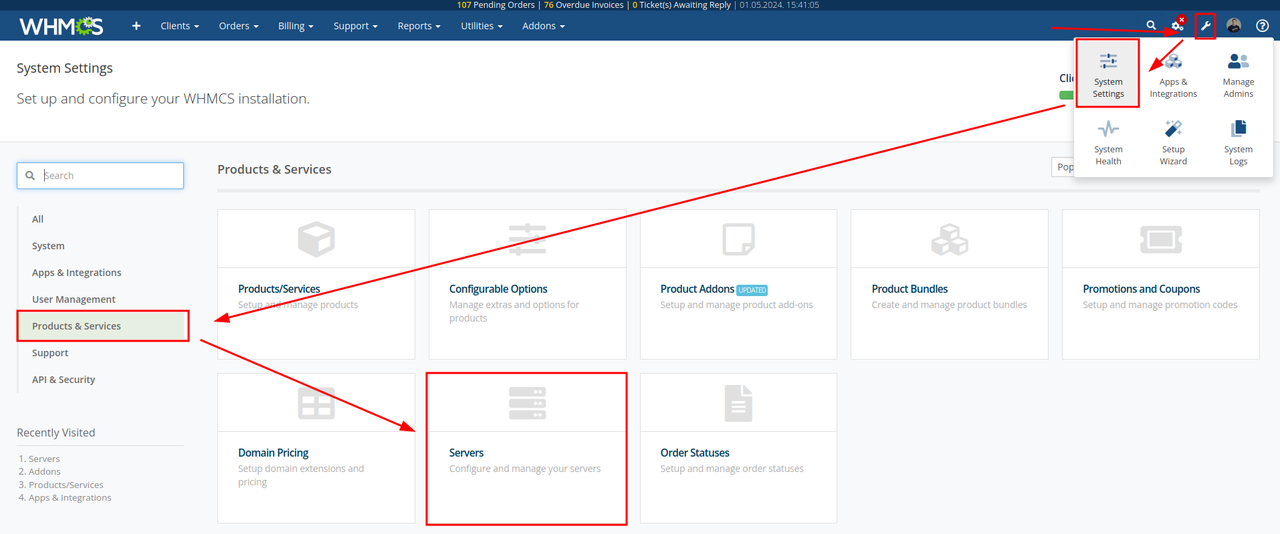 Click on Create New Server and under module select HiTechCloud then add HiTechCloud server IP, username and password for the HiTechAdmin panel:

Create hosting package
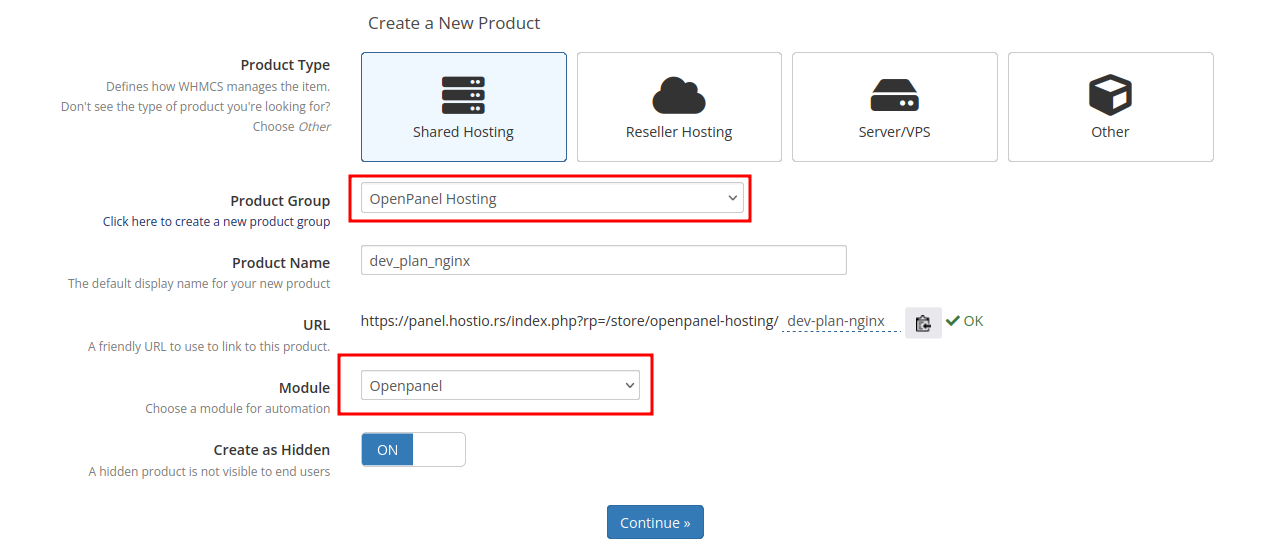
On the WHMCS server create first a new group and then create new plans under this group. When creating products, make sure to select HiTechCloud for Module and the newly created group
Test
Create an order and create a new order to test HiTechCloud API.