Version: 0.X.X
Upgrading to HiTechCloud Enterprise and activating License
HiTechCloud is available in two editions:
- Community - a free hosting control panel for Debian and Ubuntu OS, suitable for VPS and private use.
- Enterprise - offers advanced features for user isolation and management, suitable for web hosting providers.
More information: HiTechCloud Community VS Enterprise edition
Purchase License
To purchase a license for the HiTechCloud Enterprise edition click here.
After payment, license key is automatically issued and you will see it under the Services page:
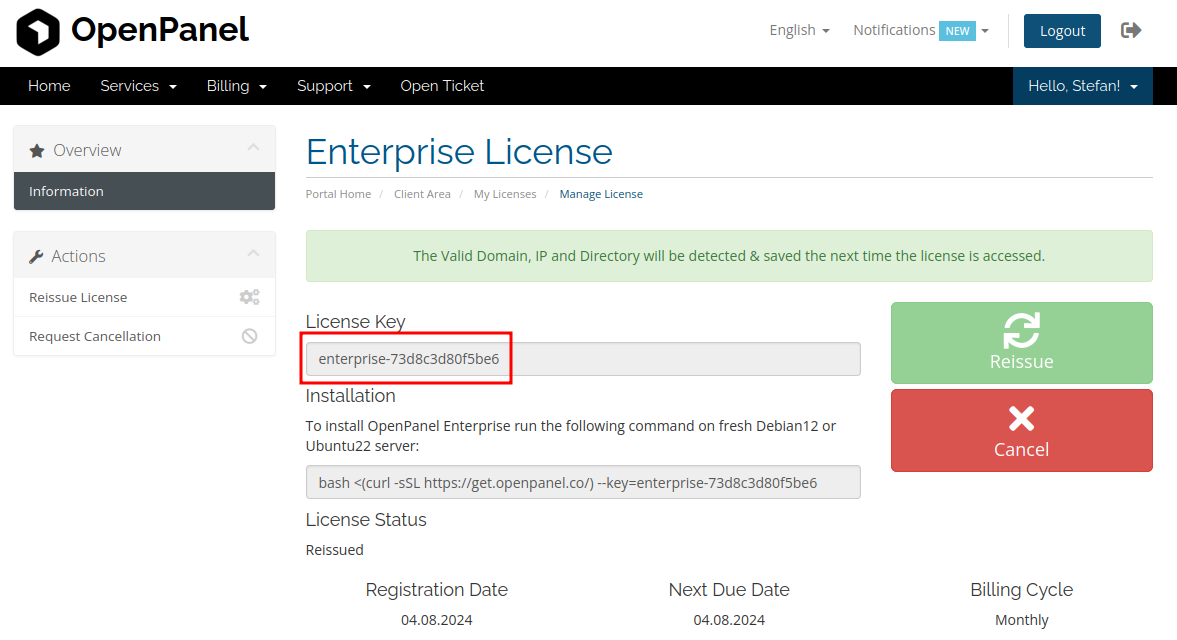
Add License Key
To existing installation:
-
From HiTechAdmin: If you already have HiTechCloud Community edition installed, navigate to HiTechAdmin > Try Enterprise and add the key into the form:
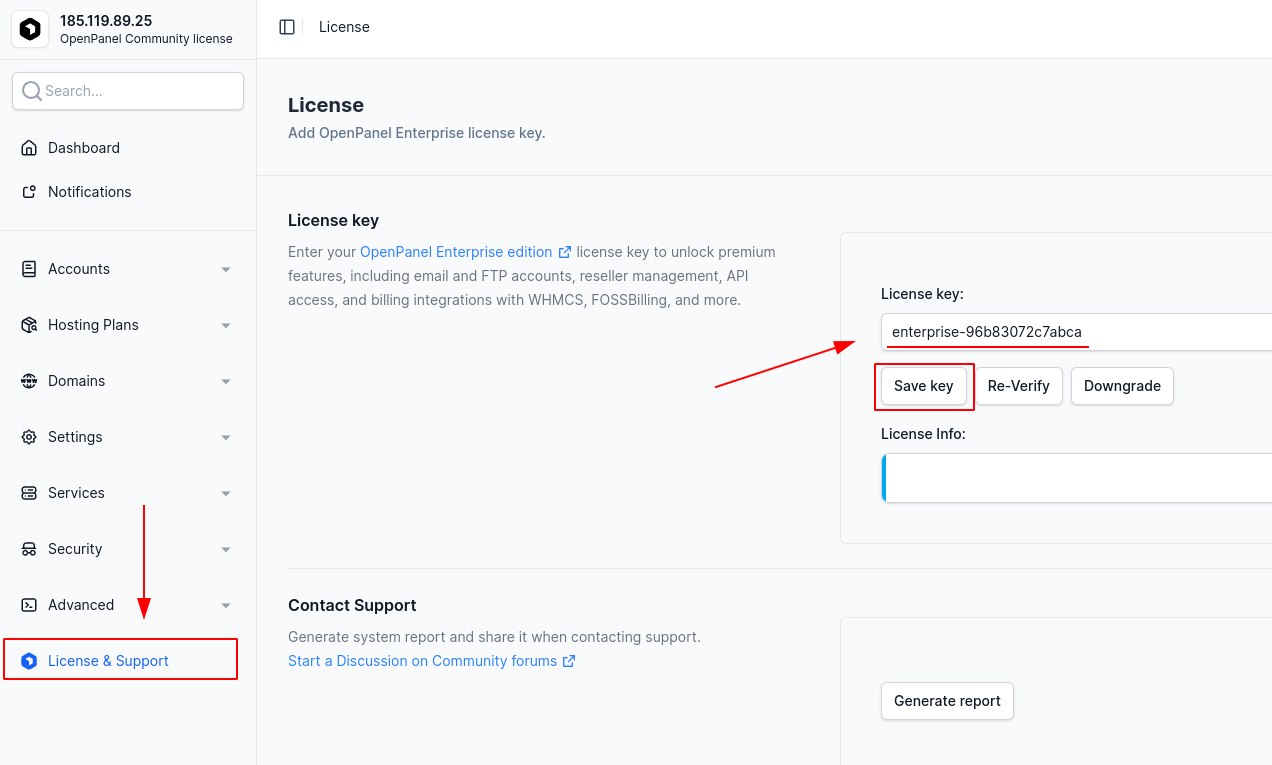
-
From terminal:
hitechcloudcli license enterprise-XXXReplace
enterprise-XXXwith your license key.
To new installation:
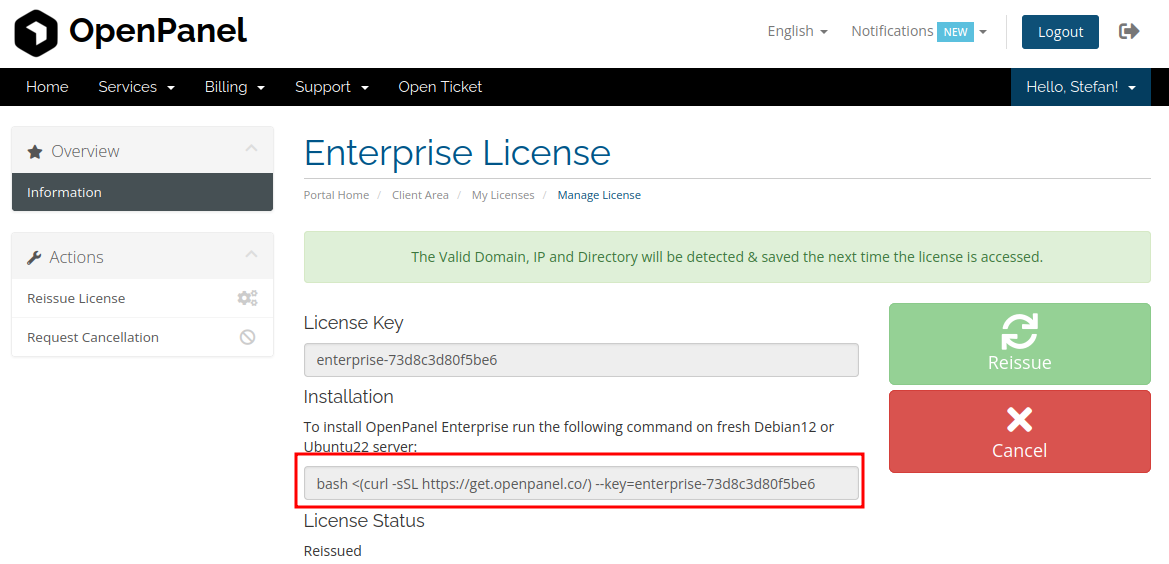
If you will be installing HiTechCloud Enterprise on another server, copy the install command from your service page and paste it into new server:
Was this helpful?