0.2.3
Released on July 24, 2024
🚀 New feature
- ConfigServer Firewall Integration
- Upload file from URL using File Manager
- Autoinstaller
- Site Manager
🐛 Bug fixes
- Fixed bug with cron file causing daily reports not being sent from HiTechAdmin.
- Fixed bug with
hitechcloudcli websites-pagespeed --allfailing to generate reports for all websites. - Fixed bug with
/json/page_speed/route not accepting websites in subfolders. - Fixed bug with Mautic installation emptying the .htaccess file.
- Fixed bug with xarg parsing in
hitechcloudcli php-install_php_versioncausing php version not to be installed. - Fixed bug with deprecated php extensions being requested when running
hitechcloudcli php-install_php_version. - Fixed bug with mysql that caused the first 2 plans added to not be saved.
- Fixed bug with cron service not auto-starting after server reboot if user has cronjobs.
- Fixed bug with the Apache and Nginx state not being saved when domain is added.
- Fixed internal bug
#YFE-625684when adding new domains for user that has Apache webserver. - Fixed css bug with user letter avatar on HiTechCloud sidebar menu.
💅 Polish
- All new user accounts now have fixed ports for MySQL and SSH services, so the ports remain consistent even after a restore or server reboot.
- Install script now accepts
--username=and--password=flags to create admin account. - Nginx and Apache vhosts files now restrict access to sensitive resources by default, these include:
.git,compose.json,composer.lock,auth.json,config.php,wp-config.php,vendor. HiTechCloud users can edit and remove the rules for any domain, from the HiTechCloud > Domains > Edit Vhosts File page. - PM2 Application installer now supports optional flags to be passed to the startup file.
- Websites List
hitechcloudcli reportcommand now provides more detailed info for HiTechAdmin service: pip installed packages, python version, ufw/csf rules and full error log.hitechcloudcli user-sudocommand now allows user to use thesu -command to switch to root user.- /etc/profile.d/welcome.sh now has 5sec timeout.
hitechcloudcli server-on_startupnow updates hitechcloud version number from the docker container on server reboot, and/etc/profile.d/welcome.shon each root user ssh login.
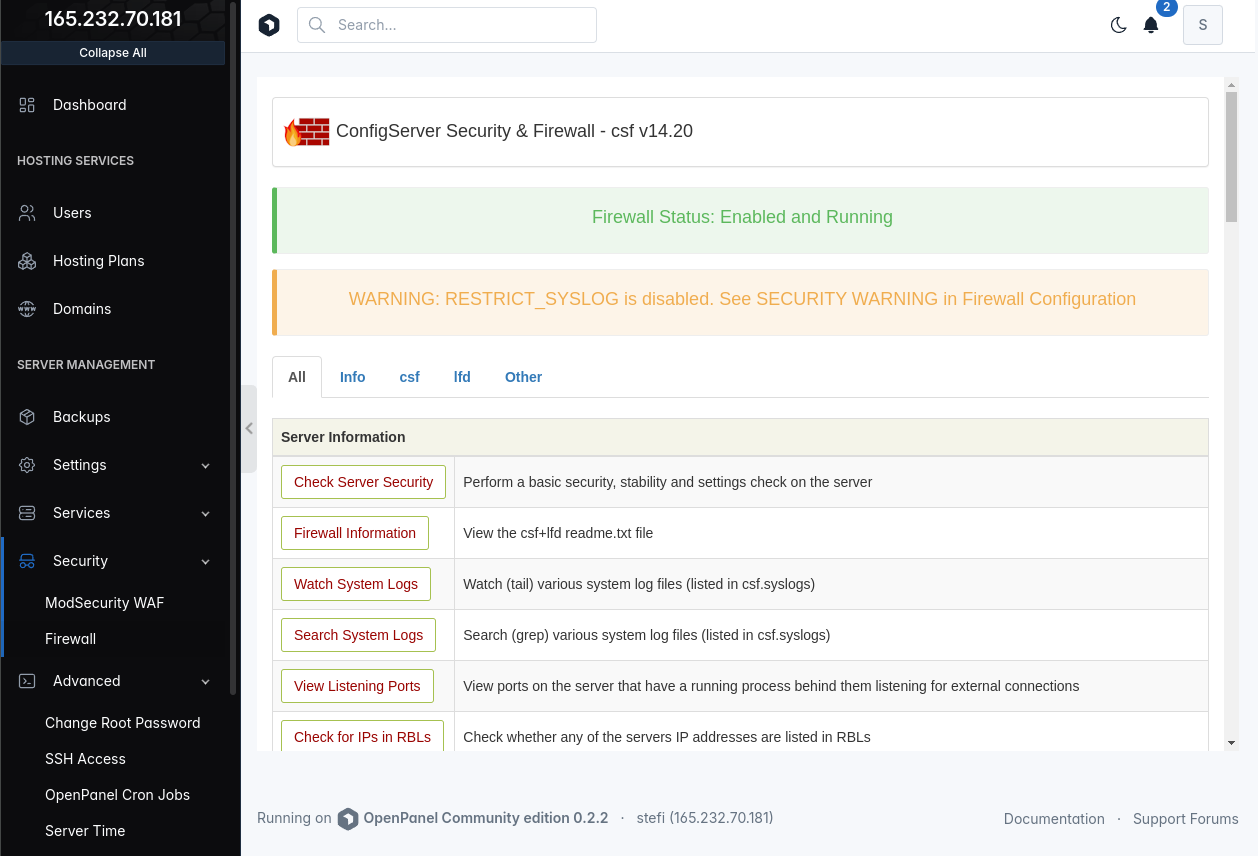
ConfigServer Firewall
ConfigServer Firewall is now the default firewall manager for HiTechCloud. UFW can still be selected with the --ufw flag on installation.
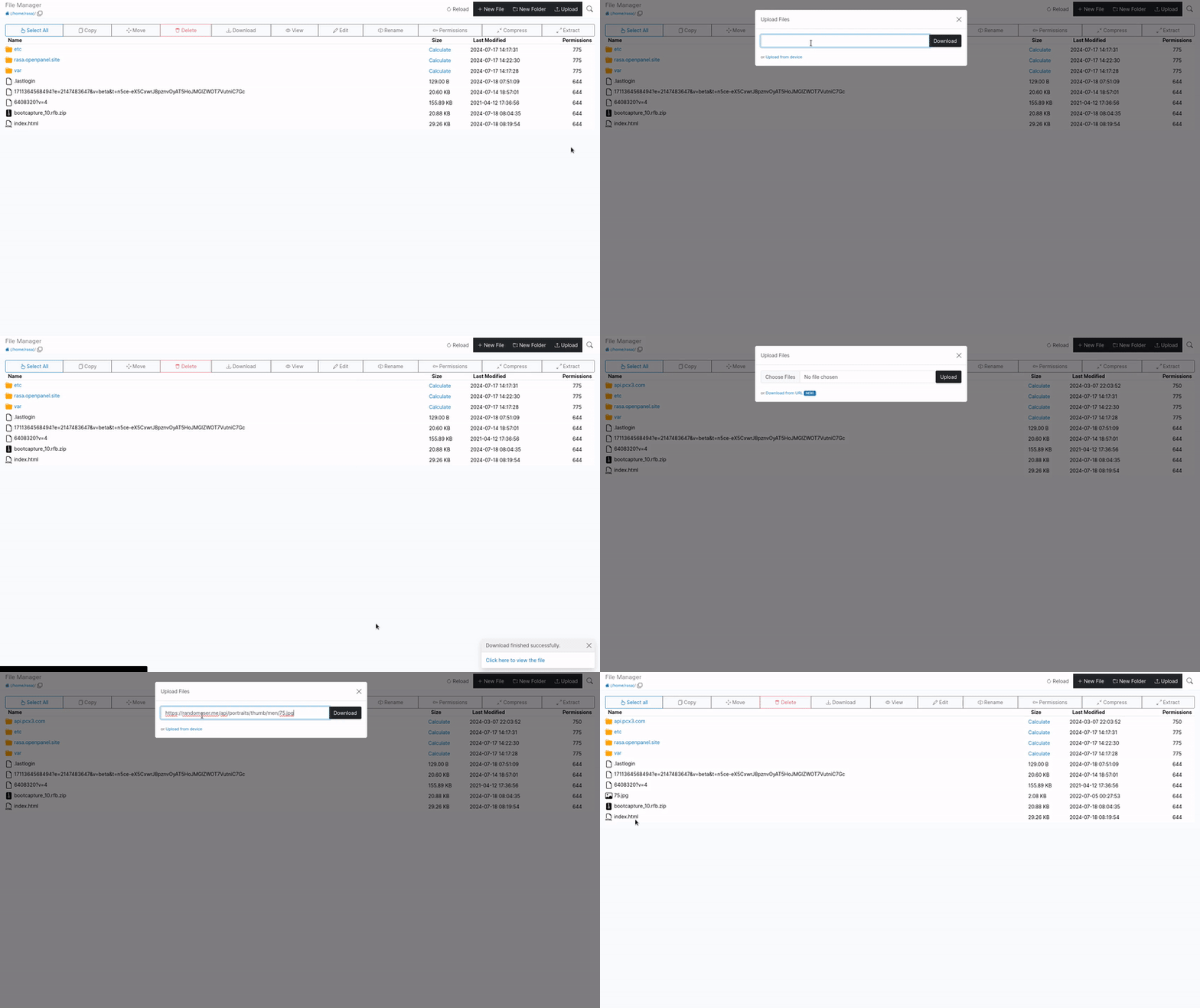
Upload URL
In HiTechCloud > File Manager, click on "Upload." In the modal, select "Download from URL," then add the link and click the "Download" button.
This feature accepts any link type. If the link points to an archive *(.zip, .tgz, .tar.gz, .tar, .gz), it will automatically be extracted; if it's a regular file, it will simply be downloaded.
AutoInstaller
Administrators can choose which CMS/tools to allow for the AutoInstaller interface from the HiTechAdmin > General Settings page.
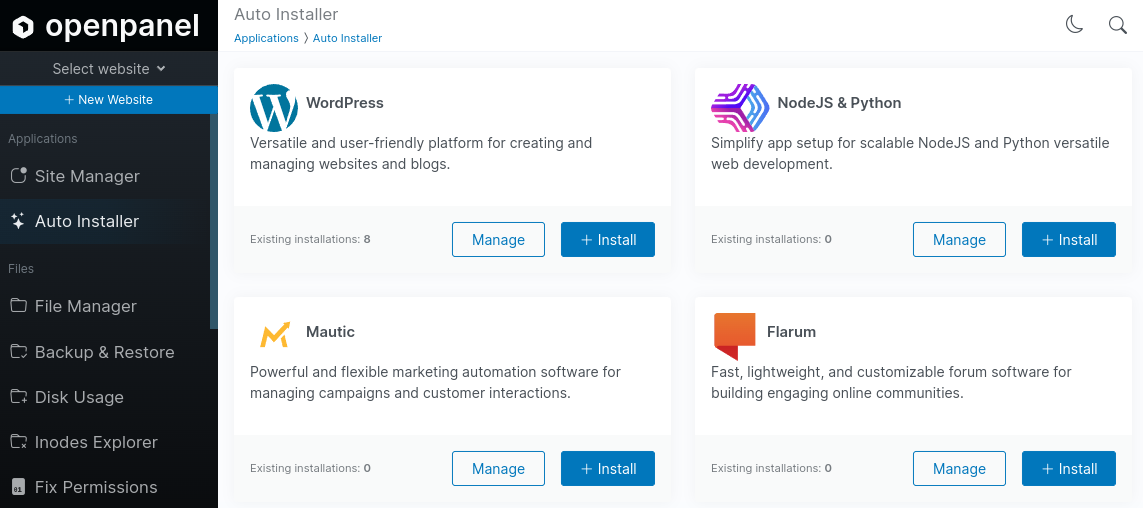
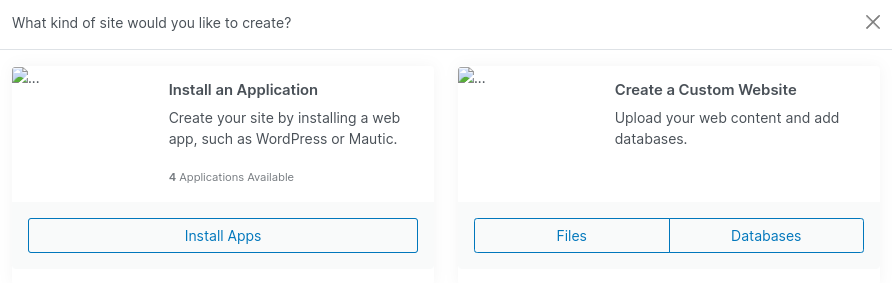
We also receive frequent questions from new users on how to upload a website, as they often get confused by the New Website modal. To address this, we added an option to choose between using the Autoinstaller or manually adding files and databases:
Site Manager
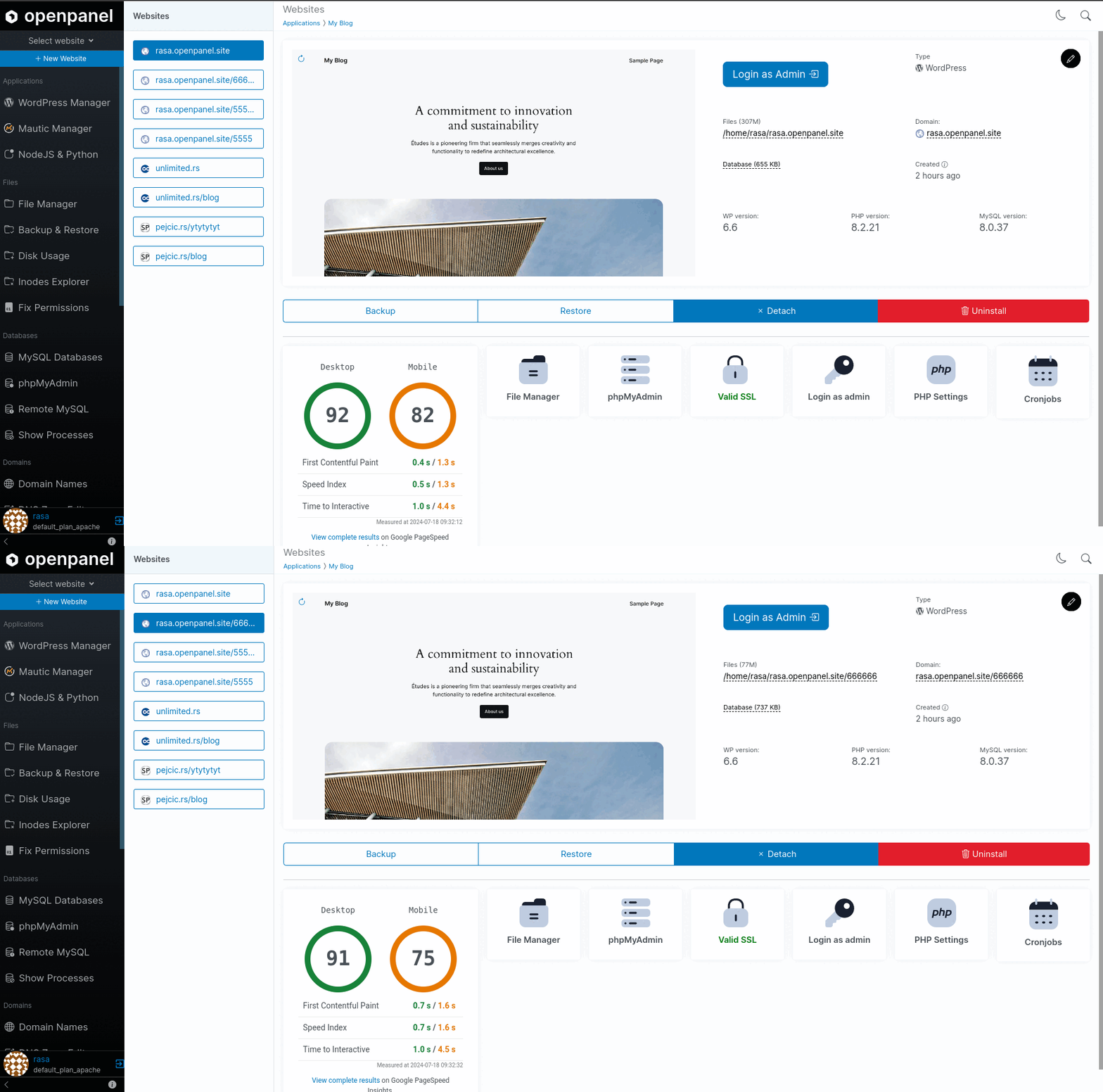
Mautic Manager, WordPress Manager, and PM2 (NodeJS & Python) are now combined in a single interface named Site Manager.
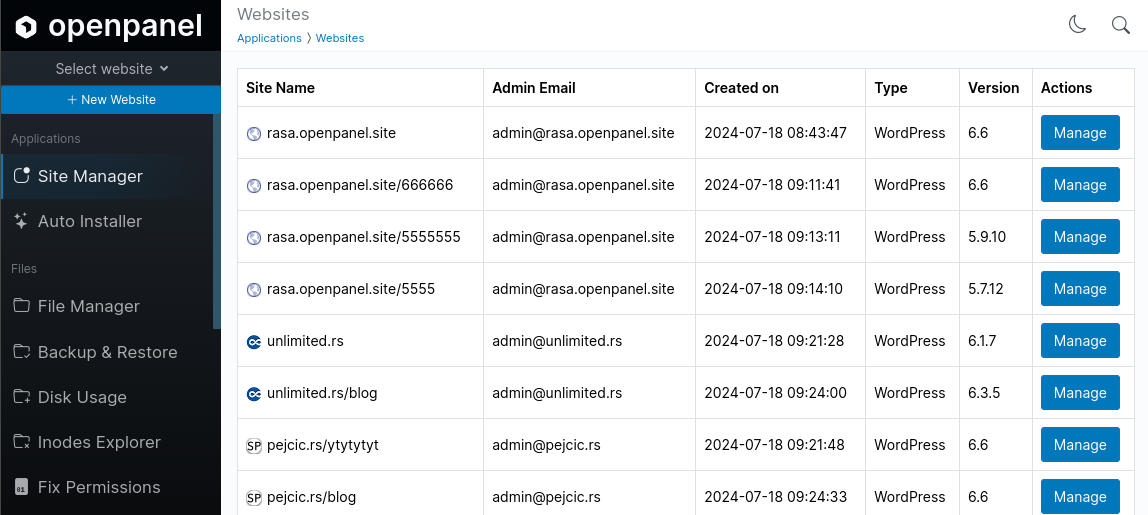
This interface will list all available websites from the database.
Websites List
List of all websites on HiTechCloud > Site Manager > selected website.