0.2.2
Released on July 16, 2024
🚀 New features
- BETA support for RockyLinux 9.4
- DNSSEC for HiTechCloud domains
- Daily Usage Reports
- Sentinel CLI
- Google PageSpeed data for WordPress websites on HiTechCloud WPManager.
- Option to clear cached RAM from HiTechAdmin Dashboard page.
- Shared phpMyAdmin for All HiTechCloud users and their MySQL users.
- Alerts for new SSH logins, checked agains the list of HiTechAdmin logins.
🐛 Bug fixes
- Fixed bugs on HiTechAdmin > Users > Profile and HiTechCloud > Dashboard with disk usage information not displayed when overlay2 storage driver is used.
- Fixed bug with File Watcher service causing infinite HiTechAdmin service restart on Ubuntu24.
- Fixed bug with File Watcher service failing to generate SSL for new nginx conf files.
- Fixed bug with HiTechAdmin > Firewall > Blacklists (IPsets) causing
ufw reloadcommand to fail - reported by @f1lk3. - Fixed bug with
hitechcloudcli config updatecommand not restarting HiTechCloud docker container *(introduced in HiTechCloud 0.2.1). - Fixed bug with redis installation failing due to "noble" lsb_release added in Redis Stack.
- Fixed error 'Error stoping service panel: Failed to stop panel.service: Unit panel.service not loaded.' when managing panel service from HiTechAdmin > Dashboard page.
- Fixed bug with
hitechcloudcli admin notificationsnot saving resource usage tresholds.
💅 Polish
- HiTechCloud > WPManager > Install WordPress form now has prefilled email address.
- All modals on HiTechCloud > File Manager now autofocus the input buttons.
- When new domain is added, HiTechCloud will automatically check SSL for all other doamins owned by the user and regenerate the ssl information for HiTechCloud > SSL page.
- HiTechCloudCLI improvements, history and logging
- Widgets on HiTechAdmin Dashboard: Usage, Quick Start, Latest News and CPU can now be dismissed.
Mautic Autoinstaller
| Mautic Manager | Mautic Auto-installer |
|---|---|
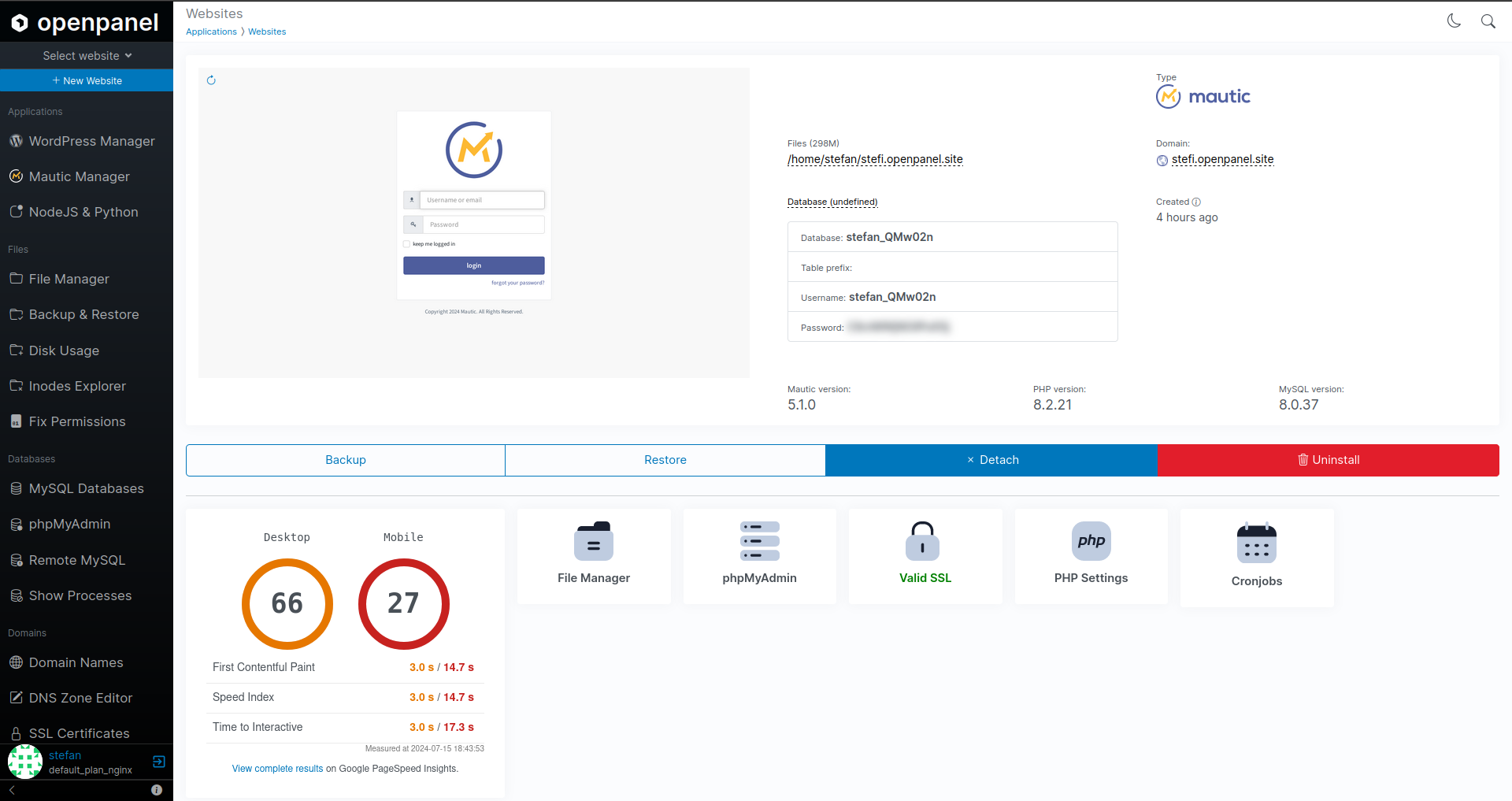 | 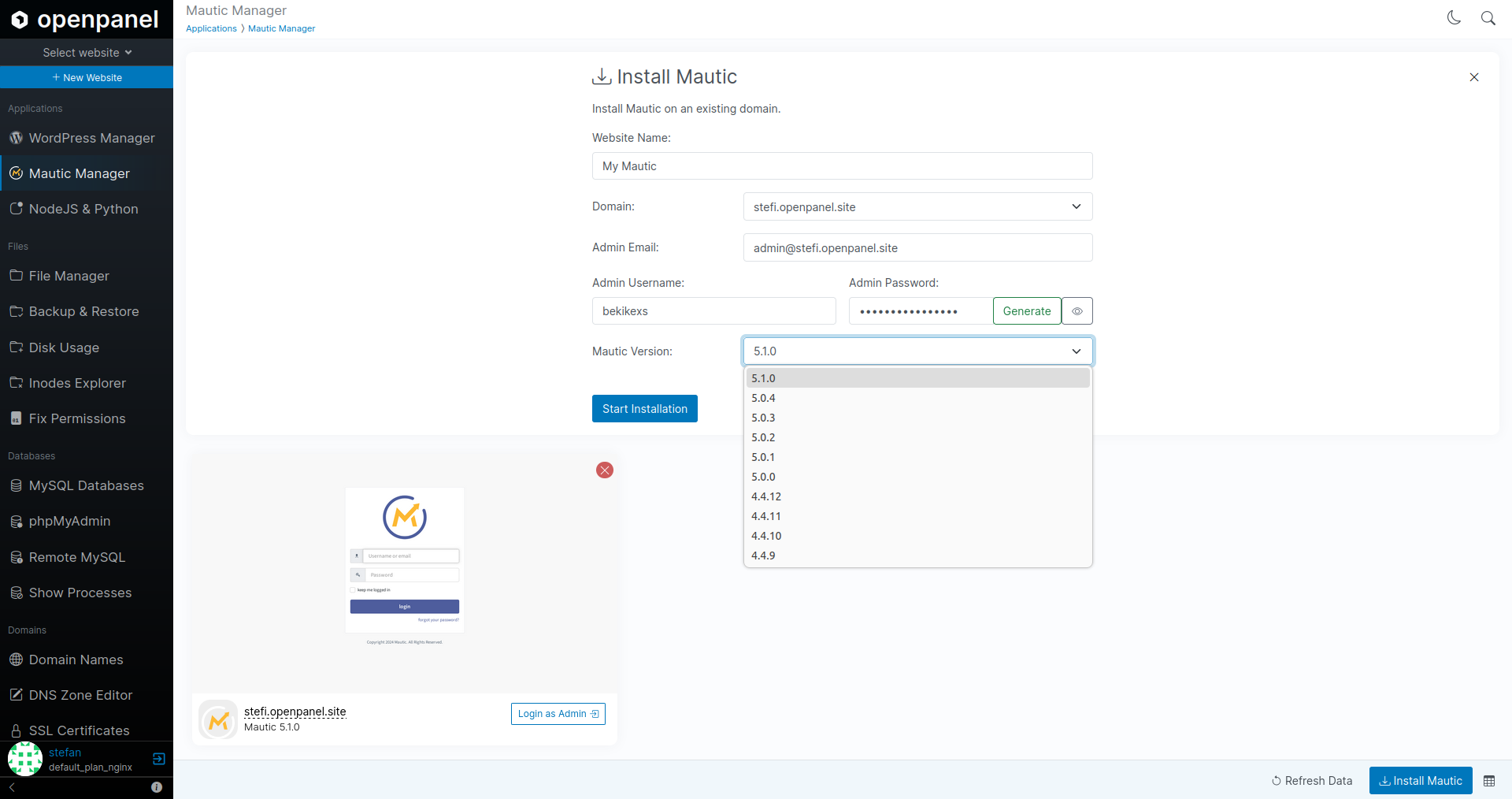 |
The Mautic autoinstaller is now available, offering the following features:
- Install the latest 10 versions of Mautic
- Automatically create and remove cron jobs
- Backup files and/or database
- Restore files and/or database
- Check Mautic, PHP, and MySQL versions
- Display file sizes
- Generate daily PageSpeed reports
- View database login information
- Remove Mautic from the manager
- Uninstall Mautic
Note: Auto-login is not currently supported. According to Mautic documentation, you need to manually enable HTTP authentication or set up OAuth first.
Upcoming features on the to-do list include:
- Viewing email statistics from Mautic
- Checking for and running updates
- Viewing and editing settings for outgoing emails
- Clear cache
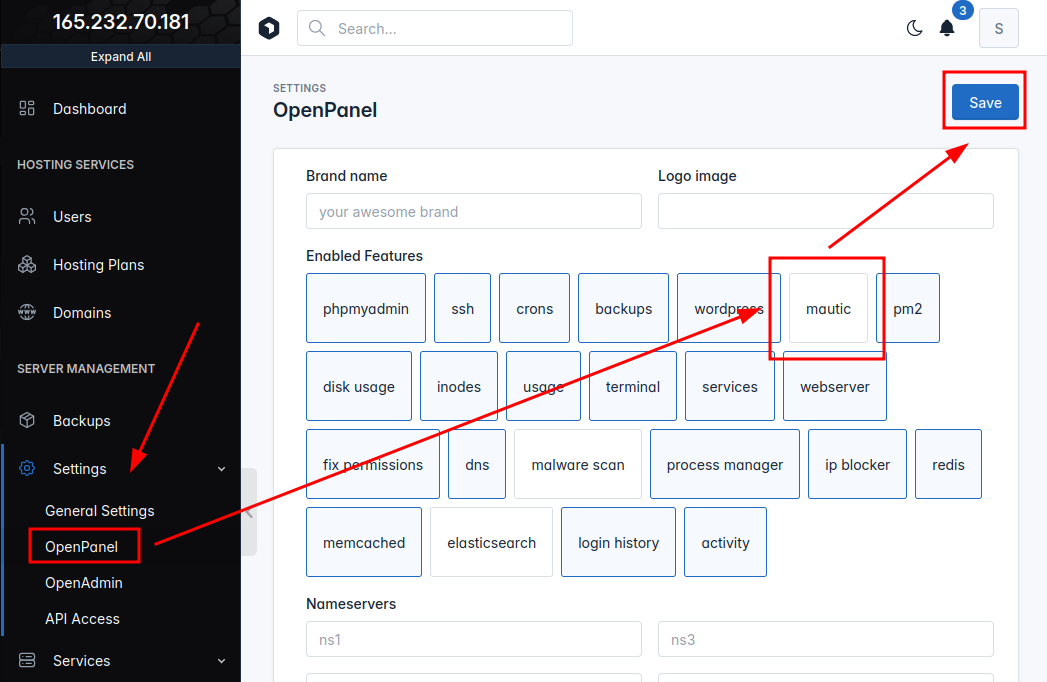
Mautic Manager is disabled by default. To enable it, navigate to HiTechAdmin > HiTechCloud Settings.
Usage Reports
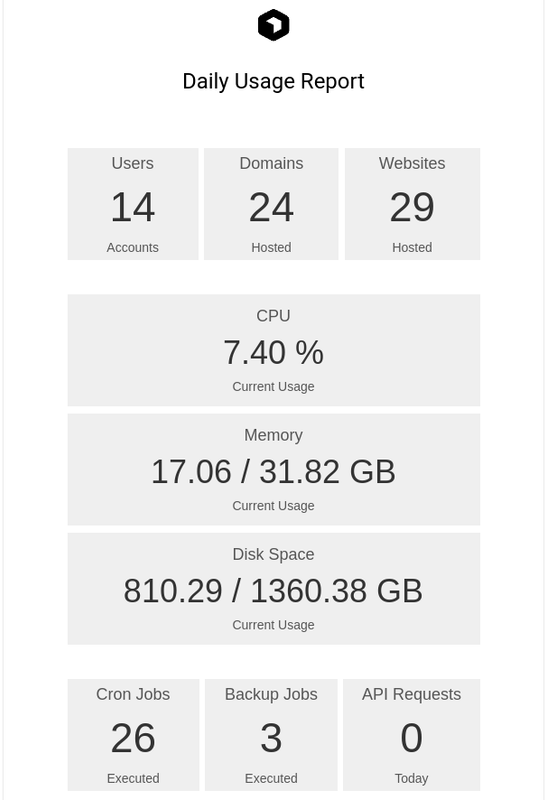
If email alerts are enabled, daily usage reports are generated:
phpMyAdmin
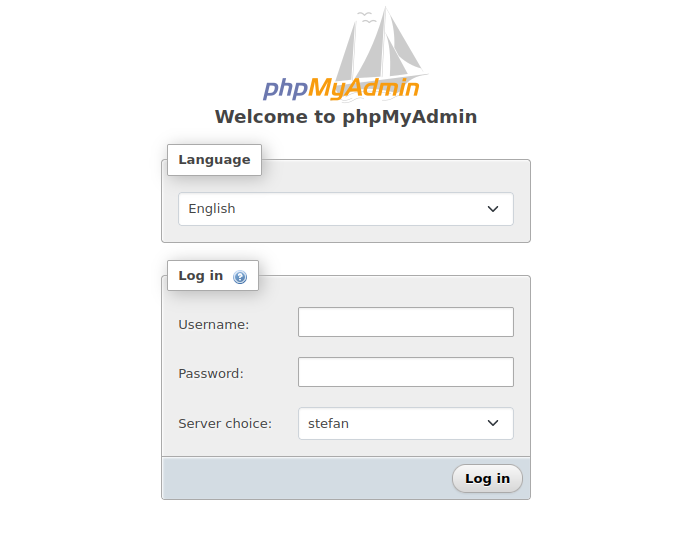
Added an option to run a shared phpMyAdmin service accessible on a custom domain, allowing login for all MySQL users of HiTechCloud. This service contradicts HiTechCloud's usual setup where each user has independent services, but it was requested by a few users, so we decided to implement it. It remains disabled by default.
To enable the shared phpMyAdmin service, first set the URL where it will be accessible. For example:
hitechcloudcli config update pma_url https://phpmyadmin.pejcic.rs
Then enable the phpMyAdmin service for all users:
hitechcloudcli phpmyadmin --enable
This will start the phpMyAdmin service, configure an nginx reverse proxy for the domain, and generate an SSL certificate if using HTTPS.
To disable the service:
hitechcloudcli phpmyadmin --disable
If enabled, the auto-login option from HiTechCloud will no longer work. Instead, each user must use a username and password to log in to phpMyAdmin.
NOTE: HiTechCloud user must enable RemoteMySQL for his mysql users to be able to use the phpMyAdmin service.
If this shared service is enabled, we recommend removing phpmyadmin from the Dockerfiles and rebuilding the images. This will save you up to 250MB per HiTechCloud user.