Thông báo
Cấu hình thông báo của HiTechAdmin và thiết lập cảnh báo qua email.
- Với HiTechAdmin
- Với HiTechCloudCLI
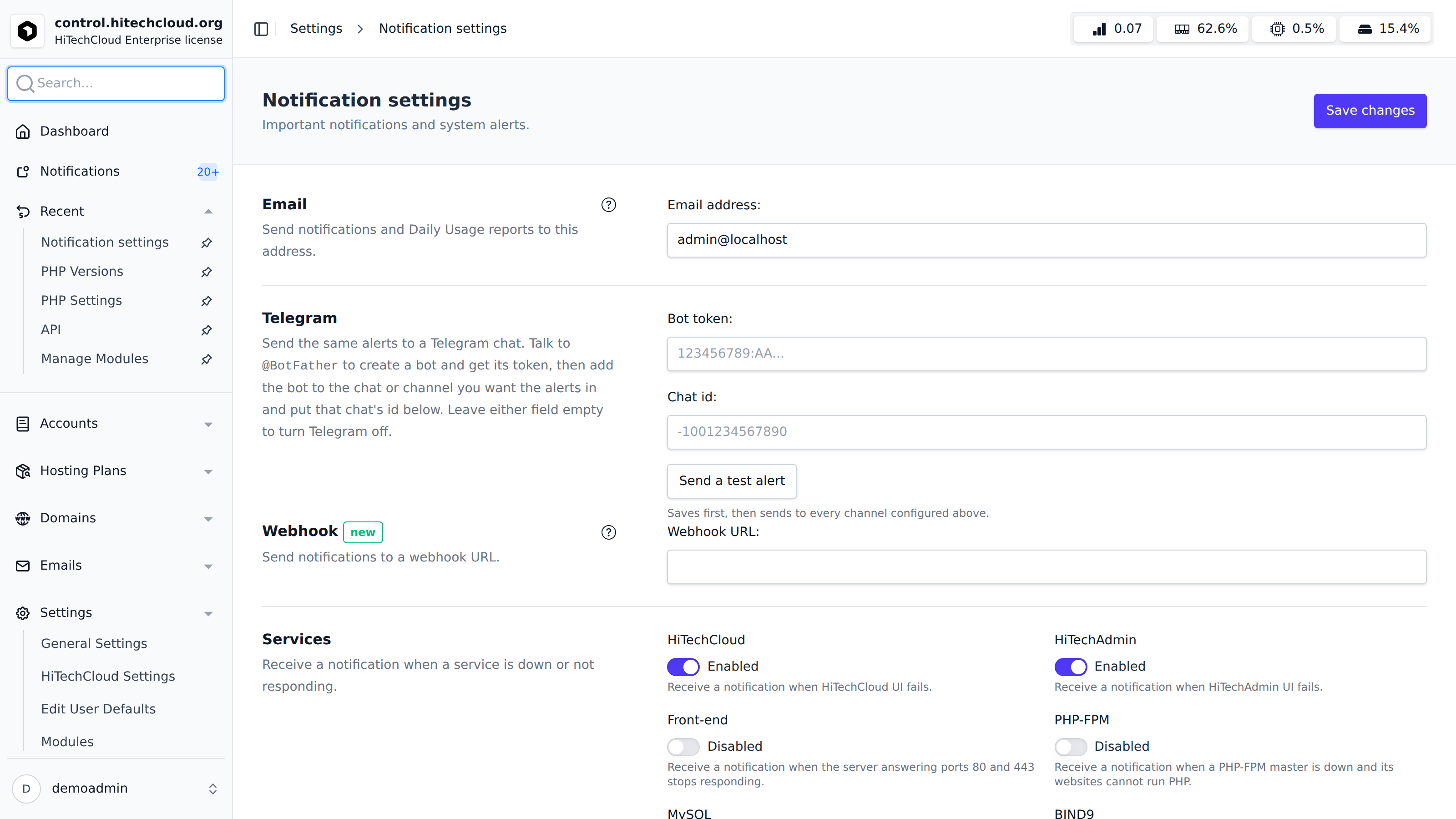
Để xem hoặc sửa thiết lập thông báo hiện tại, vào HiTechAdmin > Cài đặt > Thông báo hoặc bấm nút 'Chỉnh sửa cài đặt' trên trang Thông báo.
Để xem thiết lập thông báo, chạy:
hitechcloudcli admin notifications get <OPTION>
Ví dụ:
# hitechcloudcli admin notifications get reboot
yes
Để cập nhật thiết lập thông báo, chạy:
hitechcloudcli admin notifications update <OPTION> <NEW-VALUE>
Ví dụ:
hitechcloudcli admin notifications update load 10
Updated load to 10
Email
Cấu hình địa chỉ email dùng để nhận thông báo và cảnh báo của hệ thống.
Nhập địa chỉ email vào trường Địa chỉ email. Để trống để tắt cảnh báo qua email.
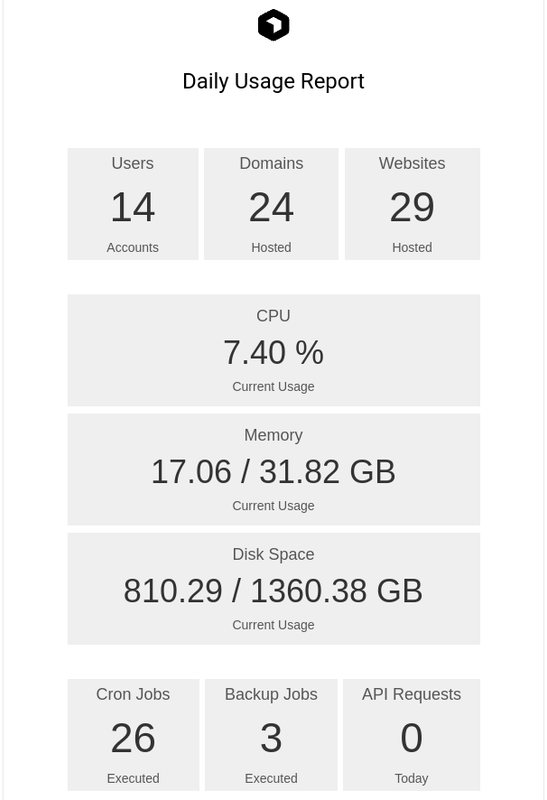
Nếu đã đặt địa chỉ email, báo cáo mức sử dụng hằng ngày sẽ được gửi tới địa chỉ đó; lịch gửi cấu hình được tại 'Máy chủ > Tác vụ đã lên lịch'.
Webhook
Gửi thông báo tới một URL webhook (discord hoặc bất kỳ dịch vụ nào khác).
Dịch vụ
Nhận thông báo khi dịch vụ ngừng hoạt động hoặc không phản hồi. Các dịch vụ được kiểm tra mỗi 5 phút.
- HiTechCloud: Thông báo nếu giao diện HiTechCloud gặp lỗi.
- HiTechAdmin: Thông báo nếu giao diện HiTechAdmin gặp lỗi.
- Front-end: Thông báo nếu máy chủ phục vụ cổng 80 và 443 ngừng phản hồi.
- PHP-FPM: Thông báo nếu một master PHP-FPM ngừng hoạt động và các website của nó không chạy được PHP.
- MySQL: Thông báo nếu không kết nối được cơ sở dữ liệu.
- BIND9: Thông báo nếu dịch vụ DNS ngừng hoạt động hoặc không phản hồi.
- Sentinel Firewall: Thông báo nếu Sentinel (CSF) bị tắt.
- Dịch vụ khác: bất kỳ dịch vụ systemd nào khác, theo tên unit, ngăn cách bằng dấu phẩy hoặc dấu cách (ví dụ
netdata, redis-server). Một dịch vụ được giám sát mà dừng sẽ được khởi động lại và báo cáo. Tên nào máy chủ này không có unit tương ứng sẽ được bỏ qua. Xem Dịch vụ tuỳ chỉnh.
Mức sử dụng tài nguyên
Nhận cảnh báo khi mức sử dụng tài nguyên vượt ngưỡng (kiểm tra mỗi 5 phút):
- Tải trung bình
- CPU %
- RAM %
- Mức sử dụng đĩa %
- SWAP %
Thao tác máy chủ
Nhận thông báo khi phát hiện các thao tác cụ thể ở cấp máy chủ:
- Khởi động lại máy chủ: Kích hoạt khi máy chủ được khởi động lại.
- Unusual traffic or SYN flood: Kích hoạt khi phát hiện lưu lượng đáng ngờ hoặc tấn công DDoS. Khi bật, một mục Lưu lượng website bổ sung xuất hiện, nơi bạn đặt ngưỡng Tổng số kết nối tối đa và Số kết nối tối đa mỗi IP (trên cổng 80/443) để kích hoạt thông báo.
- Out of Memory (OOM) errors: Kiểm tra nhật ký journal để tìm các dịch vụ hệ thống và tiến trình người dùng bị OOM kết thúc trong 24 giờ qua.
- DNS issue detected: Kích hoạt khi tên miền panel hoặc nameserver bị cấu hình sai hoặc không phân giải về máy chủ này. Hãy tắt nếu dùng nameserver bên ngoài hoặc proxy Cloudflare.
- HiTechAdmin login from new IP: Kích hoạt khi panel HiTechAdmin được truy cập từ một địa chỉ IP lạ.
- SSH login from new IP: Kích hoạt khi phát hiện truy cập SSH root từ một địa chỉ IP lạ. IP có thể được đưa vào danh sách cho phép ở mục SSH Allowlist bên dưới.
- New update available: Kích hoạt khi có phiên bản HiTechCloud mới để cập nhật.
Thao tác người dùng
Nhận thông báo mỗi khi có một thao tác diễn ra trong panel quản trị hoặc panel người dùng.
- Bật/tắt HiTechAdmin
- Bật/tắt truy cập API
- Tạo tài khoản quản trị
- Tạo tài khoản đại lý
- Đổi mật khẩu quản trị
- Đổi tên quản trị viên/đại lý
- Tạm ngưng quản trị viên/đại lý
- Bỏ tạm ngưng quản trị viên/đại lý
- Bật/tắt WAF cho một tên miền
- Bật/tắt WAF trên máy chủ
- Thêm người dùng
- Xoá người dùng
- Tạm ngưng/bỏ tạm ngưng người dùng
- Đổi email người dùng
- Đổi IP người dùng
- Đổi mật khẩu người dùng
- Đổi tên người dùng
- Tạo tài khoản FTP
- Xoá tài khoản FTP
- Đổi mật khẩu tài khoản FTP
- Thêm tên miền
- Xoá tên miền
- Tạm ngưng/bỏ tạm ngưng tên miền
- Đổi loại SSL
- Bật/tắt HSTS
Danh sách cho phép SSH
Chỉ định các địa chỉ IP (hoặc CIDR) được miễn kiểm tra đăng nhập SSH.
Thiết lập SMTP
Mặc định không có máy chủ SMTP nào được cấu hình — thông báo qua email sẽ không được gửi cho tới khi bạn thiết lập ở đây.
Để cấu hình máy chủ SMTP gửi email, cấu hình các mục sau:
- Với HiTechAdmin
- Với HiTechCloudCLI
Đặt cổng máy chủ, TLS hoặc SSL, tên đăng nhập và mật khẩu dùng để xác thực.
Cấu hình từng giá trị bằng các lệnh hitechcloudcli config update, ví dụ:
hitechcloudcli config update mail_server example.net
hitechcloudcli config update mail_port 465
hitechcloudcli config update mail_use_tls False
hitechcloudcli config update mail_use_ssl True
hitechcloudcli config update mail_username user@example.net
hitechcloudcli config update mail_password strongpassword123
hitechcloudcli config update mail_default_sender user@example.net
Thông báo mặc định cho khách hàng
HiTechAdmin > Cài đặt > Thông báo mặc định cho khách hàng (/settings/notification-defaults) đặt những email mà một tài khoản khách hàng nhận được (đăng nhập, thay đổi mật khẩu và địa chỉ liên hệ, thay đổi xác thực hai yếu tố, hạn mức đĩa và hộp thư, chứng chỉ sắp hết hạn) cho tới khi chủ tài khoản chọn khác tại HiTechCloud > Tài khoản > Thông báo qua email.
Thay đổi ở đây áp dụng cho mọi tài khoản chưa lưu lựa chọn riêng, và không áp dụng cho tài khoản đã lưu. Email chỉ được gửi khi mô-đun notifications được bật và SMTP đã được thiết lập ở trên.