Version: 4.1
Thêm tên miền mới
Để thêm tên miền mới, chỉ cần nhập tên miền và nhấn Thêm tên miền:
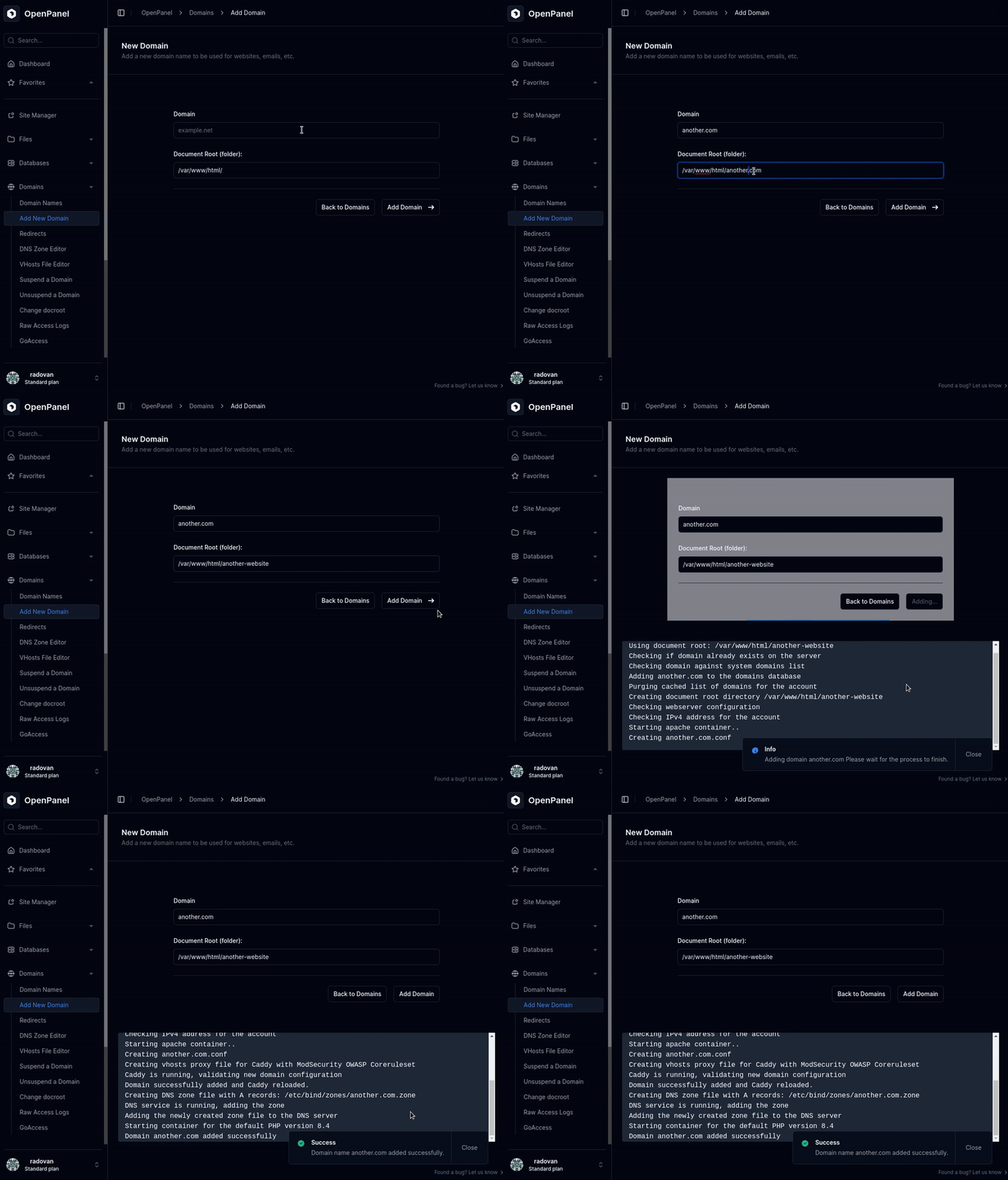
Bạn có thể tuỳ chọn chỉ định Thư mục gốc tuỳ chỉnh - thư mục lưu các tệp website.
Sau khi gửi, HiTechCloud sẽ hiển thị nhật ký chi tiết của mọi thao tác đã thực hiện. Ví dụ:
Using document root: /var/www/html/another-website
Checking if domain already exists on the server
Checking domain against system domains list
Adding another.com to the domains database
Purging cached list of domains for the account
Creating document root directory /var/www/html/another-website
Checking webserver configuration
Checking IPv4 address for the account
Starting apache container..
Creating another.com.conf
Creating vhosts proxy file for Caddy with ModSecurity OWASP Coreruleset
Caddy is running, validating new domain configuration
Domain successfully added and Caddy reloaded.
Creating DNS zone file with A records: /etc/bind/zones/another.com.zone
DNS service is running, adding the zone
Adding the newly created zone file to the DNS server
Starting container for the default PHP version 8.4
Domain another.com added successfully
Vì HiTechCloud khởi động dịch vụ theo nhu cầu để tiết kiệm tài nguyên, việc thêm tên miền đầu tiên có thể mất thêm một chút thời gian - nó sẽ khởi động các container webserver và PHP cần thiết. Các tên miền tiếp theo sẽ được thêm nhanh hơn nhiều.
Trang này có hữu ích không?