Version: 1.X.X
Import cPanel backup
Import cPanel accounts from backup.
Create cpanel backup
Create a cPanel account backup using backup wizard or download a backup from Jetbackup5 interface:
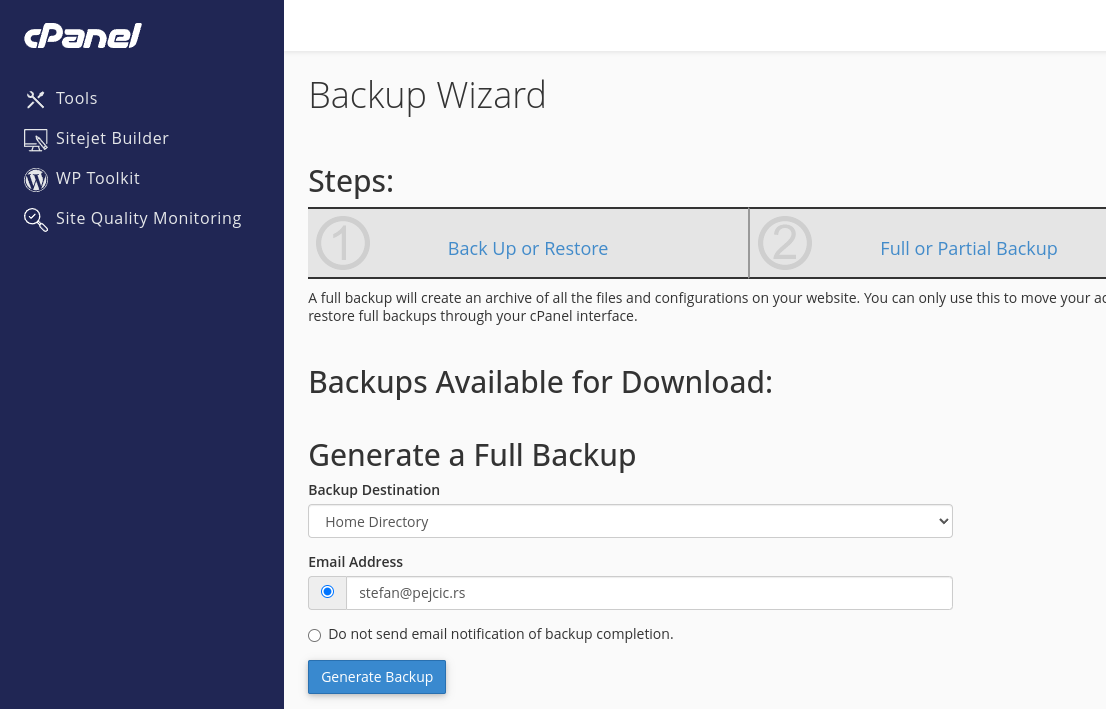
Download backup
Transfer the generated backup to your server
Import backup
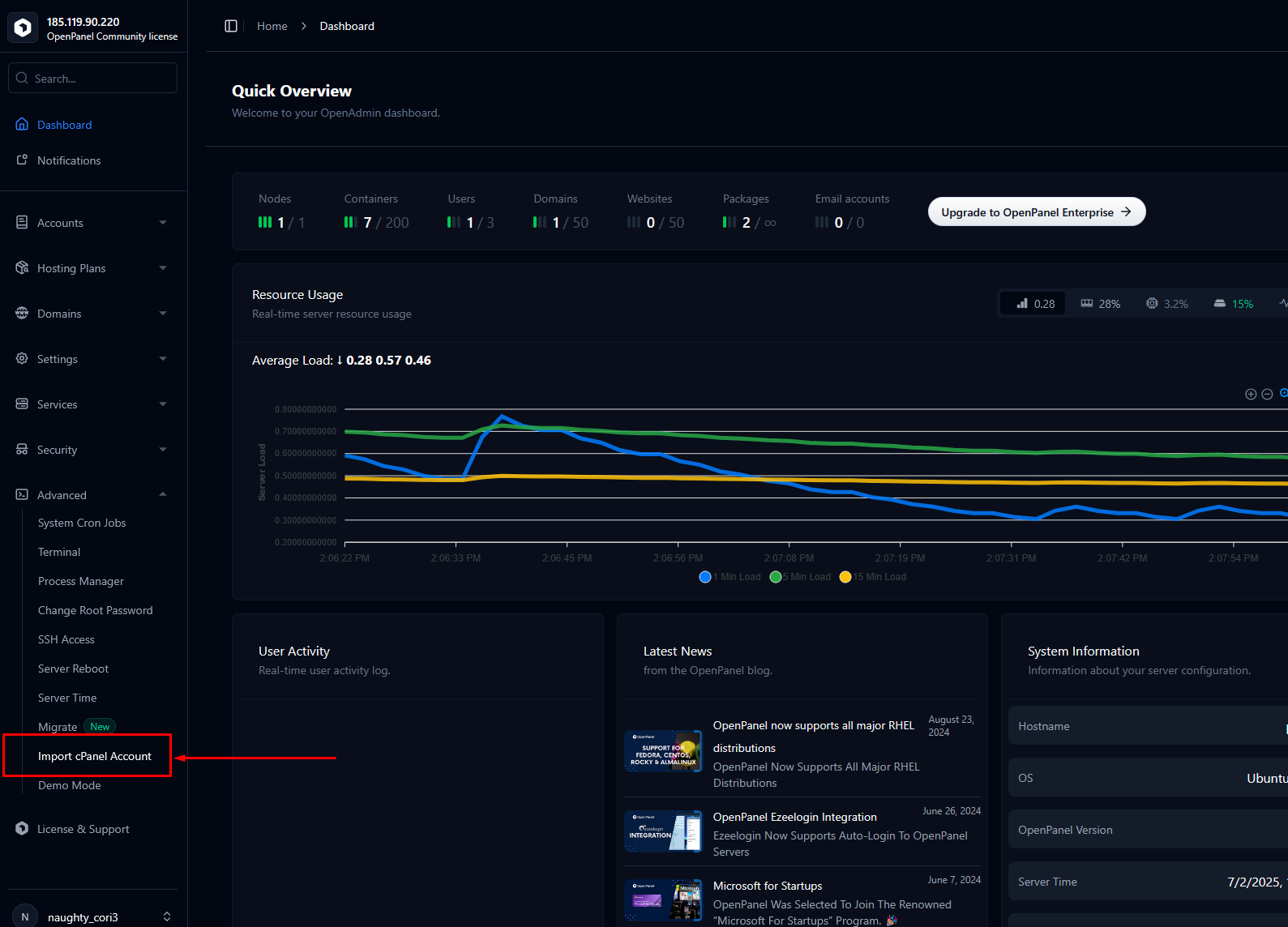
To start import from HiTechCloud, access HiTechAdmin and click on 'Import cPanel Account' within the Advanced section of the sidebar.
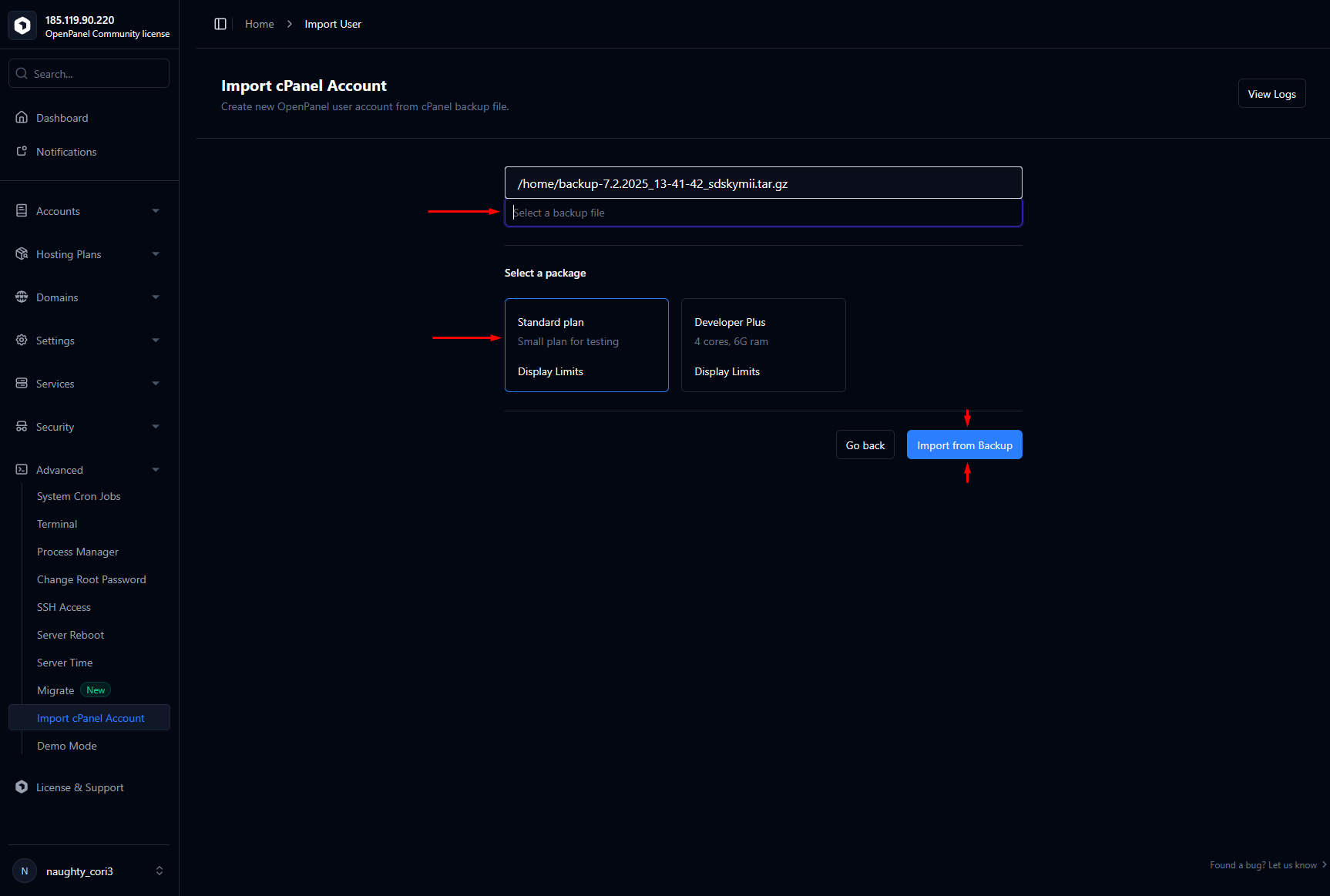
Insert full path to the uploaded cPanel backup archive, select a plan for the imported user and click on 'Import from Backup'.
That's it
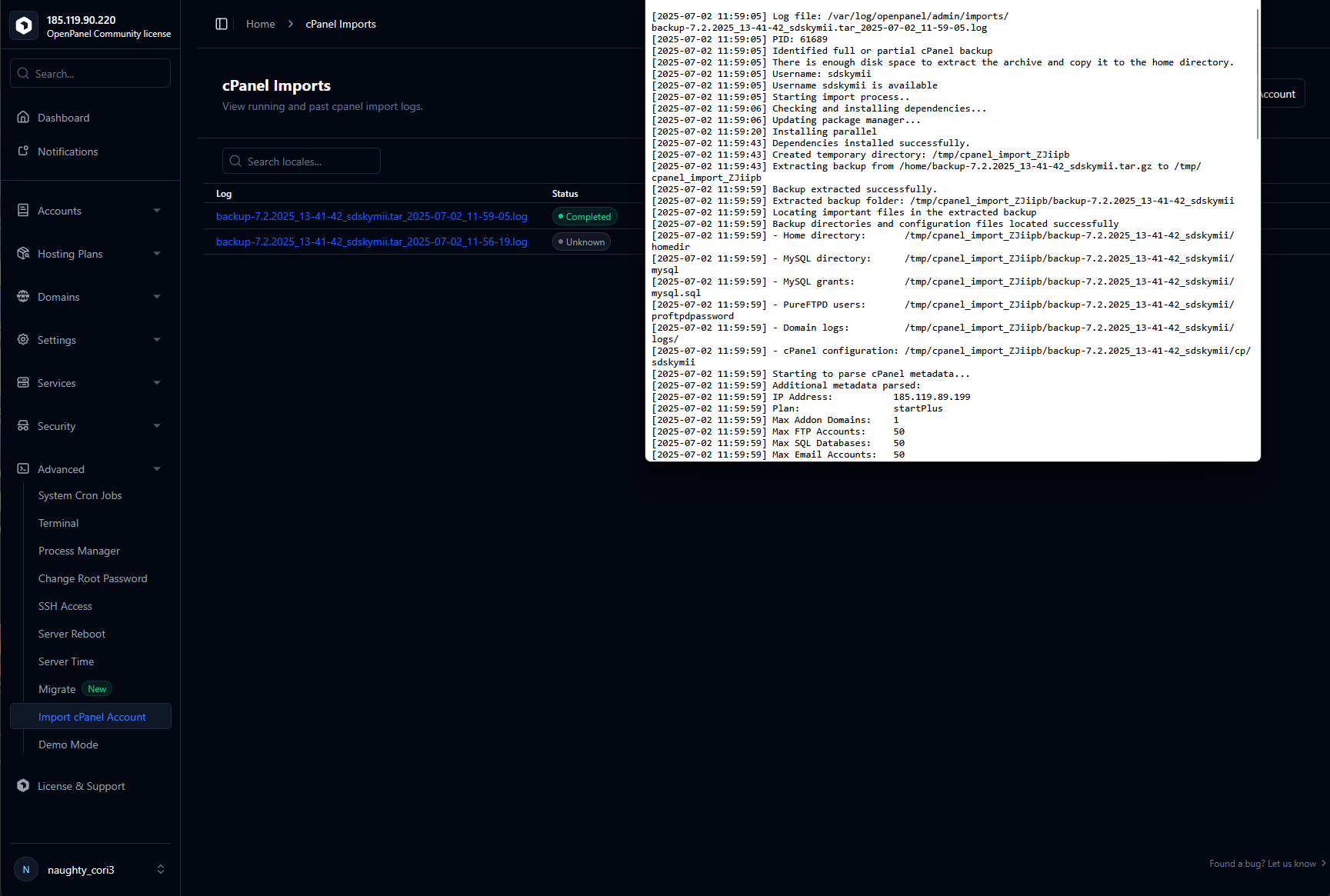
Import is running in background
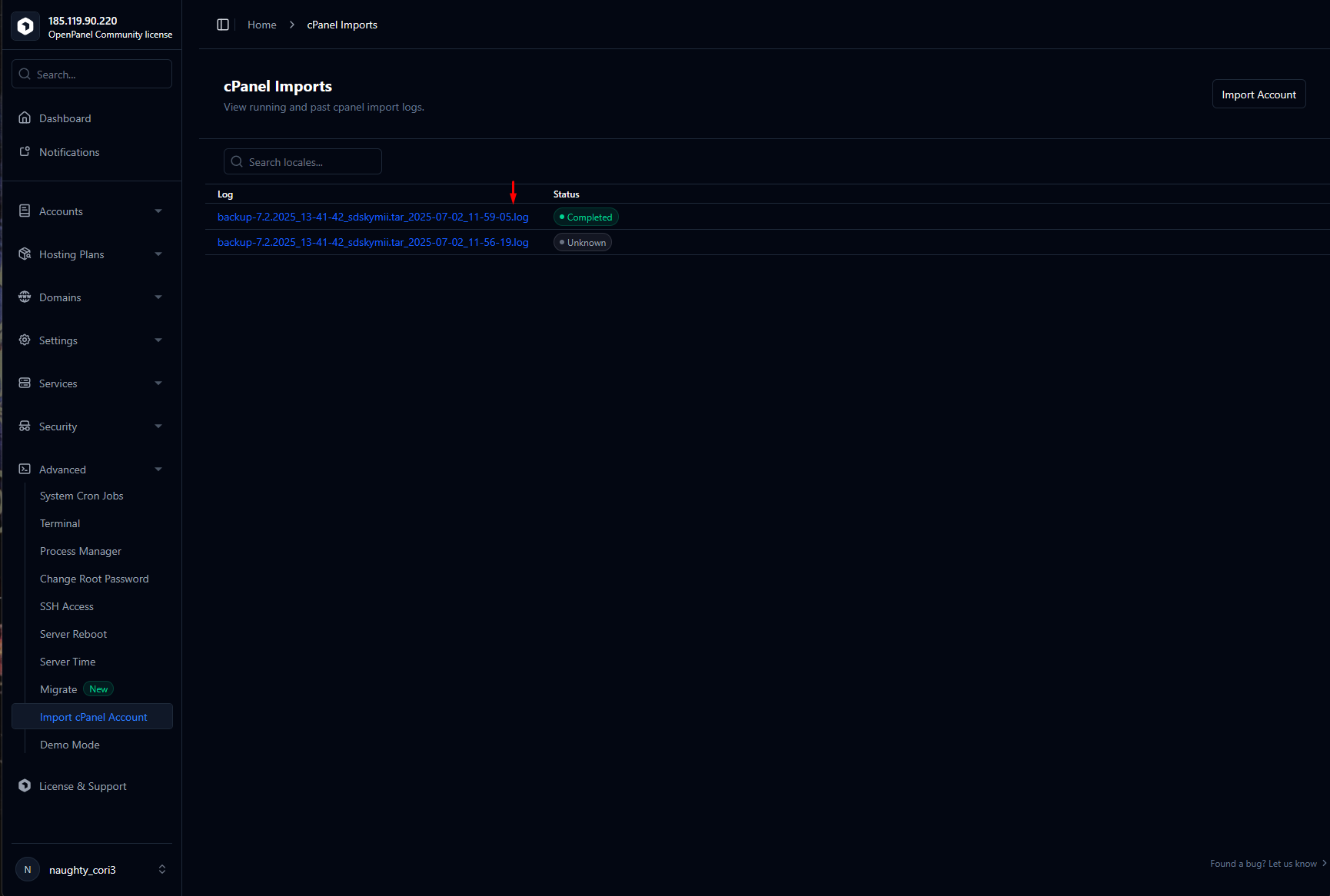
You can trace progress and view the import log on this page.
Was this helpful?