Import cPanel backup
Import cPanel accounts from backup.
Create cpanel backup
Create a cPanel account backup using backup wizard or download a backup from Jetbackup5 interface:
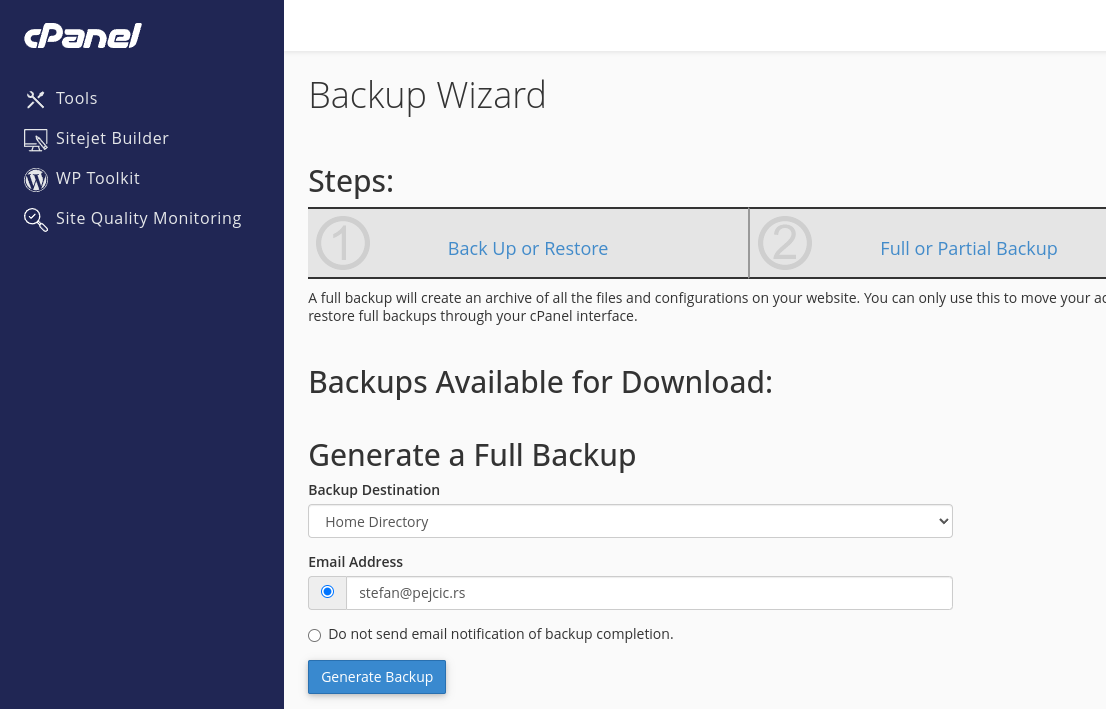
Download backup
Transfer the generated backup to your server
Import backup
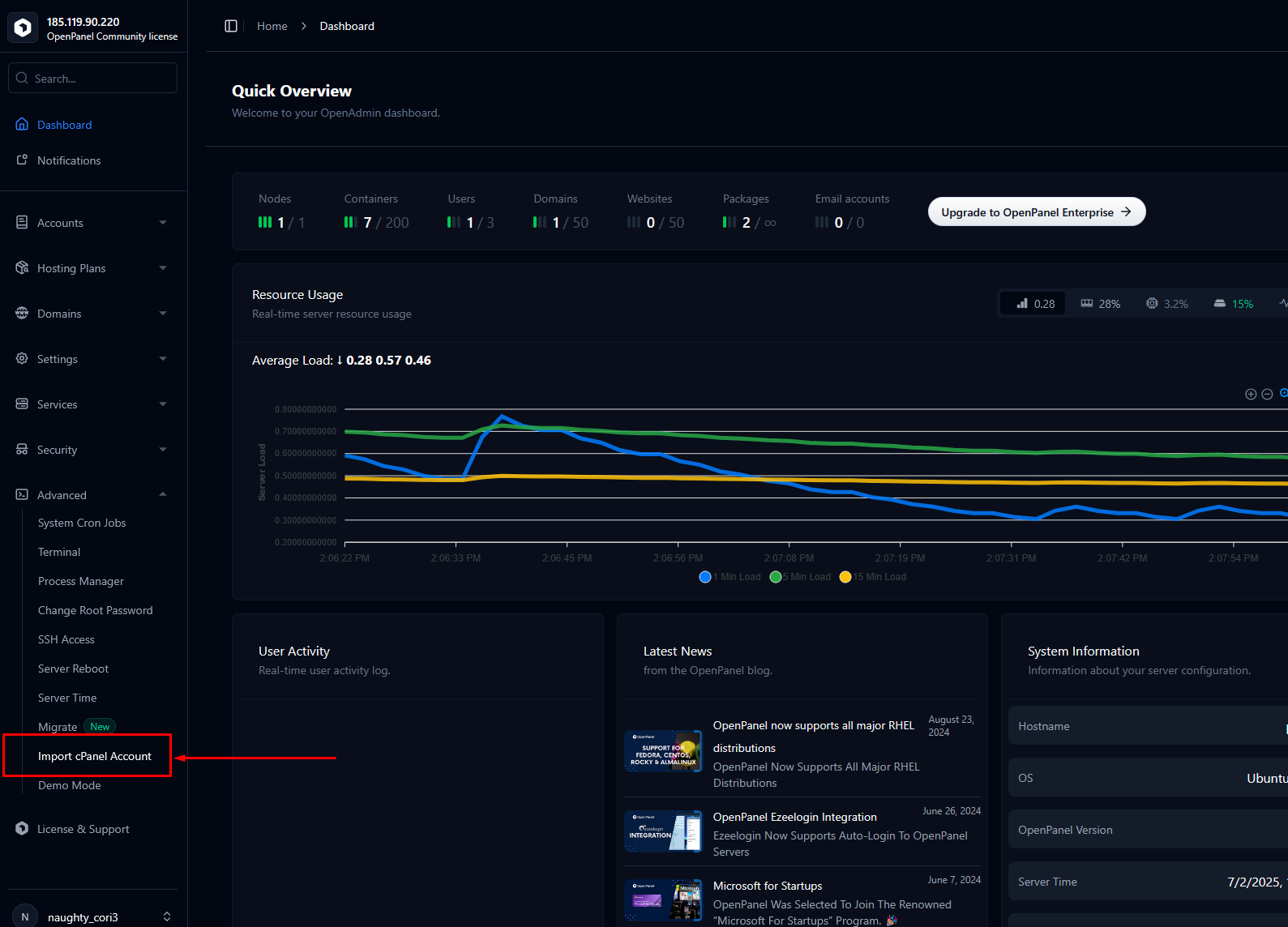
To start import from HiTechCloud, access HiTechAdmin and click on 'Import cPanel Account' within the Advanced section of the sidebar.
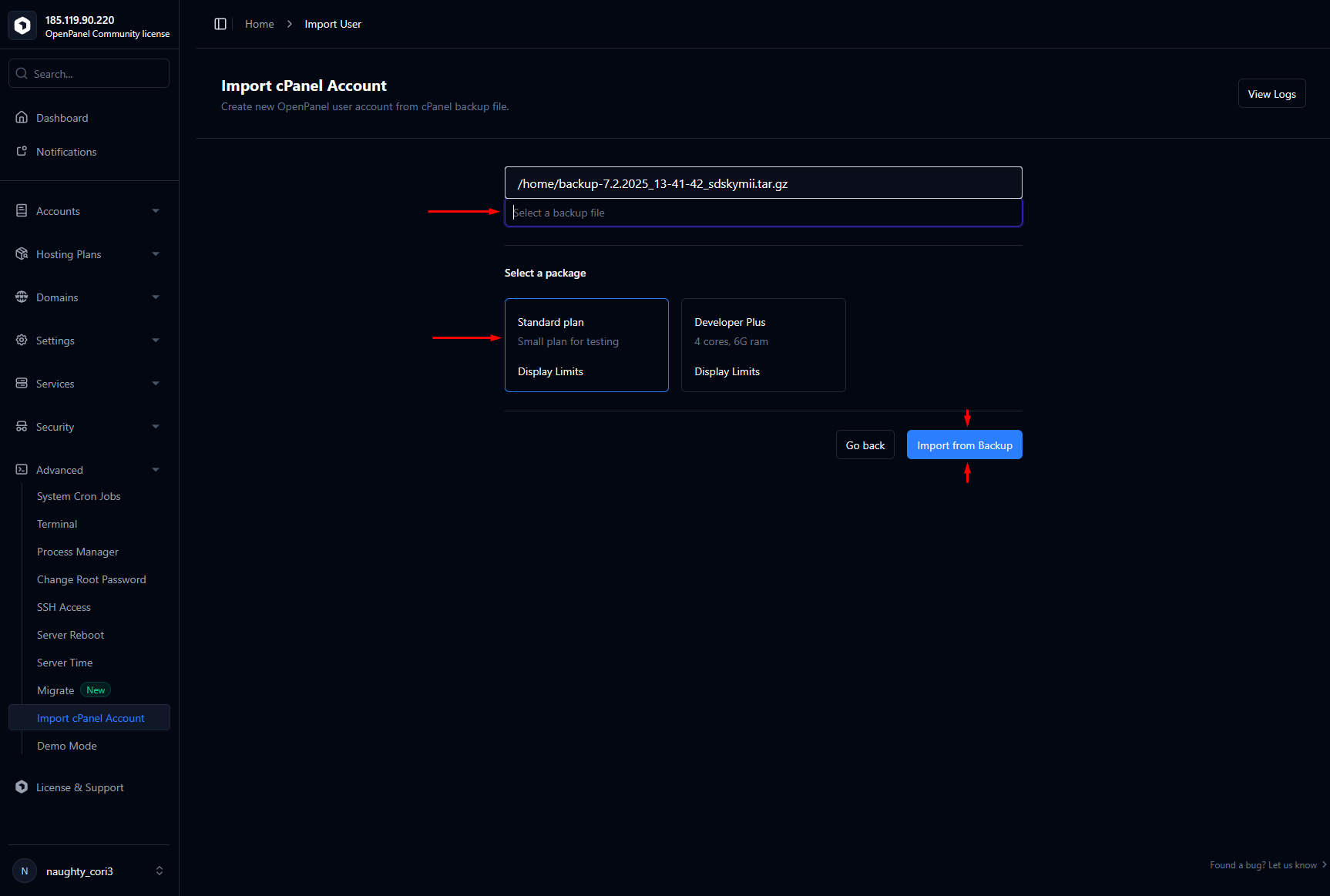
Insert full path to the uploaded cPanel backup archive, select a plan for the imported user and click on 'Import from Backup'.
That's it
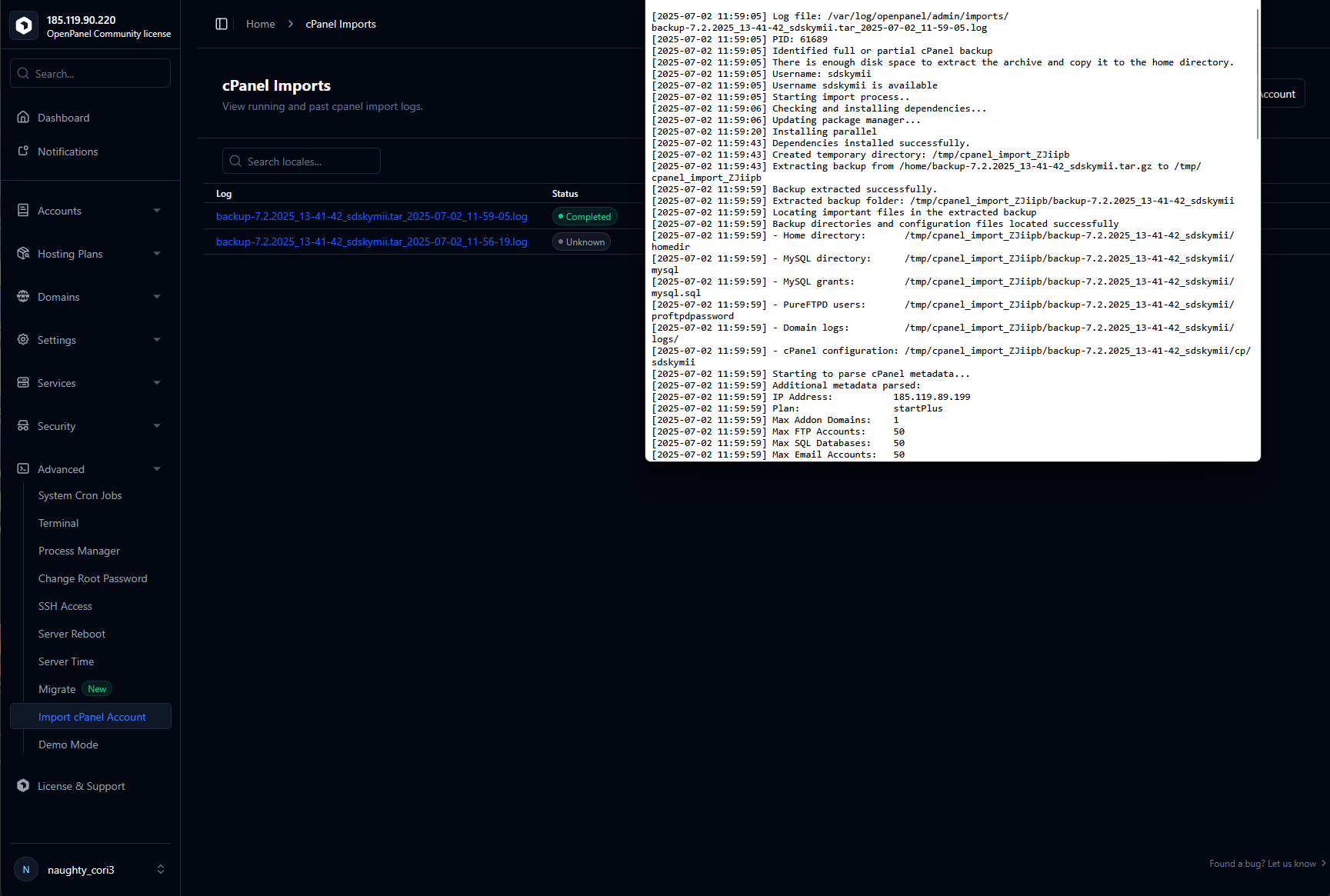
Import is running in background
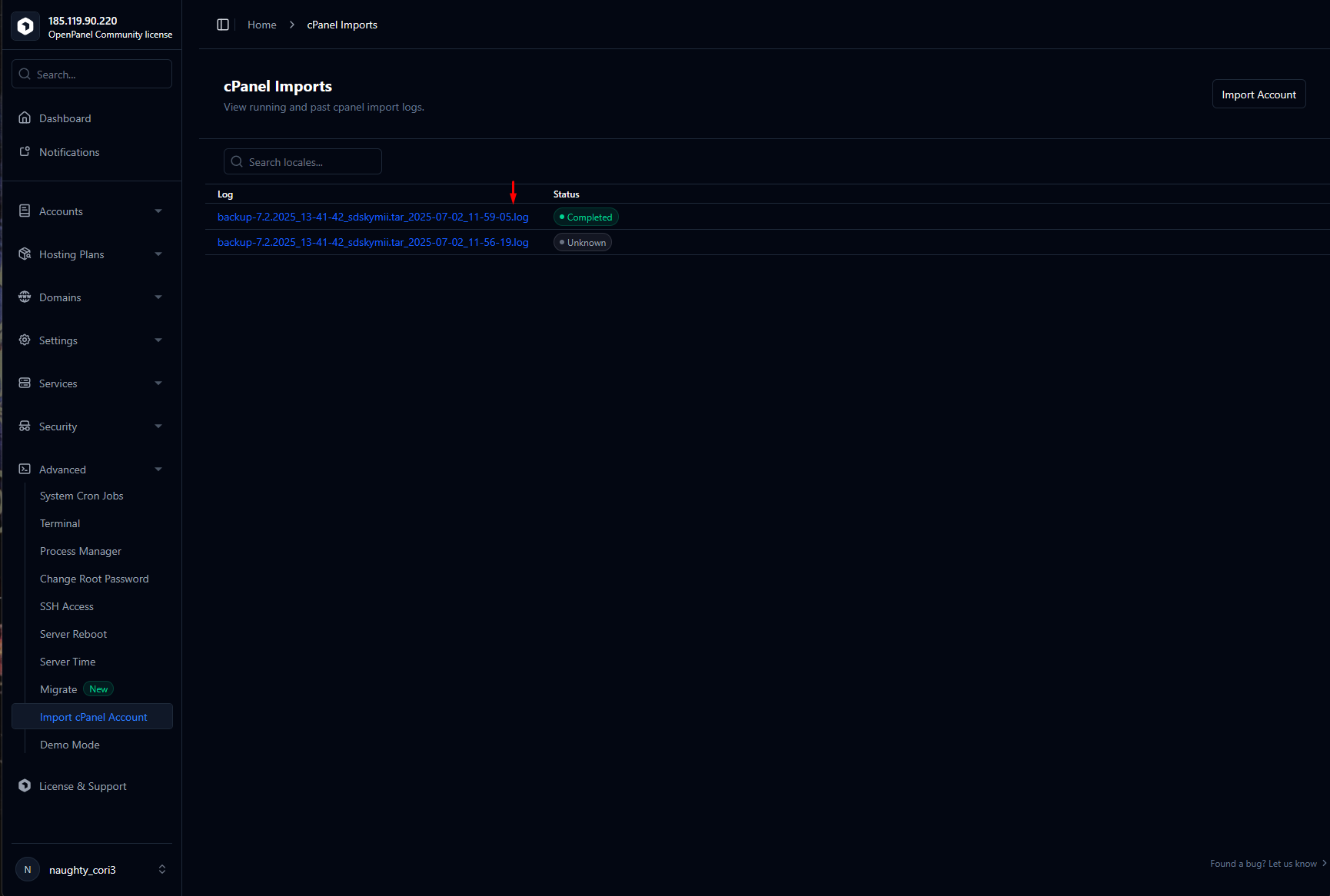
You can trace progress and view the import log on this page.
From the command line
The same importer runs from the server's shell. Report what a backup holds, changing nothing:
hitechcloudcli migrate import cpanel --backup-location=/root/backup-7.29.2024_13-22-32_alice.tar.gz --plan-name='Standard plan' --dry-run
then import it by running the same command without --dry-run. Other
options: --username=<name> (import under another name), --reseller=<name>,
--skip-mail, --skip-files, --post-hook=<executable> and --debug.
Each run logs to /var/log/hitechcloud/admin/imports/ and keeps a ledger and
an undo script under /var/lib/hitechcloud/imports/; passwords the import had
to set are in a root-only credentials file there, never in the log.